Introduction
Table of Contents
You’re up at 2 AM googling “form builder” because your landing page converts at maybe 2%. You’ve clicked through 47 different tools. Read a dozen reviews. Still confused about which one does what you need.
I’ve been doing this marketing funnel thing for three years. Tested way too many tools. Here’s what nobody tells you about Outgrow vs CognitoForms – you’re not picking between two form builders. One grabs info from people. The other gets them involved in something that turns them into buyers.
I work with Outgrow. But I’ve used CognitoForms on plenty of projects too. I’ll tell you exactly when each one makes sense.
What Each Platform Does
Outgrow went differently. They focused on tools that generate leads. Not “fill out these fields” forms. Calculators, assessments, recommendation engines – stuff that gives people something useful while you’re getting their info.
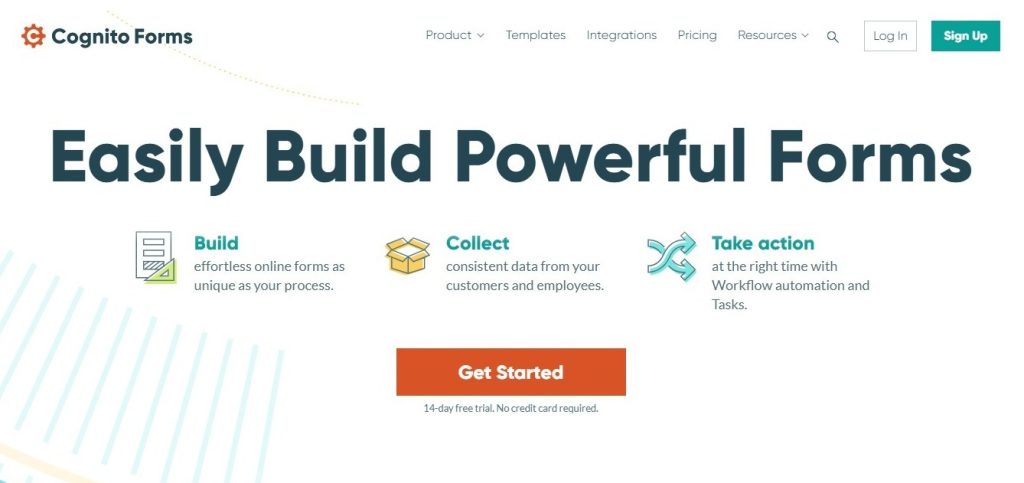
CognitoForms showed up in 2013. They made it for registration systems, application forms, and collecting data. You get calculations, conditional logic, payment stuff – no code needed.
Outgrow works for:
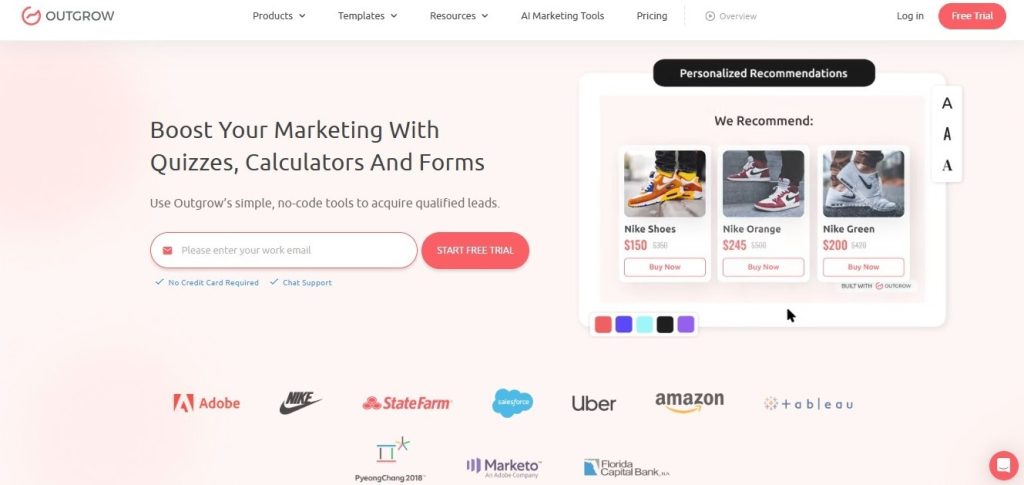
- ROI calculators that show value before sales calls happen
- Tools that recommend products
- Assessments that score leads automatically
- Surveys that give personalized answers
- Pricing calculators that get conversations going
CognitoForms works for:
- Forms with multiple pages and tricky logic
- Taking payments for orders
- Uploading documents and managing files
- Connecting to Office 365 and SharePoint
Big tell – how they charge. CognitoForms counts each submission. Outgrow counts each person who visits and uses your content.
The UX Survey Example Problem
Most companies screw up UX surveys. Let me show you with a UX survey example.
Typical setup: You ask 15 questions about experience. Collect answers. Dump into a spreadsheet. Then you’re reading through 200 responses trying to find patterns. Takes forever.
Outgrow Approach
Build a UX assessment that scores answers right there. Someone goes through questions, boom – they see their satisfaction score right away with comparisons. You get data already scored and sorted by what needs fixing.
CognitoForms Approach
Build a clean survey with sections for navigation, features, support, and satisfaction. People fill it out. You export to Excel. Then analyze yourself or use Power BI.
Works okay if you have time to dig through data.
See the difference? One collects everything for later. The other analyzes while collecting, gives users something useful, and hands you organized data.
Real UX survey example from a SaaS company using Outgrow: They made this “Product Experience Score” assessment. Asked about feature discovery, ease of use, support quality, and perceived value. Users got a score out of 100 with suggestions. The company got leads sorted into “champions” (80+ scores), “satisfied” (60-79), and “at risk” (under 60) with workflows set up for each.
Results: 34% finished it vs 12% with their old survey. They could act on feedback right away instead of waiting months.
Breaking Down Features
1. Templates and Build Speed
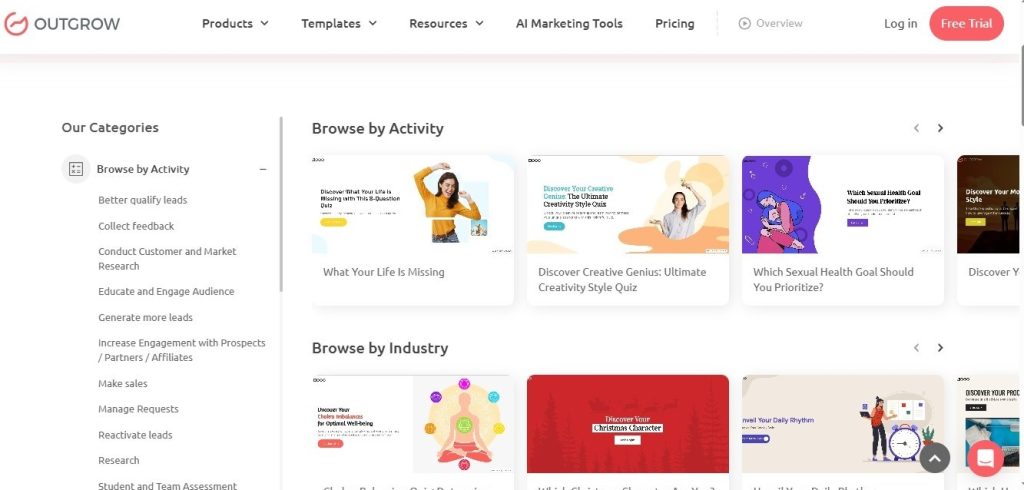
Outgrow has 1000+ templates, but they’re not just designs. Complete systems – calculators, quizzes, assessments, surveys. Each one has logic built in, scoring set up, and result pages tested through actual use by thousands of businesses.
CognitoForms gives you maybe 40 templates – contact forms, registration stuff, applications. Pretty basic. Most people finish their first form in 15-20 minutes.
Build time: 30-40 minutes for interactive content with Outgrow vs 15 minutes for standard forms with CognitoForms.
2. Calculations and Scoring
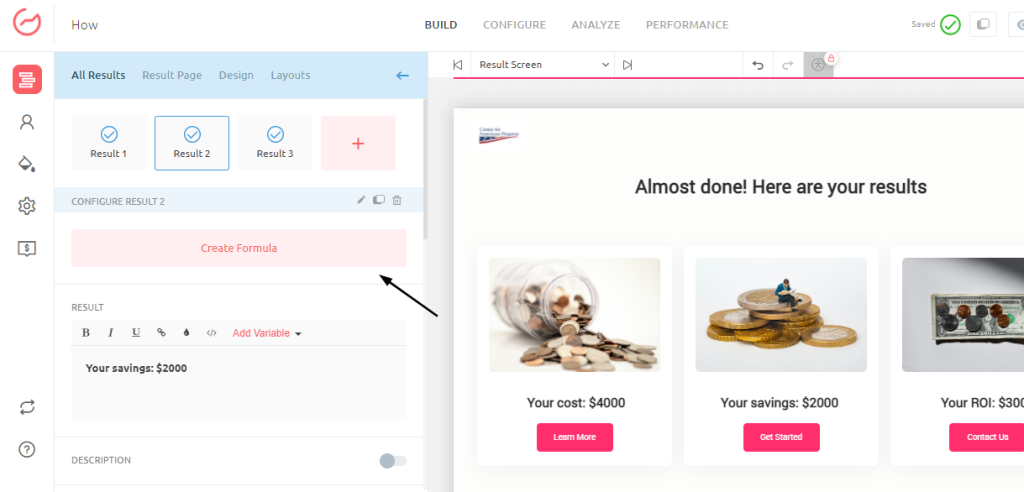
Outgrow was made for complicated calculations. Build weighted scoring, run financial projections, and create pricing models with tons of variables. Like a retirement calculator factoring in age, target retirement age, current savings, monthly contributions, expected returns, inflation rates, and risk tolerance – then shows projections with different scenarios.
CognitoForms does basic math. Add stuff, aggregates, and simple formulas. Calculate order totals, apply discounts, and check data.
3. Lead Qualification
This is where they split apart completely.
Outgrow scores every interaction automatically. Based on completion, answer quality, and engagement. Your CRM gets leads with scores attached, so sales know who to call first.
CognitoForms doesn’t score leads. Just collects what people tell you. You manually go through submissions, figuring out who’s worth calling.
Companies using Outgrow report 40-60% more qualified leads.
4. Integrations
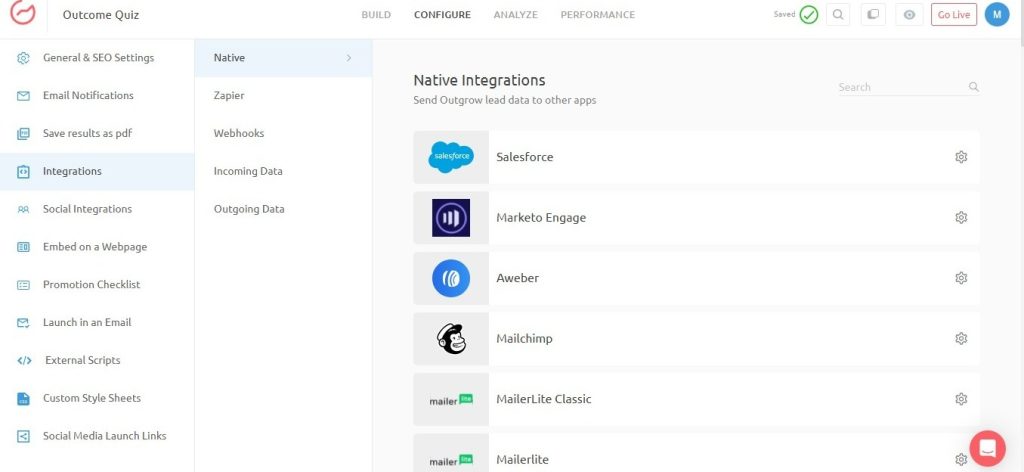
Outgrow connects with major CRMs – HubSpot, Salesforce, and Pipedrive. Email platforms, analytics tools, 1000+ apps through Zapier.
CognitoForms connects with Microsoft stuff, payment processors, email services, and Zapier.
Real difference though: CognitoForms tells your CRM “someone submitted a form.” Outgrow tells your CRM, “Here’s a lead. Scored 87/100. Budget looks like $50k. Timeline is 3 months. Here’s what they care about.”
5. Quiz Software
Outgrow is a real online quiz maker with stuff built for quizzes:
- Outcome quizzes match people to categories
- Scored assessments, giving percentage results
- Personality quizzes with multiple outcomes
- Logic changing based on previous answers
- Social sharing is built into the results
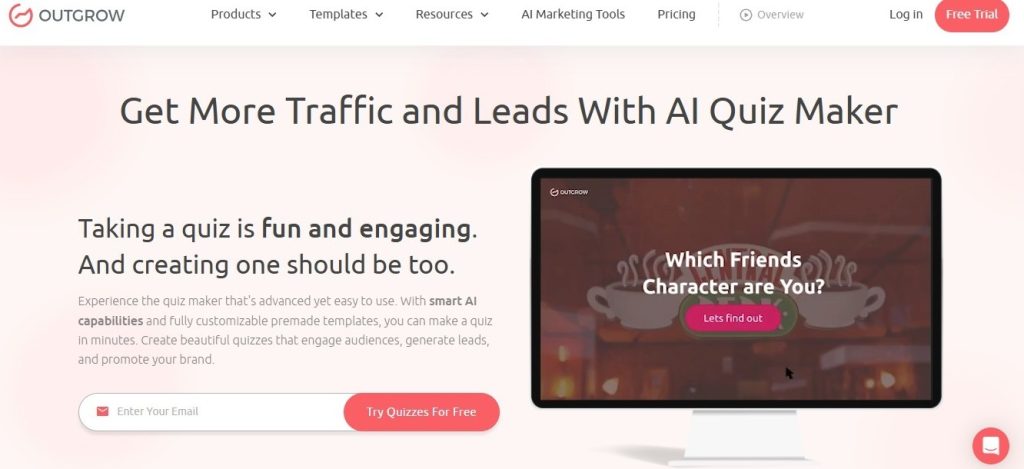
CognitoForms can technically make a quiz if you hack calculations together.
Example: Marketing agency built “What’s Your Marketing Maturity Level?” using Outgrow as quiz software. Gets 400+ people monthly. 38% book consultations because the quiz showed them what they’re missing.
What You Pay
Real numbers:
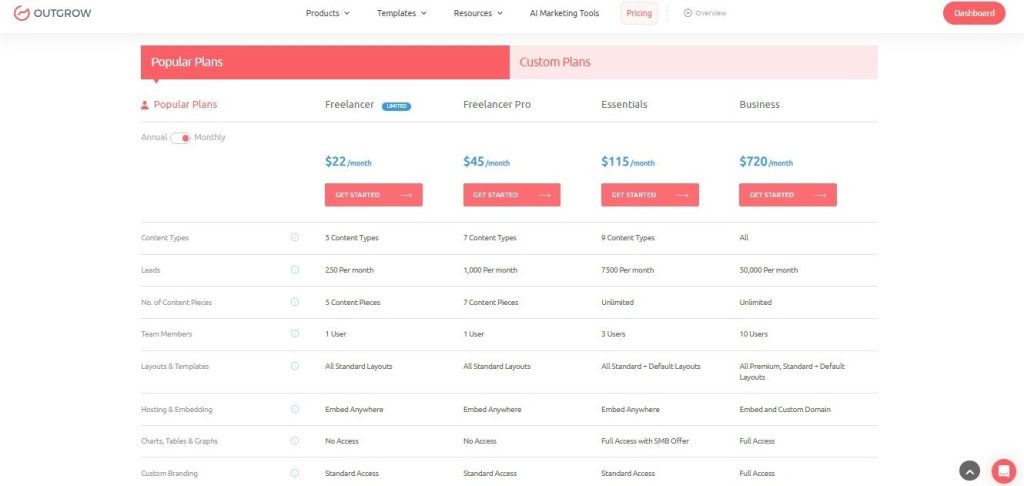
Outgrow (2025)
- Freelancer Limited ($22/month): 250 unique visitors
- Freelancer Pro ($45/month): 1,000 unique visitors
- Essentials ($115/month): 7,500 unique visitors
- Business ($720/month): 50,000 unique visitors
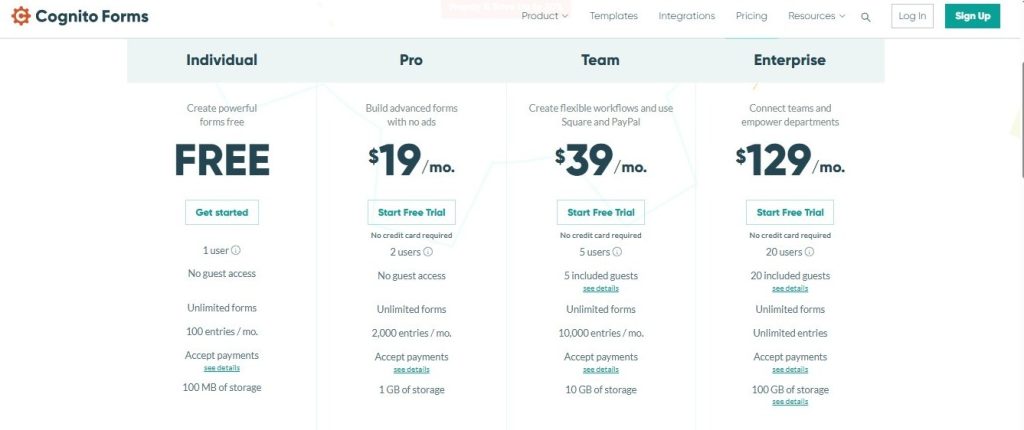
CognitoForms (2025)
- Free: 1 form, 100 entries monthly
- Pro ($19/month): Unlimited forms, 2,000 entries monthly
- Team ($39/month): Unlimited forms, 10,000 entries monthly
- Enterprise ($129/month): unlimited entries monthly
Pricing model matters. Running a survey expecting 500 responses? CognitoForms costs less. Want a calculator running 24/7, generating leads? Outgrow gives better ROI because you’re measuring visitor value, not submission volume.
Feature Comparison: Side-by-Side
| Feature | Outgrow | CognitoForms |
| Primary Purpose | Interactive content & lead generation | Form building & data collection |
| Best For | Calculators, quizzes, assessments, surveys with results | Applications, registrations, workflows, order forms |
| Starting Price | $22/month | $15/month |
| Free Plan | 7-day trial | Yes (limited) |
| Pricing Model | Per unique visitor | Per entry/submission |
| Templates | 1000+ conversion-optimized | 40+ form templates |
| Calculations | Advanced formulas, scoring, projections | Basic math, aggregates |
| Lead Scoring | Automatic, based on engagement | Not available |
| Personalization | Dynamic results per user | Conditional logic |
| Quiz Creation | Built-in quiz types with outcomes | Manual setup with calculations |
| Payment Processing | Via integrations | Native Stripe, Square, PayPal |
| File Uploads | Via integrations | Native support |
| Workflow Automation | Via CRM integrations | Native approvals & routing |
| Analytics Dashboard | Engagement, conversion, outcomes | Submissions, completions |
| Mobile Optimized | Yes | Yes |
| White Labeling | Business plan+ | Enterprise plan |
| Customer Support | Live chat, 2–5 min response | Email, knowledge base |
Real Use Cases
Use Case 1: B2B Company Needs Qualified Leads
Go with: Outgrow
The cybersecurity company is getting decent traffic, but the lead quality sucked. Built “Security Risk Assessment” with Outgrow – asks about company size, industry, current security, compliance needs, and incident history. Assessment scores risk and suggests solutions.
Results: 47 qualified consultations in 60 days. Close rate jumped 19% to 38% because prospects knew what was broken before talking to sales. Assessment became the main lead source – generates 60% of the new pipeline.
Use Case 2: Non-Profit Application Management
Go with: CognitoForms
Scholarship foundation processes 2,000+ applications yearly. Needs multi-page applications with file uploads, question changing by program, automatic GPA calculations, and review workflows.
CognitoForms handles this perfectly. Document management, Microsoft integration. They don’t need interactive content. They need application processing that doesn’t drive them crazy.
Use Case 3: E-Commerce Product Recommendations
Go with: Outgrow
The online skincare place had high bounce rates, tons of abandoned carts. Built “Skin Type & Product Finder” quiz – asks about skin concerns, sensitivity, current routine, and budget. The quiz recommends specific products with reasons.
Results: 42% finished the quiz. Recommendations converted at 28% vs 8% for regular browsing. Average order jumped 34% because recommendations included products working together. The quiz became the most valuable marketing asset.
Use Case 4: University Event Registration
Go with: CognitoForms
University hosts dozens of events needing registration with payment processing, dietary preferences, session selection, and guest management. Needs reliable forms, grabbing info, processing payments, sending confirmations, and connecting with existing systems.
CognitoForms gives exactly what they need: clean registration with payment integration, logic for sessions, and Office 365 integration for calendars. Interactive content would be overkill.
Use Case 5: Marketing Agency Qualifying Prospects
Go with: Outgrow
Digital agency gets 500+ website visitors monthly, but couldn’t tell serious prospects from tire-kickers. Created “Marketing Scorecard,” looking at current strategy, execution quality, measurement sophistication, and resource allocation. The scorecard shows a marketing maturity score with specific improvements.
Results: 52 qualified consultations in 90 days. Close rate went from 24% to 39% because prospects saw gaps and wanted help. The scorecard generates more leads than everything else combined. Built similar assessments for client industries, multiplied lead generation.
Why Interactive Stuff Beats Regular Forms
People love quizzes and calculators because they get something back. A free survey maker just collecting answers feels one-sided. Interactive quiz scoring results, comparing to benchmarks, giving personalized product recommendations? Feels valuable.
Just psychology. When you help someone understand something about themselves, their business, or their situation, you earn trust. Trust converts way better than clever copy or pushy CTAs.
Best online quiz maker platforms get this. Outgrow’s templates are built on conversion data from thousands of businesses. Logic, question flow, result pages, CTAs – all optimized through real usage.
Quiz example: “What’s Your Email Marketing Maturity Level?” asks about list building, segmentation, automation, personalization, and measurement. Instead of just scoring, it shows maturity level, explains what separates each level, points out gaps, and suggests resources for improvement.
That quiz generates leads because it teaches first. People share results, come back looking at recommendations, and remember who gave insights when ready to hire.
Making Your Decision
Forget feature lists. Ask what you’re trying to accomplish.
Choose Outgrow if:
- Lead generation grows your business
- Need content to qualify prospects without manual work
- Want calculators, assessments, and recommendation tools
- Need quiz software to generate qualified leads
- Business is B2B, and you need a pipeline
Choose CognitoForms if:
- Need basic data collection
- Application forms, registrations, and order processing
- Payment handling inside forms matters
- Microsoft integration is important
- Budget constraints need lower entry pricing
- Simple works better than complex
Most businesses comparing these need lead generation, not just data collection. If that’s you, Outgrow gets better results because that’s what it was made for.
Wrapping Up
Outgrow vs CognitoForms choice isn’t about which has more features. It’s about matching the tool to what you’re doing.
Outgrow is a lead generation platform building interactive experiences. For marketing teams needing qualified leads, get results that form can’t match.
CognitoForms is a solid form builder. Handles data collection, payments, and workflows. For straightforward forms, a good pick at a fair price.
If your goal is to fill the pipeline with prospects who get your value and are ready to buy, interactive content beats forms every time. Not my opinion. Conversion data shows this across thousands of businesses.
Your call. Need forms? Get CognitoForms. Need leads? Get Outgrow.
Try Outgrow’s 7-day free trial and build your first calculator, quiz, or assessment. Compare lead quality against what you’re getting now. That’s the only test that matters.
FAQs About Outgrow vs CognitoFoms
CognitoForms grabs data through forms. Outgrow builds interactive experiences for lead generation and qualification. Different tools for different jobs.
For interactive UX surveys with instant feedback, Outgrow gets 30-40% completion rates vs 15-20% for standard surveys. Just need basic data collection? CognitoForms works fine.
CognitoForms has a free plan with 500 entries monthly. Outgrow gives a 7-day trial, then you pay.
Outgrow wins with features made for outcome quizzes, scored assessments, and lead capture. CognitoForms can build basic quizzes, but lacks specialized stuff.
Outgrow gets 40-60% better qualified lead volume with automatic scoring and personalization built in.
Choose CognitoForms for simple data collection and forms. Choose Outgrow for lead generation and interactive content to qualify prospects while they’re using it.

Muskan is a Marketing Analyst at Outgrow. She is working on multiple areas of marketing. On her days off though, she loves exploring new cafes, drinking coffee, and catching up with friends.