Outgrow vs Zoho Forms: Which Tool is Right for Your Business?
Introduction
Table of Contents
Choosing the right data collection tool can make or break your lead generation strategy. I’ve spent years testing form builders and interactive content platforms, and two names keep coming up in conversations: Zoho Forms and Outgrow.
Here’s the thing. These tools look similar on the surface (they both collect information from your audience), but they solve completely different problems. One is a traditional form builder. The other is an interactive content platform that happens to collect data.
In this comparison, we’ll look at features, pricing, use cases, and real results from businesses using both platforms. By the end, you’ll know exactly which tool fits your needs.
Let’s dig in.
The Problem These Tools Solve (And Where They Diverge)
Both platforms help you collect information from your audience. But that’s where the similarity ends.
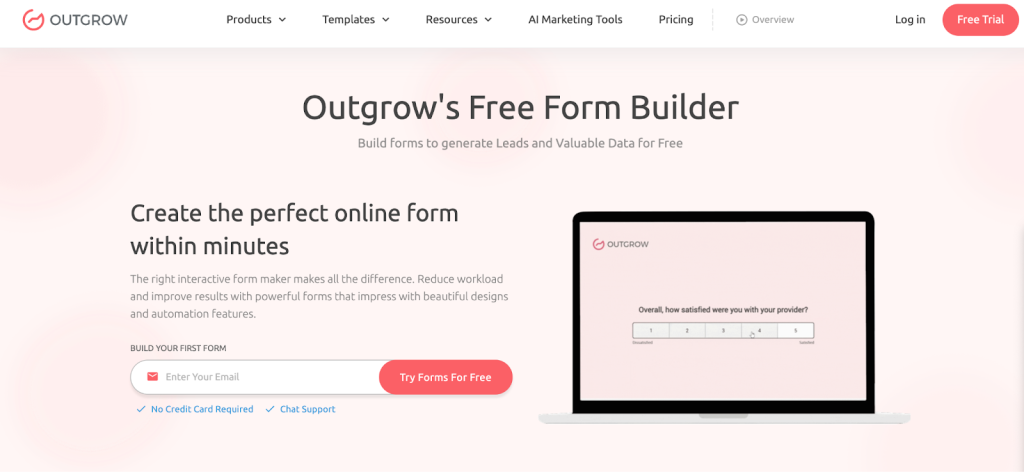
Outgrow tackles a different challenge: “I need to engage my audience, qualify leads automatically, and provide personalized value while collecting data.” It’s less about forms and more about creating interactive experiences that people actually want to complete.
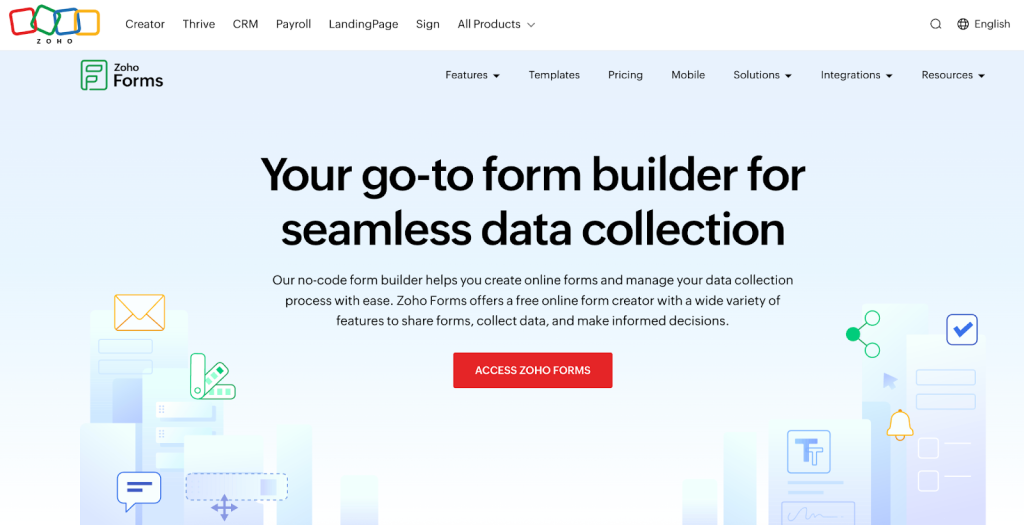
Zoho Forms solves the classic problem: “I need to gather data from customers, employees, or website visitors in an organized way.” Think contact forms, event registrations, feedback surveys, and order forms. The digital equivalent of clipboard questionnaires, but much more efficient.
Here’s a relatable scenario: You’re a B2B SaaS company. You could use Zoho Forms to create a “Request a Demo” form with fields for name, email, company size, and budget. You’ll capture leads, sure. But you won’t know if they’re genuinely qualified, and frankly, filling out another form feels like homework.
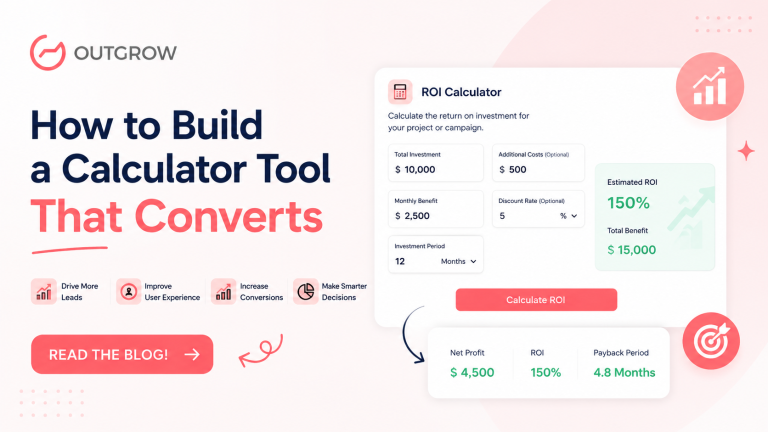
With Outgrow, you’d build an ROI calculator or an assessment quiz that asks similar questions but positions them as part of a valuable experience. “Let’s calculate how much time our tool could save your team.” Suddenly, you’re not just collecting data. You’re demonstrating value, qualifying leads based on their inputs, and personalizing follow-up automatically.
Feature Comparison: What You Actually Get
Form Building and Templates
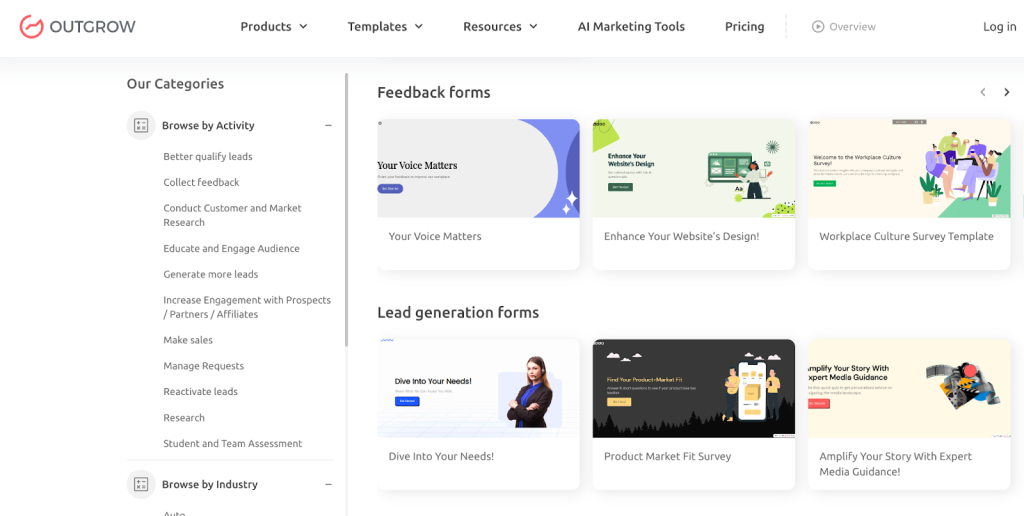
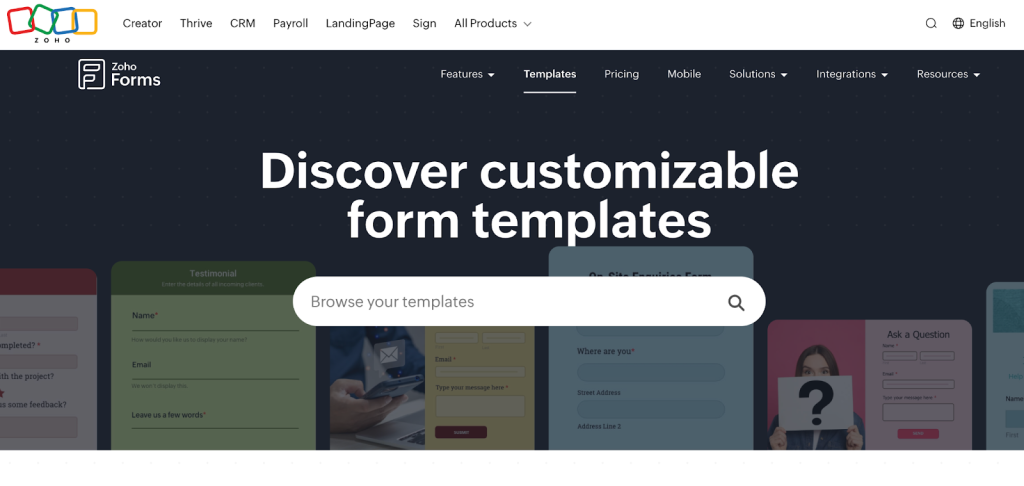
Outgrow provides templates, too, but they’re fundamentally different. Instead of form templates, you get interactive content templates: marketing calculators, product recommendation quizzes, chatbots, polls, and assessments. The builder is visual and intuitive, though there’s admittedly a slightly steeper learning curve because you’re creating branching logic and personalized outcomes, not just linear forms.
Zoho Forms offers a clean, intuitive drag-and-drop builder with over 40 field types and a library of pre-built templates. Need a customer satisfaction survey or an HR onboarding form? They’ve got templates that’ll save you 20 minutes. The interface is straightforward. If you’ve used Google Forms but want more customization, you’ll feel right at home.
Winner: Tie, depending on your needs. For straightforward forms, Zoho wins on simplicity. For interactive content, Outgrow is in a different league.
Interactive Capabilities and Personalization
Here’s where the platforms diverge significantly.
Outgrow is built around personalization and engagement. Every piece of content can branch based on user responses, calculate results in real-time, and deliver personalized outcomes. A mortgage calculator doesn’t just collect data. It shows users their estimated monthly payment. A quiz doesn’t just ask questions. It delivers a customized report based on their answers.
One of our clients, a financial services company, built a “Retirement Readiness Calculator” with Outgrow that asks questions about current savings, age, and retirement goals, then generates a personalized report. Their conversion rate jumped 67% compared to their old contact form because prospects received immediate value.
Zoho Forms keeps things simple. You can add conditional logic (show Field B if someone selects Option A), create multi-page forms, and customize the thank-you page. That’s about it for interactivity.
Winner: Outgrow, if personalization and engagement matter to your strategy.
Lead Qualification and Scoring
Outgrow includes native lead qualification and scoring. You can assign point values to different answers, automatically segment leads, and trigger different follow-up sequences based on scores. A B2B company could automatically identify “hot leads” (decision-makers with budgets over $50K) versus “nurture leads” (individual contributors researching options) without manual sorting.
Zoho Forms collects responses and sends them to your CRM. You can set up basic routing rules (send high-value leads to sales, others to marketing), but there’s no built-in scoring mechanism.
Winner: Outgrow for automated qualification. Zoho Forms requires manual processes or external tools.
Integrations and Workflow Automation
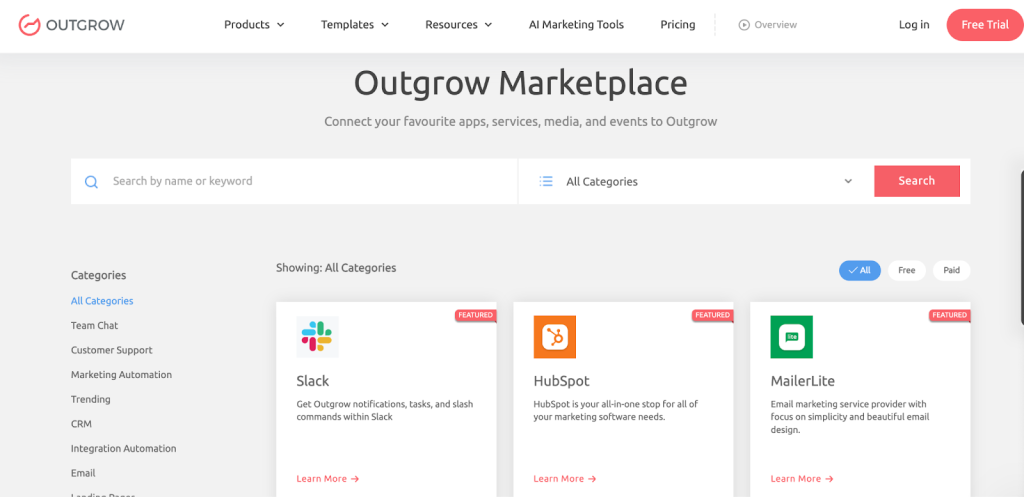
Outgrow integrates with over 1,000 tools, including HubSpot, Salesforce, Marketo, Mailchimp, ActiveCampaign, Google Analytics, Facebook Pixel, and more. The platform offers native integrations for major CRMs and marketing automation platforms, plus webhook support for custom connections.
Here’s where Outgrow really pulls ahead: since it captures richer data (engagement metrics, qualification scores, quiz outcomes, calculator results, personalized recommendations), your integrations push far more actionable information to your sales and marketing stack.
Zoho Forms integrates well with the Zoho ecosystem (CRM, Campaigns, Analytics, etc.), which is convenient if you’re already locked into their suite. It also connects with common tools like Google Sheets, Mailchimp, Slack, and PayPal through Zapier or native integrations. Setup is generally straightforward, but you’re mostly pushing basic form field data.
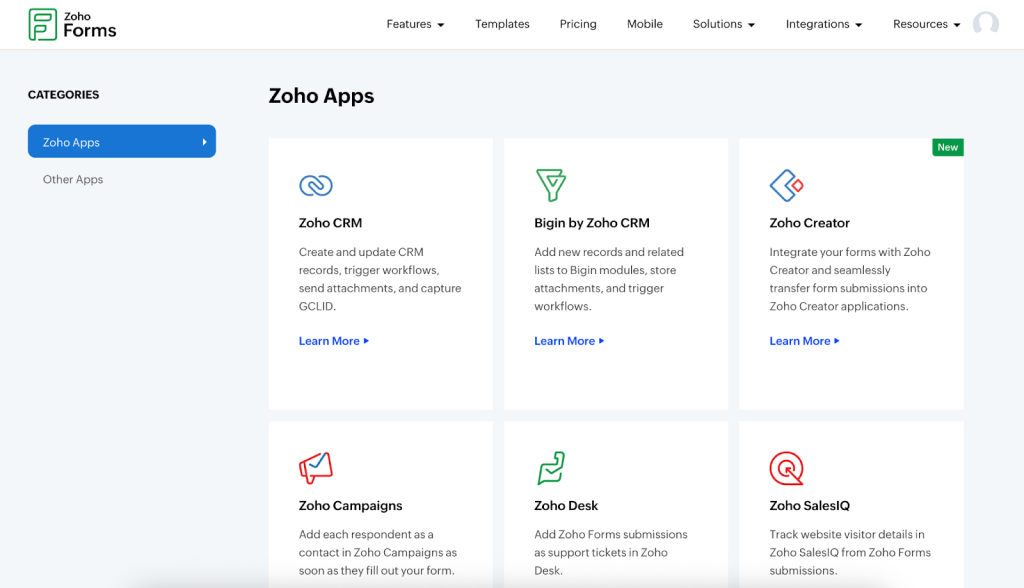
Zoho Forms can integrate with Zoho CRM beautifully, but if you’re using HubSpot, Salesforce, or any non-Zoho stack, you’re better served by Outgrow’s deeper integrations and richer data transfer.
Winner: Outgrow for data-rich integrations that actually help sales and marketing teams work smarter. Zoho Forms is only for you if you’re fully committed to the Zoho ecosystem and only need basic field mapping.
Analytics and Reporting
Outgrow delivers detailed engagement analytics: where users drop off, which paths they take through branching logic, average completion time, lead quality distribution, and conversion metrics. You can A/B test different versions and see which performs better. The analytics are built for optimization, not just record-keeping.
Zoho Forms provides basic analytics: submission counts, completion rates, source tracking, and field-level analysis. You can view responses in tables or export to CSV. Reports show you what data you collected but don’t offer deep insights into user behavior.
Winner: Outgrow for actionable insights. Zoho Forms for basic reporting needs.
Mobile Responsiveness
Both platforms create mobile-responsive experiences automatically. Zoho Forms offers a dedicated mobile app for offline data collection (handy for field sales or event check-ins). Outgrow doesn’t have offline capability but creates mobile-optimized interactive content that works beautifully on any device.
Winner: Tie, with a slight edge to Zoho Forms for offline scenarios.
Collaboration and Multi-User Access
Outgrow offers similar team collaboration features with role-based access, shared workspaces, and approval processes for content before publishing.
Zoho Forms supports team collaboration with role-based permissions, shared folders, and approval workflows. Multiple team members can work on forms simultaneously.
Winner: Tie. Both handle teams well.
Pricing Analysis: What You’ll Actually Pay
Outgrow Pricing
Outgrow’s pricing reflects its position as an interactive content platform:
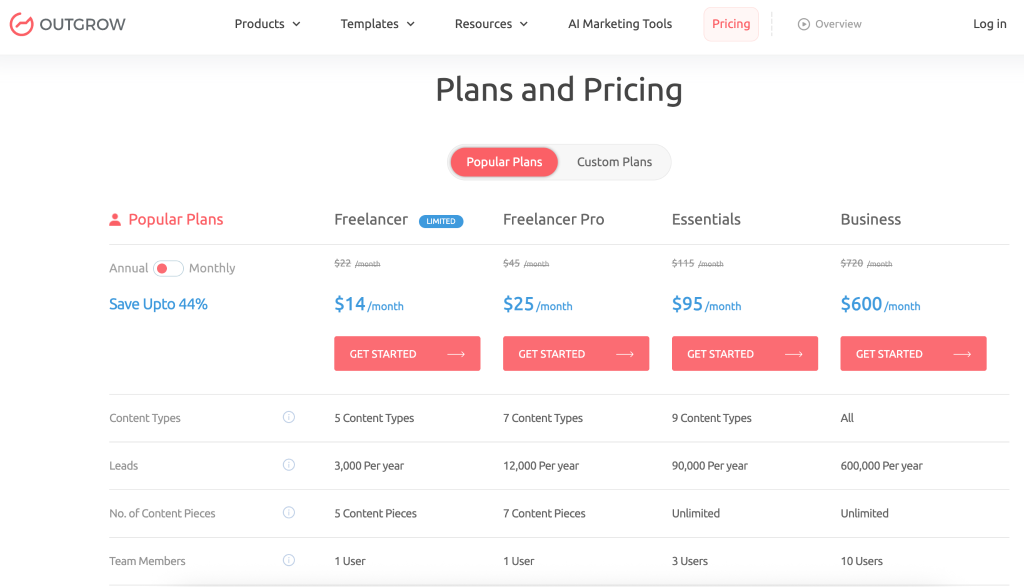
Popular Plans (Annual billing shown, save 44%):
- Freelancer Limited: $14 per month annual ($22 monthly) – 5 content types, 250 leads per month, 5 content pieces
- Freelancer Pro: $25 per month annual ($45 monthly) – 7 content types, 1,000 leads per month, 7 content pieces
- Essentials: $95 per month annual ($115 monthly) – 9 content types, 7,500 leads per month, unlimited pieces, 3 users
- Business: $600 per month annual ($720 monthly) – All content types, 50,000 leads per month, unlimited pieces, 10 users
Custom Plans:
- Startup Special: $55 per month annual ($85 monthly) – for qualifying startups, 1,000 leads per month
- Enterprise: Custom pricing (unlimited everything, priority support, dedicated success manager)
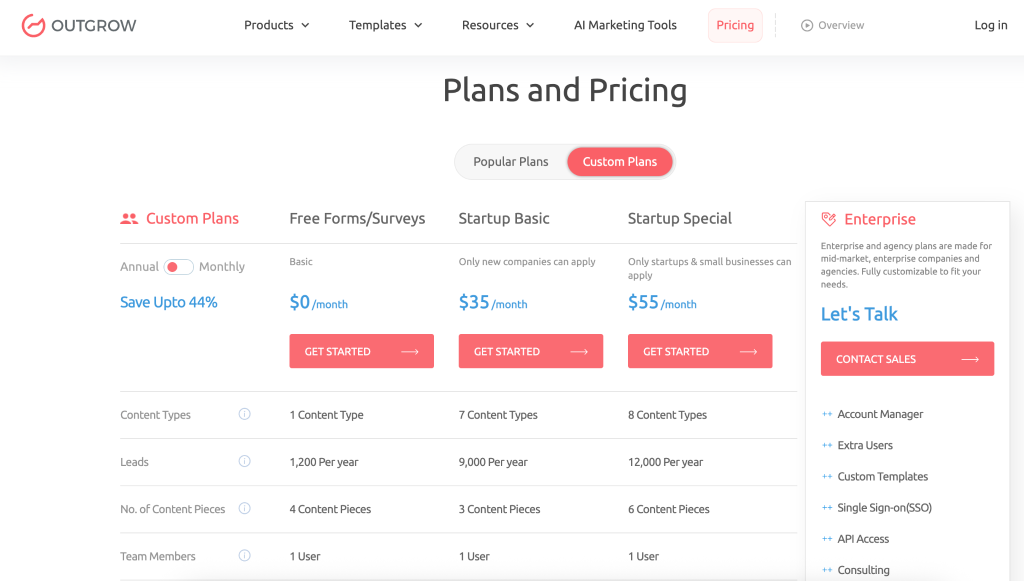
Yes, it’s more expensive. But you’re not buying a form builder. You’re investing in a lead generation and qualification engine. One of our e-commerce clients generates $40K+ monthly revenue from a product recommendation quiz built on the Freelancer plan. ROI matters more than monthly cost.
Zoho Forms Pricing
Zoho keeps pricing straightforward and affordable:
- Free Plan: 3 forms, 500 submissions per month, 1 user, 200MB storage
- Basic: $10 per month (unlimited forms, 10K submissions, 1 user, 500MB storage)
- Standard: $25 per month (25K submissions, 10 users, 2GB storage, advanced features)
- Professional: $50 per month (75K submissions, 25 users, 5GB storage, white labeling)
- Premium: $90 per month (150K submissions, 100 users, 10GB storage, HIPAA compliance)
The pricing is honest and predictable. For small businesses or those needing simple forms, it’s genuinely budget-friendly.
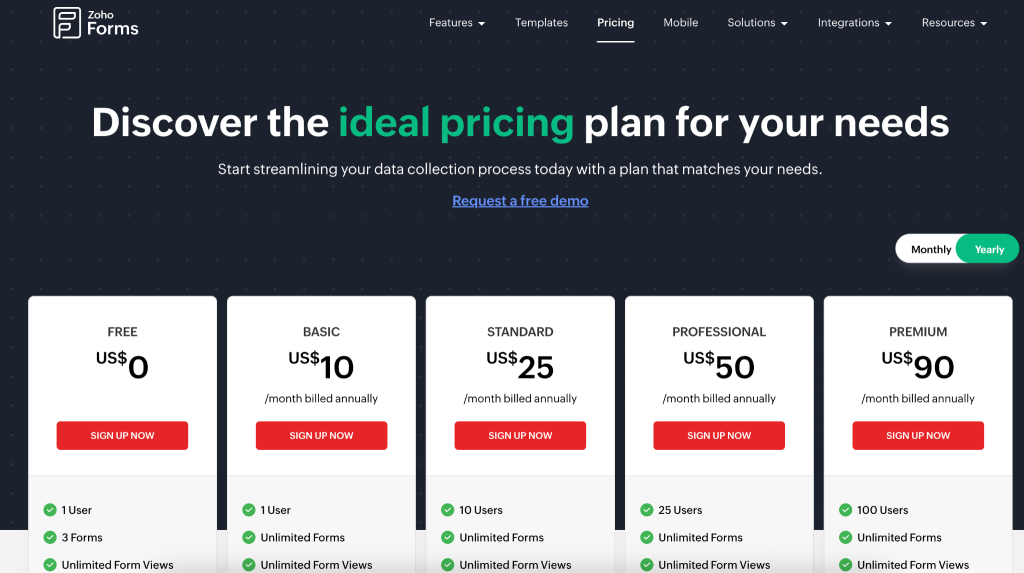
Pricing Winner
Zoho Forms if you need basic forms on a tight budget. Outgrow if you can justify the investment through lead quality and conversion improvements.
Use Cases: Where Each Tool Shines
When Outgrow is the Right Choice
- Interactive lead generation: Calculators, assessments, quizzes that engage prospects
- Lead qualification at scale: Automatically scoring and routing leads based on responses
- Product recommendations: E-commerce quizzes that suggest products based on preferences
- Educational content: Assessments that provide personalized learning paths or reports
- Content marketing differentiation: Creating share-worthy, engaging content that stands out
Real examples:
A SaaS company built a “Marketing Automation ROI Calculator” that qualified leads and demonstrated product value simultaneously. Their demo request rate increased 94% compared to their old form.
An insurance agency created a “Coverage Needs Assessment” that asked about family size, assets, and goals, then recommended appropriate policy types. They reduced unqualified inquiries by 60% while increasing quote requests from serious buyers.
A B2B consulting firm uses an assessment quiz titled “How Mature is Your Data Strategy?” to qualify enterprise leads. The personalized report positions them as experts while their sales team receives qualified leads with detailed scoring.
When Zoho Forms is the Right Choice
- Internal forms and workflows: Employee feedback, IT requests, expense reports, vacation requests
- Event registrations: Conference sign-ups, webinar registrations, class enrollments
- Simple lead capture: Basic contact forms, quote requests, demo requests
- Survey collection: Customer satisfaction, product feedback, market research
- Zoho ecosystem users: If you’re already using Zoho CRM or other Zoho products
Real example: A nonprofit organization uses Zoho Forms for volunteer registration and event check-ins. They needed something simple, affordable, and mobile-friendly. Zoho Forms was perfect. No unnecessary bells and whistles, just clean data collection.
Pros and Cons: The Honest Truth
Outgrow
Pros:
- Creates genuinely engaging interactive experiences
- Built-in lead qualification and scoring
- Personalized outcomes drive higher conversion rates
- Comprehensive analytics for optimization
- Powerful integrations with major marketing platforms
- Positions your brand as innovative and helpful
- A/B testing capabilities
- Excellent for content marketing differentiation
Cons:
- Higher price point than traditional form builders
- Steeper learning curve for advanced features
- Overkill if you only need basic forms
- Lower-tier plans limit active content pieces
- Requires more strategic thinking to maximize value
Zoho Forms
Pros:
- Extremely affordable, especially for small teams
- Simple, intuitive interface with minimal learning curve
- Excellent Zoho ecosystem integration
- Offline mobile data collection
- Solid template library
- Reliable customer support
- Great for straightforward data collection needs
Cons:
- Limited interactivity and personalization
- Basic analytics that don’t drive optimization
- No built-in lead scoring or qualification
- Feels like “just another form” to users
- Not designed for engagement or conversion optimization
- White labeling only available on higher tiers
Customer Support and Resources
Outgrow provides email and chat support, extensive video tutorials, template libraries, and a knowledge base. Higher-tier plans include priority support and dedicated success managers. The team is notably responsive and helpful with strategy questions, not just technical issues.
Zoho Forms offers email support, help documentation, video tutorials, and community forums. Response times are generally good, though phone support isn’t available on lower-tier plans. The knowledge base is comprehensive for common questions.
Both platforms offer sufficient support for most users. Outgrow edges ahead for strategic guidance on creating high-converting content.
The Real Decision: Forms vs Interactive Experiences
Here’s the honest takeaway after using both platforms extensively:
If you think of data collection as a necessary evil (something users have to endure to contact you or register for something), Zoho Forms is your tool. It does this job well, affordably, and without complication.
If you view data collection as an opportunity to provide value, engage prospects, qualify leads automatically, and differentiate your brand, Outgrow changes the game entirely.
The question isn’t really “Zoho Forms or Outgrow?” It’s “What’s my data collection strategy?”
My Recommendation: Match the Tool to Your Goals
I’ll be straight with you: for basic forms, Zoho Forms is the sensible choice. It’s affordable, reliable, and does exactly what it promises without unnecessary complexity.
But if you’re serious about lead generation, qualification, and creating memorable brand experiences, Outgrow operates in a different category entirely. The companies seeing the best results aren’t using it as a “form builder.” They’re using it as a lead generation and qualification engine that happens to collect data.
The ideal scenario? Many marketing teams use both. Zoho Forms handles the mundane necessities (internal forms, simple registrations). Outgrow powers high-value marketing initiatives where engagement and conversion actually matter.
Ready to see what interactive content can do for your business? Start a free Outgrow trial and build your first calculator, quiz, or assessment. You’ll know within a week whether the engagement difference justifies the investment.
The right tool isn’t the one with the most features. It’s the one that matches your actual business objectives. Choose accordingly.
Frequently Asked Questions
Yes, though they serve different purposes. You can rebuild content on either platform, but there’s no direct migration tool. Many companies use both. Zoho Forms for internal workflows and simple external forms, Outgrow for marketing and lead generation.
Both integrate with major CRMs. Zoho Forms obviously integrates seamlessly with Zoho CRM. Outgrow offers robust integrations with HubSpot, Salesforce, and most marketing automation platforms, often passing richer data (qualification scores, engagement metrics).
No coding required for either. Zoho Forms is slightly simpler for absolute beginners. Outgrow requires a bit more strategic thinking about branching logic and personalization, but the visual builder is user-friendly.
Both create mobile-responsive content. Zoho Forms wins if you need offline data collection. Outgrow creates more engaging mobile experiences for online users.
Zoho Forms offers white labeling on Professional plans ($50 per month). Outgrow removes branding starting at the Freelancer Plus plan ($45 per month).
This depends entirely on your use case and current conversion rates. Clients typically report 30-100%+ increases in conversion rates compared to static forms, with the added benefit of automatic lead qualification saving sales team hours. If you’re currently generating qualified leads, an interactive calculator or assessment that converts even 20% better while qualifying leads automatically typically pays for itself quickly.

Deeksha Malik is a Marketing Professional at Outgrow, working at the crossroads of people, brand, and growth. She helps scale teams, strengthen employer branding, and drive B2B marketing campaigns that actually move the needle. Known for balancing strategy with execution, Deeksha enjoys building meaningful campaigns and smarter growth stories. When she’s not working, you’ll likely find her with a good cup of coffee, staying curious about marketing trends, people dynamics, and what makes a brand memorable.