How Educators Can Use Calculators & Surveys to Personalize Learning Paths in 2026
Education is changing fast. Like, really fast.
What I’ve noticed is that personalized learning is no longer a buzzword. It’s what students demand. Data shows student engagement jumps by up to 60% when you personalize their experience, and teachers everywhere are finding better ways to tailor instruction.
But here’s what most teachers miss: interactive website calculators and smart Outgrow surveys.
These simple tools give you real-time insights while getting students actually engaged. Not convinced? Stick with me.
Why Personalized Learning Actually Works
Table of Contents
Think about Netflix. Or Spotify. Or even your Amazon homepage.
Everything’s personalized for you. Your students? They’re swimming in personalized experiences all day, every day. Then they walk into class and get the same worksheet as 29 other kids.
See the problem?
Personalized learning flips this script. Instead of pushing every student through identical experiences, you recognize that Sarah learns differently than Marcus. Jamie needs more time on fractions while Alex is ready for algebra.
The stats back this up: Over 60% of learners want personalized, timely content. More than half prefer learning on-demand. And 84% say they learn better at their own pace.
The Market Tells the Story
Want to know if personalized learning is just hype? Follow the money.
Grand View Research pegs the STEM education market for K-12 at $60.14 billion in 2025. It’s growing 13.7% yearly until 2030. That’s not a typo. Billions with a B.
Schools aren’t throwing money at personalization because it sounds nice. They’re doing it because it works. Research shows 81% of students report better grades when learning is personalized to their pace.
Interactive Calculators: Not What You Think
Forget boring math calculators. I’m talking about something completely different.
Modern interactive calculators are actually assessment tools masquerading as fun activities. Students get immediate feedback tailored to their specific inputs. They explore concepts using their own data and scenarios.
Here’s why this matters:
Students get instant, personalized results. No waiting for grades. No guessing if they’re on track. They input data, get feedback, adjust, and try again.
They work at their own speed. Fast learners don’t wait. Struggling students don’t feel rushed. Everyone explores “what-if” scenarios that click for them. Pairing these tools with an ai note-taking app for students helps learners capture and organize key insights as they work through material at their own pace.
You get valuable intel. While students play with calculators, you’re collecting data about their approaches, misconceptions, and trouble spots.
Engagement skyrockets. When students interact with content using their own scenarios, learning stops being abstract. It gets personal.
Where Calculators Actually Work
Let me give you real examples:
Math and STEM: A graphing calculator lets students manipulate equations and instantly see the visual result. They’re not memorizing formulas anymore. They’re discovering how math actually works.
Financial Literacy: Personal finance calculators using a student’s actual budget, loan scenarios, and savings goals? That makes money concepts real. Not theoretical.
Health Education: BMI calculators, nutrition trackers, fitness goal tools using student data? Health class just got relevant.
College Planning: GPA calculators, scholarship eligibility tools, college affordability calculators based on their actual circumstances? Now students can plan realistic pathways instead of dreaming blind.
Building Calculators Without Coding
Here’s where Outgrow changes the game.
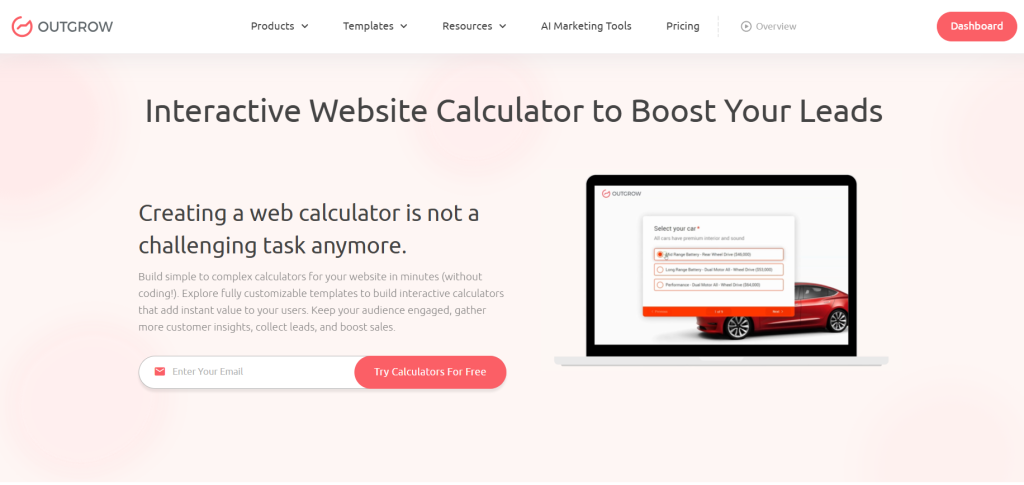
You don’t need to code. There’s no need for IT support. Simply drag, drop, and build sophisticated website calculators in minutes.
The platform gives you:
- Drag-and-drop interfaces (seriously, if you can use PowerPoint, you can do this)
- Logic that adapts based on student answers
- Analytics showing exactly where students struggle
- Mobile designs that work on any device
- Easy embedding into your existing LMS
I’ve seen history teachers build timeline calculators. Chemistry teachers create stoichiometry tools. English teachers make reading level assessments.
Any subject. Any grade. You build what your students need.
Surveys: Your Data Goldmine
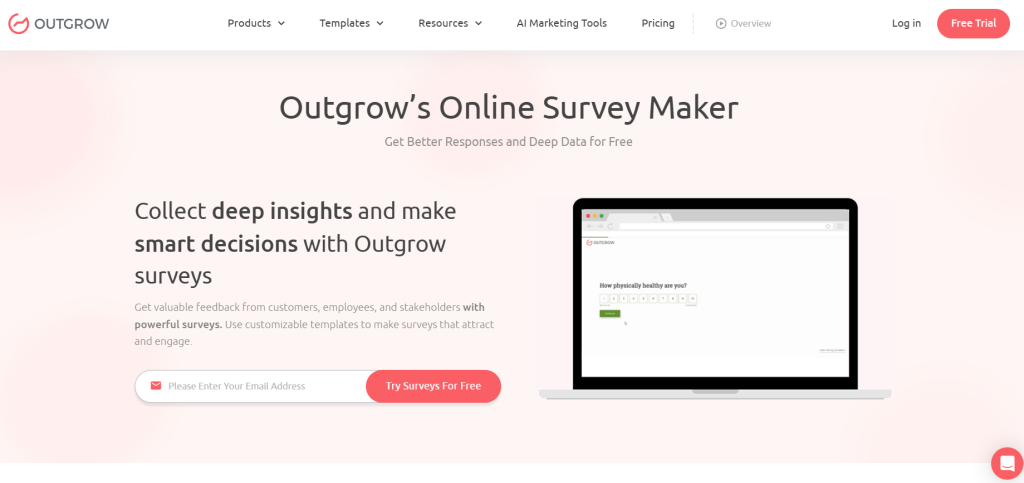
Calculators handle subject-specific stuff. Surveys? They give you the full picture. Add fun surveys to do when bored.
Learning styles. Emotional states. Home situations. Prior knowledge. Interest areas. Technology access.
Schools collecting regular student feedback see 24% better retention rates. That’s huge. But here’s what most teachers get wrong: they survey once, ignore the data, and wonder why students stop responding.
What Smart Surveys Tell You
Learning Preferences: Visual? Auditory? Reading? Hands-on? Stop guessing how to teach each kid.
Knowledge Gaps: Find out what students actually know before you start teaching. Skip the stuff they’ve mastered. Fill the real gaps.
Emotional Check-ins: Stress levels. Belonging. Confidence. The stuff that actually affects learning but never shows up on tests.
Interest Areas: Connect content to what students care about. Make lessons relevant to their actual lives and goals.
Tech Access: Who has reliable internet? Current devices? Know this before assigning homework that half your class can’t complete.
What’s Working: Regular check-ins tell you if your teaching’s landing. Course-correct in real-time instead of finding out at the end of the semester.
The Survey Types That Actually Matter
Before You Start Teaching: Pre-assessment surveys catch existing knowledge, misconceptions, and learning preferences. Skip content students know. Fix misconceptions before they snowball. Group by actual readiness, not birthday. You can also include political survey questions to gauge students’ awareness of civic issues, public policy, and government processes.
Learning Style Inventories: Stop assuming. Find out if students want videos, readings, activities, or discussions. Deliver content how they actually absorb it.
Quick Pulse Checks: Short surveys during instruction give real-time data. Too fast? Too slow? Confused? Bored? Add fun surveys to do when bored so you know immediately, not three weeks later.
Emotional Check-ins: Understanding stress, belonging, and motivation is just as important as test scores. Probably more important.
End-of-Unit Reflections: What worked? What didn’t? What questions remain? Students tell you exactly how to improve next time.
Survey Rules That Get Results
Keep them short. 5-10 questions for quick checks. 15-20 max for deep dives. Respect their time.
Mix question types. Multiple choice, scales, rankings, open-ended. Get the full picture.
Protect anonymity when needed. Honest feedback requires safety. Though personalized learning needs some identifiable data, balance this carefully.
Act on feedback visibly. Change something based on their input. Tell them what you changed. They’ll keep giving feedback when they see it matters.
Don’t over-survey. Strategic timing matters. Beginning, middle, end. Not every single day.
What Outgrow Does Differently
Basic survey tools? Boring. Outgrow? Different beast entirely.
You get branching logic that personalizes the survey itself based on answers. Multimedia integration with images, videos, GIFs. Real-time analytics showing trends across your whole student population. You can also include political survey questions to gather insights on civic awareness, public opinion, and engagement with current issues.
But here’s my favorite part: automated personalized outcomes. Students take the survey and immediately get personalized feedback. The Outgrow survey itself becomes a learning tool, not just data collection.
Plus it connects to your existing systems. LMS integration. CRM connection. Mobile optimized. Everything just works.
The Magic Happens When You Combine Them
Calculators alone? Good. Surveys alone? Helpful. Together? Game-changer.
Here’s your blueprint:
Month 1: Launch with surveys. Assess learning preferences, prior knowledge, tech access, interests, goals. Add fun surveys to do when bored to boost engagement and participation. Students demonstrate understanding through application, not bubble sheets.
Month 2: Use that data to differentiate. Multiple pathways through content. Videos for visual learners. Readings for some. Interactive activities for others.
Month 3: Deploy calculators for skill assessment. Students demonstrate understanding through application, not bubble sheets.
Ongoing: Regular Pulse Surveys + calculator analytics = continuous feedback loop. You’re adjusting instruction weekly, instead of waiting for semester grades.
Throughout: Goal-tracking calculators + reflection surveys = students owning their learning. They’re not passengers anymore.
End of Unit: Surveys + calculator data show what worked. You improve for next time.
Real Examples From Real Classrooms
High School Math Teacher, Texas
Problem: Algebra II students ranging from pre-algebra level to calculus-ready.
Solution: Pre-assessment survey identified gaps. “Math Readiness Calculator” generated personalized practice. Weekly “Confidence Check” surveys caught struggling students early. Graphing calculators for self-paced exploration. “Grade Projection Calculator” helped students set realistic goals. Political survey questions were also included to measure civic understanding, awareness of public policy, and engagement with current events.
Result: Every student progressed at their pace. Struggling students got help before failing. Advanced students stayed challenged.
College Counselor, California
Problem: Students needed personalized college and career guidance.
Solution: Interest surveys identified career clusters. “College Affordability Calculator” showed realistic options. “Career Path Explorer” with branching logic matched students to careers. “Skills Gap Calculator” identified development areas. “Application Strategy Calculator” built personalized college lists.
Result: Students made informed decisions backed by data, not guesses.
Elementary Reading Specialist, Florida
Problem: Third-graders reading from kindergarten to sixth-grade levels.
Solution: Interest survey found genres they loved. “Reading Level Calculator” recommended appropriate books. Weekly “Reading Challenge Calculator” sets individual goals. Engagement surveys revealed what sparked interest. “Reading Growth Tracker” celebrated milestones.
Result: Every kid reading challenging material they actually cared about. Engagement through the roof.
The Obstacles You’ll Hit (And How to Beat Them)
“Not All Students Have Internet”
True. Outgrow works on smartphones with minimal data. But also: provide in-class time for activities, create offline versions of key assessments, partner with libraries for access, use paper surveys if needed.
“Privacy Concerns Are Real”
Absolutely. Use FERPA-compliant platforms. Get parental consent. Anonymize when possible. Be transparent about data use. Limit access to authorized people only.
“Students Get Survey Fatigue”
They do when you ignore their feedback. Act visibly on what they tell you. Time surveys strategically. Keep them brief. Make them engaging with multimedia. Show students their input matters.
“I Don’t Have Time to Analyze Data”
Outgrow’s dashboards automatically identify patterns. Set up alerts for concerning responses. Schedule 30 minutes weekly. Use data in team meetings. Focus on actionable insights, not every single data point.
“My Colleagues Resist Change”
Start small. Show results. Share student success stories with data. Provide training. Allow flexibility. Celebrate wins. Learn from failures together.
What’s Coming Next
Machine learning algorithms already adapt content in real-time based on performance and engagement. As AI expands, calculator and survey integration with adaptive systems gets even smarter.
Adaptive Pathways: Platforms combining calculator data, survey responses, and analytics to auto-adjust difficulty, pace, and format in real-time.
Predictive Analytics: 64% of schools already test or use predictive AI for forecasting performance and identifying at-risk learners.
VR/AR Integration: By late 2026, VR/AR devices become standard in education. Calculators and surveys will integrate with the immersive technology to engage new levels of personalization.
Student-Owned Data: Blockchain credentials recording personalized pathways and competencies, not just course completion.
Lifelong Learning: Personalized learning extending beyond traditional education into career-long skill development.
Your 6-Month Roadmap
Month 1: Pick 2-3 personalization goals. Try Outgrow’s free trial. Create your first learning preference survey. Analyze the data.
Month 2: Build your first calculator addressing a common student need. Design a pre-assessment survey. Test with a small group. Refine based on feedback.
Month 3: Fully integrate calculator and survey into instruction. Launch regular pulse outgrow surveys. Track engagement and outcomes. Build more tools for other units.
Months 4-6: Analyze impact on student outcomes. Share successes with colleagues. Create advnced tools with branching logic. Develop your complete personalization system.
Bottom Line
You do not need huge budgets or technical skills to personalize learning.
Interactive website calculators and smart surveys give you real-time data, active student engagement, and truly differentiated instruction. They bridge the gap between “we should personalize learning” and “here’s exactly how to do it.”
The question for 2026 isn’t whether to personalize. It’s how to do it effectively and sustainably.
Calculators and surveys? That’s your practical, proven pathway. With platforms like Outgrow making these tools accessible to every teacher, the personalized education future isn’t coming. It’s already here.
Frequently Asked Questions About Using Calculators and Surveys for Personalized Learning
Interactive calculators process student inputs to generate custom results and feedback. They support personalized learning by allowing self-paced exploration with immediate responses tailored to each student.
Teachers use surveys collecting data on learning preferences, prior knowledge, and interests. This enables differentiated instruction, targeted interventions, and content selection matching individual student needs effectively.
Most effective calculators include grade trackers, skill assessments, financial aid tools, career readiness assessments, and subject-specific calculators enabling personalized exploration and goal-setting for every student.
Interactive surveys focus on understanding how students learn best rather than just measuring content mastery. They reveal learning preferences, motivations, and instructional effectiveness through adaptive questioning.
Using calculators and surveys together creates complete personalized systems matching instructional methods to preferences, targeting skill gaps, adjusting pacing, and maintaining continuous feedback loops for better outcomes.
Teachers measure effectiveness through academic outcomes, engagement indicators, survey responses, time-to-mastery metrics, and retention rates. Platforms like Outgrow give analytics dashboards revealing impact patterns clearly.
Yes, calculators and surveys adapt across all ages and subjects. Elementary uses simple visuals, middle school employs sophisticated tools, high school utilizes complex variables. Every subject applies relevant personalization.

Ankit Upadhyay is a Digital Marketing and SEO Specialist at Outgrow. With a passion for driving growth through strategic content and technical SEO expertise, Ankit Upadhyay helps brands enhance their online visibility and connect with the right audience. When not optimizing websites or crafting marketing strategies, Ankit Upadhyay loves visiting new places and exploring nature.