Interactive Calculators vs Spreadsheets: What Actually Converts in 2026
Table of Contents
Excel isn’t dead, but asking people to download spreadsheets for lead gen might be killing your conversion rates.
I spent the last year testing both approaches, and honestly? The numbers made me rethink everything we’d been doing.
Why Spreadsheets Are Losing Steam
Spreadsheets aren’t bad. Your finance team still needs them, and they’re perfect for complex internal modeling. But as a lead generation tool? Different story.
We ran a straightforward test last month. Same ROI calculator, two formats. The Excel version got 340 downloads, but only 23 people filled it out completely. The web calculator had 1,847 people start it and 1,289 finish. That completion rate difference (6.7% vs 69.8%) wasn’t even close.
What Actually Works Now
It comes down to friction. When someone hits a spreadsheet download page, they’re already thinking about whether it’ll work on their machine, if they need to enable macros, and how long it’ll take. With a web calculator, they just start using it.
The sequencing matters too. Give them instant value first, then ask for the email if they want more detailed insights. Not the other way around.
Our old spreadsheet funnel converted 3% of visitors to qualified leads. The calculator approach? 31%. Same offer, same audience, completely different results.
The Mobile Problem
Here’s what caught me off guard: 73% of our calculator traffic is mobile. And spreadsheets on mobile are genuinely awful, even Google Sheets. Interactive calculators work the same way whether someone’s on their phone or desktop.
Plus, there’s the validation issue. Spreadsheets can’t stop someone from entering “999999999” as their revenue. Web calculators can check inputs in real time and guide people toward realistic numbers.
How Outgrow Solved Our Backend Headaches
Building custom calculators from scratch sounds like a nightmare if you’ve ever dealt with frontend development. We tried that route first, hired a contractor, waited three months, and ended up with something that broke on Safari.
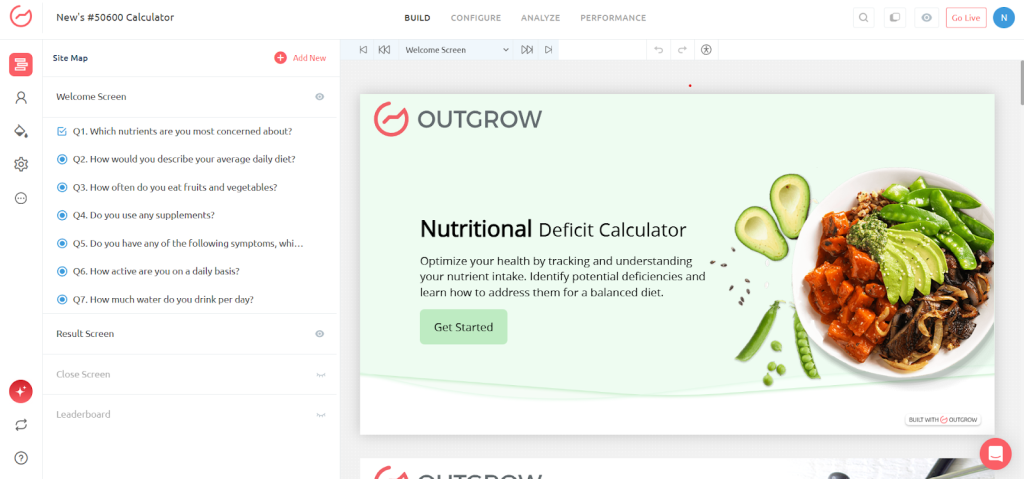
Then we found Outgrow. Their drag-and-drop builder meant our marketing team could prototype calculators without bothering engineering. We launched a customer lifetime value calculator on Monday, tweaked it based on feedback by Wednesday, and had it pulling qualified leads by Friday.
The conditional logic feature is what really sold us. You can branch the calculator experience based on how people answer earlier questions. So B2B users see different follow-up questions than B2C users. That kind of personalization used to require serious development work. Now our content manager handles it herself.
What surprised me most was the analytics dashboard. We can see exactly where people drop off, which inputs confuse them, and what result ranges convert best. That feedback loop helped us optimize our pricing calculator’s completion rate from 61% to 84% in two weeks. You just don’t get that visibility with spreadsheet downloads.
The Trust Question
People always bring up transparency. Users trust spreadsheets because they can see the formulas. “Except fewer than 4% of our spreadsheet users actually looked at the formula cells. We tracked it.
You can be just as transparent with plain English: “We calculate ROI by dividing your annual savings by implementation cost over a 3-year timeframe.” That’s clearer than a cell full of nested IF statements.
Real Results From Companies Making the Switch
I talked to Sarah Chen at a mid-sized SaaS company last week. They’d been using an Excel-based pricing calculator for two years. Decent tool, but their sales team complained about the quality of leads coming through.
She rebuilt it using Outgrow’s calculator template in about six hours. First month results? Lead volume dropped 12%, but qualified opportunities jumped 340%. Turns out the friction of downloading a file was filtering out tire-kickers, but also filtering out legitimate prospects who just didn’t want the hassle.
Another company I know that sells enterprise software has built a total cost of ownership calculator that walks prospects through implementation costs, training expenses, and three-year savings projections. Their sales team loves it because prospects show up to calls already understanding the business case. Demo-to-close rate went from 18% to 34%.
The pattern I keep seeing: companies that switch don’t just get more leads, they get better leads. People who complete an interactive calculator are self-qualifying. They’ve invested time thinking through their specific situation.
Why We Switched to Outgrow
We needed something that could handle analytics, integrate with our CRM, and let us test ideas quickly. Last week, our content team wanted to build a marketing budget optimizer. With spreadsheets, that would’ve taken weeks of going back and forth with our analyst. We had a working calculator in a day and a half. It’s generated 84 qualified leads already.
The Salesforce integration was huge for us. Leads from our calculators flow directly into our CRM with all their input data attached. Our sales team can see that someone calculated a $47K potential ROI before they even pick up the phone. That context changes the conversation completely.
Setting Up Your First Calculator (Without Losing Your Mind)
Look, I’m not going to pretend this is complicated. Here’s what worked for us when we converted our first spreadsheet:
Start with your most popular downloadable tool. Pull the analytics, which one gets the most traffic? That’s your test case.
Utilise visual collaboration tools like Ideascale to map out the user journey before you touch any tools. What questions do they need to answer, and do they actually care about? We sketched ours on a whiteboard in about twenty minutes.
Then build a basic version in Outgrow. Don’t overthink the design on day one. Get the logic right, make sure the math works, and launch it. We went live with something that looked pretty rough, honestly. But it converted better than our polished spreadsheet ever did. Grab feedback fast. Add a simple “Was this helpful?” button at the end. We found out our salary calculator needed an option for commission-based roles within the first week. Made that change in ten minutes.
Launch Your First Outgrow Calculator Quickly
Key takeaway: rough > perfect. Focus on logic, not design.
Steps:
- Build basics: Add questions, set up formulas. Don’t stress design.
- Test logic: Make sure math works.
- Create results: Show personalized outputs and optional lead capture.
- Launch fast: Preview → Publish → Share link.
- Optimize later: Improve colors, fonts, and advanced logic after data comes in.
Pro Tip: Our first rough calculator converted better than our polished spreadsheet.
The biggest mistake I see people make is trying to migrate everything at once. Don’t do that. Convert one calculator, prove it works, then move on to the next one. We did five over three months. Each one taught us something that made the next one better.
One more thing: test the mobile experience yourself before you launch. Pull it up on your phone, and go through the whole flow. If you’re annoyed by anything, your users definitely will be.
What Changed Since 2024
Your competitors moved on from downloadable files. Users expect instant results, mobile experiences, and smart guidance. Spreadsheets weren’t built for that.
According to a recent study by Demand Gen Report, 78% of B2B buyers prefer interactive content over static downloads when researching purchases. That shift happened fast.
If you’re still using spreadsheet downloads as your main lead gen tool, start by converting your most popular one to a calculator and track what happens. The improvement isn’t incremental; it’s dramatic.
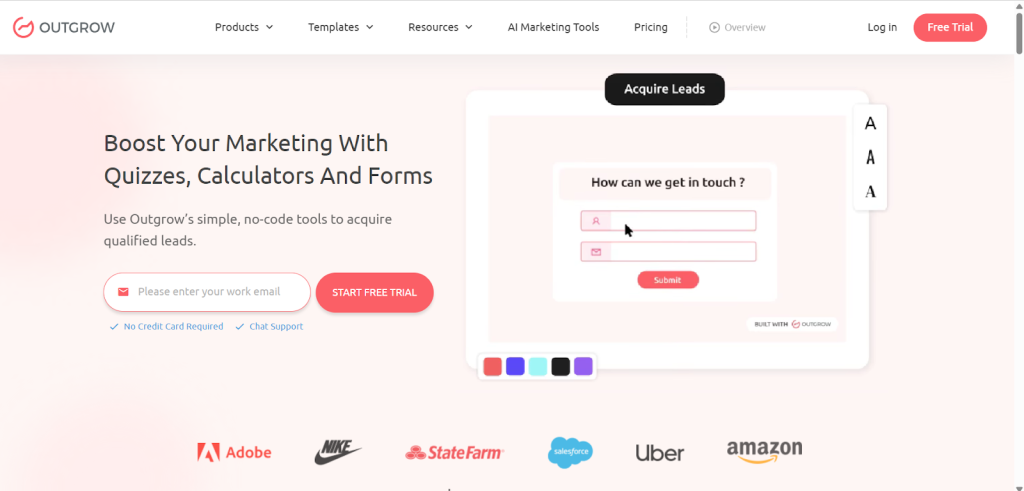
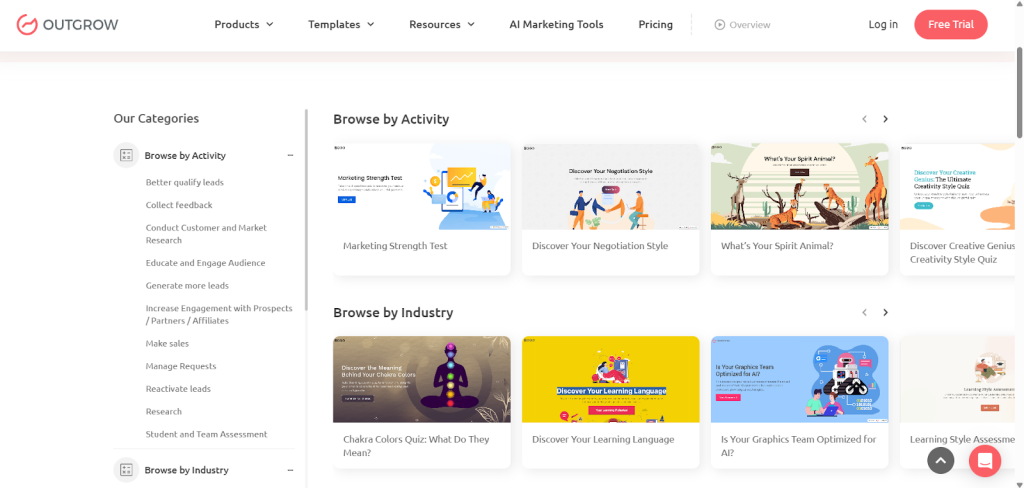
Platforms like Outgrow made the technical side surprisingly easy. If you can sketch out a user flow, you can build something that actually converts. Their template library gives you a head start. We’ve used their quiz builder and recommendation engine templates to launch tools we wouldn’t have even attempted to build as spreadsheets.
What About Data and Privacy Concerns?
I get this question a lot, especially from companies in regulated industries. “Is it actually safe to collect customer data through these web tools?”
Fair concern. Here’s what matters: Outgrow is SOC 2 Type II compliant and GDPR-ready out of the box. That means they’ve been audited for security controls and data handling. Is your spreadsheet sitting in someone’s downloads folder? Probably not.
You also have way more control over data retention. We automatically delete calculator submission data after 90 days for GDPR compliance. Try enforcing that policy when hundreds of people have downloaded your Excel file.
The other thing people don’t think about, spreadsheets can contain embedded malware. We had a prospect’s IT department flag one of our old Excel calculators last year because the macros looked suspicious to their security scanner. Lost that deal. Web calculators don’t have that problem.
One heads-up, though: don’t ask for sensitive information in any lead gen calculator, web-based or otherwise. You want enough data to qualify the lead and continue the conversation. You don’t need their exact revenue figures or proprietary metrics. Keep it general.
Conclusion:
Don’t wait for perfection, launch fast, gather real user data, and iterate. Interactive calculators in Outgrow are not just more engaging than spreadsheets; they drive real conversions. Start building your first high-converting calculator today and see the difference yourself.Sign up for Outgrow:Create your first calculator here →
Frequently Asked Questions About Marketing Workflow Automation
Outgrow starts around $25/month for basic calculators, scaling up for advanced features. We made back our annual platform cost in the first month just from better conversion rates.
Yeah, you’re just repackaging the same logic in a better interface. We moved a 47-formula pricing calculator over in an afternoon.
Even CFOs and finance directors we sell to prefer not downloading files. You can still offer a detailed spreadsheet as a follow-up option after they complete the calculator.
When users genuinely need to manipulate dozens of variables at once or export data for their own modeling. For simple input-output scenarios, calculators win.

I am a Digital Marketing Enthusiast with a passion for optimizing content and paid marketing strategies. Continuously seeking innovative approaches to boost ROI and engagement at Outgrow.