Build a Credit Card Payoff Calculator in Minutes With Outgrow
Introduction
Table of Contents
Pull up a credit card statement and stare at the balance long enough, and one question always surfaces. When does this actually end? The interest rate sitting in tiny print doesn’t help. Most people just don’t do that math, not because they can’t, but because nobody wants to run compound interest calculations on a random weeknight. That’s the entire reason a credit card payoff calculator exists. Outgrow’s already built one, sitting ready in the template library.
This post walks through why a credit card payoff calculator earns its keep, what’s actually inside the premade version, the math running quietly underneath, and how you’d go about making it yours.
Why a Credit Card Payoff Calculator Matters
Credit card debt has a funny way of feeling smaller than it is. The balance is one number on a screen. Interest, meanwhile, keeps compounding in the background, dragging the real payoff date out further than most people would guess.
Skip the math, and a few things tend to happen.
- The timeline ends up way longer than expected
- The minimum payment starts feeling “fine,” even though it’s barely touching the principal
- The whole thing gets avoided entirely, which just piles on more stress
A credit card payoff calculator kills the guessing game. Three fields, one real answer. No amortization spreadsheet required.
What Is the Credit Card Payoff Calculator?
It’s an Outgrow premade template. Already built, already live-ready. Small by design, centered on exactly one question: how long until this credit card balance hits zero, based on the interest rate and whatever monthly payment someone’s putting toward it.
Inside the template:
- A welcome screen
- Three input questions
- A result screen, lead capture form included
- A close screen
All wired together already. Nothing to build from a blank page.
How the Credit Card Payoff Calculator Is Structured
Here’s the breakdown, screen by screen.
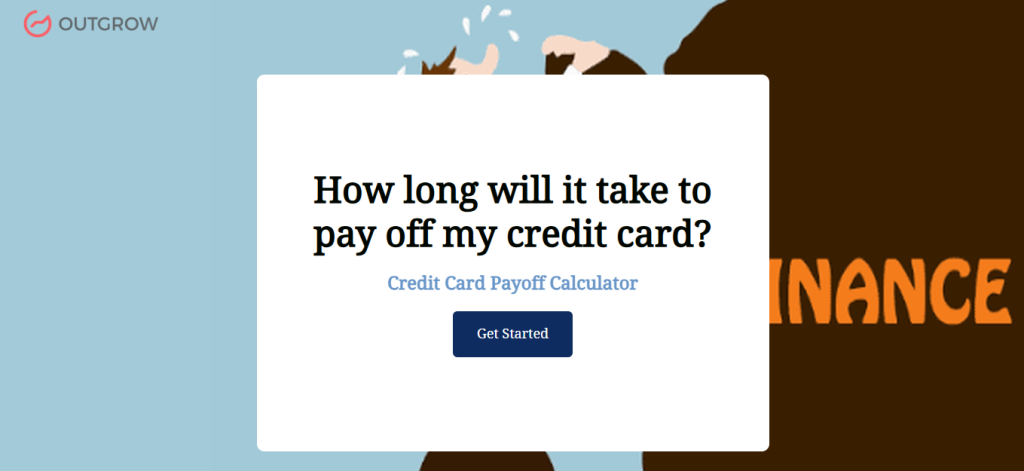
Welcome Screen
“How long will it take to pay off my credit card?” No fluff. Tells the visitor exactly what’s waiting on the other side.
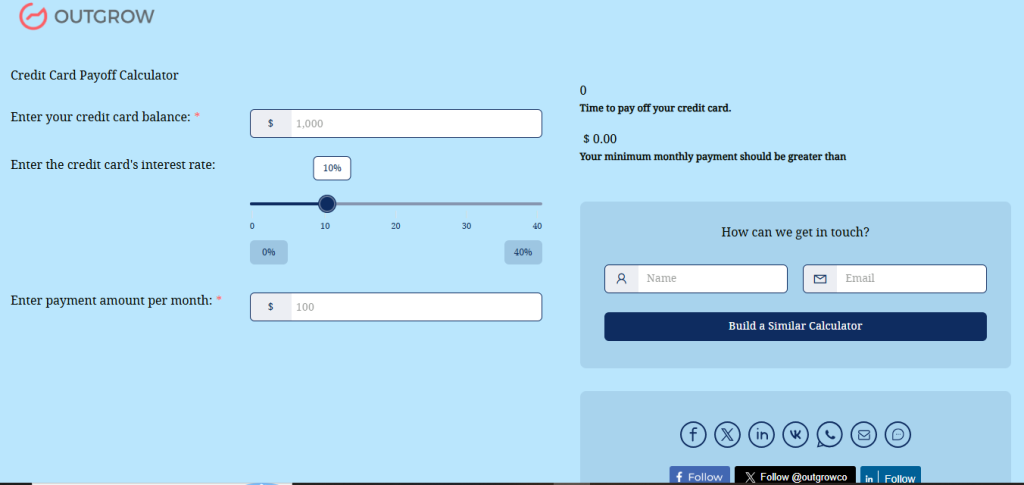
Question 1: Credit Card Balance
A dollar field. Current outstanding balance, nothing more complicated than that.
Question 2: Interest Rate
A slider, 0% to 40%, percentage shown live as it’s dragged. Feels closer to how people actually think about their APR than typing a number in cold.
Question 3: Monthly Payment Amount
Another dollar field. How much they’re putting toward it each month.
Result Screen
Once those three are filled, this screen returns the payoff timeline, plus a line about how a bigger payment shortens the wait. The lead form lives here too, right at the moment someone’s most invested.
Close Screen
Wraps up once the flow’s done or the form’s submitted.
Since the structure’s already built, what’s left is mostly cosmetic, branding, and deciding where the captured leads actually go. You can review the live calculator here.
The Math Behind This Credit Card Payoff Calculator
Worth knowing what’s happening behind those three fields. It explains the occasional surprise in the results.
- Interest usually compounds daily, then gets added to the balance once a month
- The calculator works out how much of each payment is going toward interest versus principal, then repeats that, month after month, until the balance clears
- On high-interest balances, early payments often lean more toward interest than people assume
That’s also why the interest rate slider carries so much weight. Five points of APR, that’s it, and the timeline can shift by months. Sometimes years. Seeing that with your own numbers hits differently than reading it as some abstract stat in an article somewhere.
Why Minimum Payments Drag On So Long
Run your own numbers through a credit card payoff calculator, and this is usually the part that stops people mid-scroll: how long minimum payments alone actually stretch things out.
Here’s the mechanism.
- Minimums are usually set at a small slice of the balance, roughly 1 to 3 percent, plus that month’s interest
- As the balance shrinks, the minimum shrinks too. Less and less chips away at the actual principal over time
- A moderate balance can turn into a years-long payoff this way
- Total interest paid quietly creeps past what was originally borrowed
Run that scenario. Then compare it to a slightly higher fixed payment. The gap usually speaks for itself, no lecture needed.
Why This Credit Card Payoff Calculator Works So Well
A few reasons this format keeps earning its place.
- Fast answer, no preamble. Numbers in, answer out. No paragraph of advice required first.
- Short enough to actually finish. Three questions. Drop-off stays low almost by default.
- The lead form shows up at the right second. People hand over an email far more willingly right after seeing a personal result than on a cold form up top.
- It nudges behavior quietly. Watching the timeline shrink as the payment goes up does more work than any lecture could.
- Built to be reused. Same template, different campaign, different client account, small tweaks each time.
Who Actually Uses a Credit Card Payoff Calculator
Tempting to assume this is only for people deep in debt trouble. Not really the case.
- Someone with a manageable balance, just checking if an extra $50 a month actually moves the needle
- Someone juggling two or three cards, trying to figure out which one to hit first
- Bloggers and coaches, dropping it into their content so readers have something to do besides scroll past another paragraph
- Marketing teams, since it holds attention longer than a plain article ever does, which matters when leads are the goal
How This Credit Card Payoff Calculator Compares to Other Debt Tools
Worth putting this next to other debt tools, since they’re solving slightly different things.
A multi-debt snowball or avalanche calculator handles someone with several balances at once- cards, loans, lines of credit- and it’s mostly about sequencing. Which one gets attacked first.
This credit card payoff calculator stays narrow on purpose. One card, one question. How long, at this payment, for this specific balance.
That narrowness is the actual point. Nobody with just one card should have to fill in five accounts to get a simple answer. Keeping it tight also makes it faster to embed pretty much anywhere.
Where a Credit Card Payoff Calculator Fits Into a Content Strategy
Rarely does this thing perform well sitting alone on a bare page. It works better tucked into content where debt’s already on someone’s mind.
- A post explaining how credit card interest actually compounds
- A piece comparing snowball versus avalanche
- A broader debt-freedom guide
Drop a credit card payoff calculator halfway through an article, and readers stop skimming long enough to actually do something. For paid traffic, this same calculator can even be the landing page itself. A tool that answers something in under sixty seconds tends to beat a page of paragraphs every time.
How to Build This Credit Card Payoff Calculator in Outgrow
No blank canvas here. It’s already built using a website calculator. The real work is pulling it out of Outgrow’s template library and reshaping it into something that looks like yours.

Start visual:
- Swap the logo
- Match colors to your site
- Rewrite the welcome screen so it sounds like your brand talking, not a generic tool
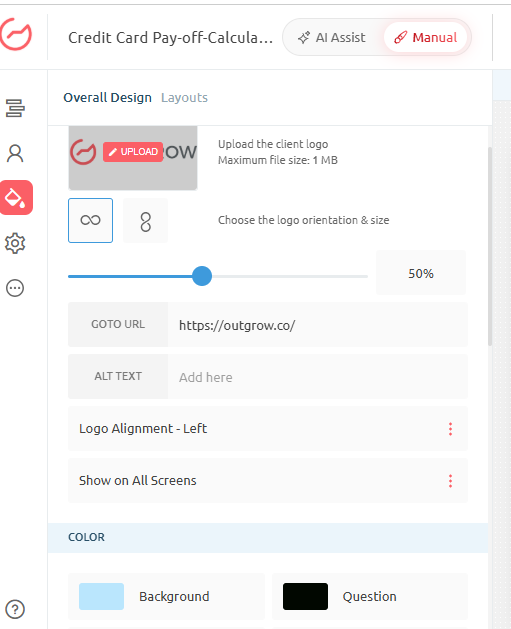
The three core questions- balance, rate, monthly payment- are already tied to the formula behind the scenes. No need to touch that unless the rate range or wording needs adjusting for your specific audience.
Most of the real customization happens on the result screen. That’s where the lead form sits too, so it’s worth deciding:
- What fields actually matter (name and email usually cover it)
- Where that data lands once submitted: your CRM, your email tool, whatever your team actually checks
Once branding, copy, and lead routing are sorted, drop the calculator into a blog post, a product page, or let it stand alone as a landing page. After that, just watch it. Where people finish. Where they bail. What payment amounts they test. Adjust from there.
Ways to Get More Out of the Tool
A handful of small tweaks push this further than the base version alone.
- A short line near the rate slider for anyone unsure where to even find their APR
- Testing two tones on the result screen, upbeat versus plain, to see which actually drives more form submissions
- A short follow-up email after submission, something as simple as “here’s how to pay this off faster”
None of this touches the underlying formula. It’s polish on top of something that already does its job.
Questions Teams Usually Ask Before Launching
A handful of things come up right before someone hits publish.
Does the interest rate range need changing? Rarely. The 0% to 40% default already covers nearly every real-world APR out there.
Is the lead form mandatory? No, though pulling it out means losing the easiest path from “completed a calculation” to “actual contact.”
Does it factor in rate changes or new purchases mid-payoff? It doesn’t, and that’s intentional. It answers one specific question with the numbers given. It’s not trying to model every real-world variable that could shift.
Final Thoughts on the Credit Card Payoff Calculator
This credit card payoff calculator does exactly what a good premade template is supposed to do. Answer one specific, common question, without anyone touching a formula from scratch. Three inputs. One clear result. A natural moment to pick up a lead along the way.
If you’re looking for something useful to drop into a finance page without building from scratch, this one’s ready to reshape and publish.
Sign up for the 7-day free Outgrow trial today, and start building your next interactive tool.
Frequently Asked Questions About the Workplace Personality Test
Your balance, interest rate, and monthly payment go in. How long until that balance hits zero comes out.
No. It’s a ready-made Outgrow template. Questions, formula, result screen, all already set up and waiting for your branding.
Yes. Everything’s editable: fields, ranges, wording- all of it can shift to fit your audience.
People hand over contact details far more willingly right after seeing a personalized answer than they would on a blank form upfront.
Built specifically for credit cards, yes, but the same three-question setup makes a solid starting point for other simple financial calculators too.

Muskan is a Marketing Analyst at Outgrow. She is working on multiple areas of marketing. On her days off though, she loves exploring new cafes, drinking coffee, and catching up with friends.