Interactive Content SEO: How Quizzes and Calculators Earn Links and Leads
Table of Contents
Ask ten SEO managers how they build backlinks, and you’ll get the same five answers: guest posts, digital PR, broken link building, HARO, and skyscraper content. All fine. All are increasingly crowded. None of them mention building a mortgage calculator and letting it earn links for three years without a single outreach email.
Interactive content SEO treats quizzes, calculators, and assessments as permanent search assets, not conversion toys. This distinction matters because a blog post you write in January might rank well for two years before it goes stale. A well-built calculator, one built around a real question with real data behind the results, doesn’t go stale. The person searching “how much should I charge for freelance design work” will exist in 2031 the same way they exist today. Your calculator serves them both times.
This guide covers the full picture: which interactive formats earn the most backlinks and why, how to find topics worth building, what a properly structured tool page looks like versus the half-baked version most companies ship, a five-step outreach framework (the SCALE method), how to turn your tool into an embeddable link-earning resource, which calculator categories attract the most referring domains by topic type, and how to track whether any of this is actually moving the needle.
Quizzes vs. Calculators vs. Assessments: Which One Earns Links?
The format question matters more than most people think, not because one is objectively superior, but because different formats attract different kinds of attention. And not all attention converts into backlinks.
Calculators: The Most Reliable Link Earners
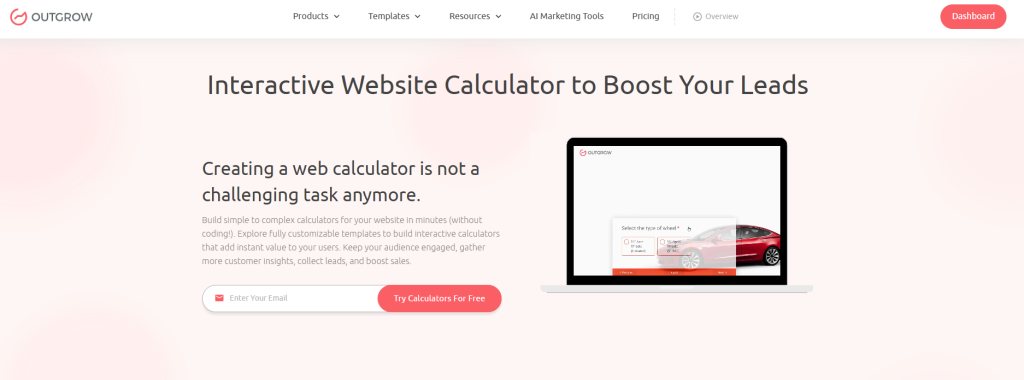
Calculators occupy a unique position in search because they answer questions that genuinely require math. Someone typing “data breach cost calculator” into Google is not going to be satisfied by an article that says “it depends on your industry and breach size.” They need a number. A calculator gives them a number tailored to their situation, and that gap between what search currently offers and what users actually want is exactly how you earn organic links from journalists, bloggers, and resource pages.
The topics that have historically generated the most referring domains for calculators fall into a few reliable categories:
- ROI calculators– particularly for marketing spend, software subscriptions, and operational decisions where someone needs to justify a purchase internally
- Cost savings estimators– framed around switching vendors, automating a process, or eliminating a manual workflow
- Industry benchmarking tools– “Is my churn rate worse than average?” performs better than a generic benchmark article because the output is personalized
- Compliance and risk calculators– GDPR fine estimators and penalty calculators these earn links from legal and HR publications that need citable, interactive references
- Salary and compensation tools– linked by job boards, career publications, and HR blogs for years on end
The data-backed nature of a well-built calculator also attracts journalists. When a reporter needs to illustrate the cost of employee turnover, a citable interactive tool beats a static statistic because they can link to it as something their readers can actually use, not just read.
Quizzes: Better for Traffic Than Backlinks
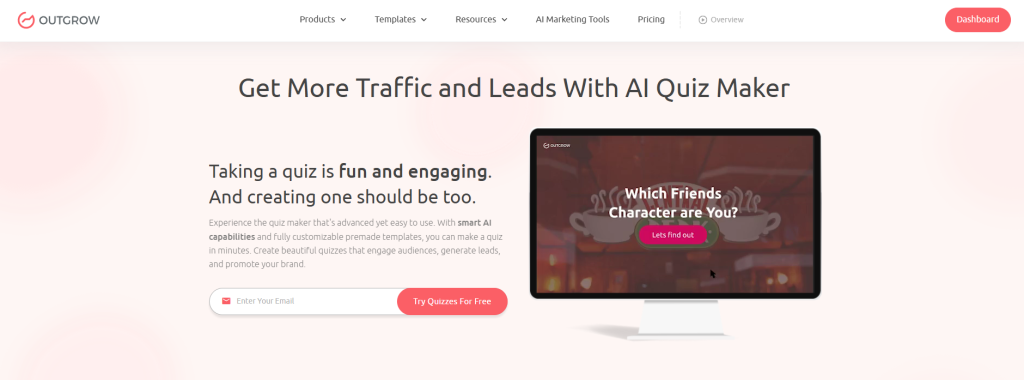
Quizzes are social. They get shared, embedded, and forwarded through newsletters. Their link-earning potential in interactive content SEO is lower than calculators on average, but that average hides a meaningful category: outcome-based quizzes with genuinely substantive results.
A personality quiz (“What kind of marketer are you?”) earns shares. An outcome quiz (“Is your sales process actually optimized?”) earns links because the results are informative enough that bloggers reference them as secondary sources. The quiz has to produce something worth citing. Personality labels aren’t citable. Diagnostic frameworks and industry benchmarks are.
Outgrow’s Quiz Maker lets you build branching logic into outcomes so each results page functions as its own piece of content, which means each outcome can potentially rank for its own keyword variation independently.
Assessments and Graders: High Lead Quality, Underrated Link Asset
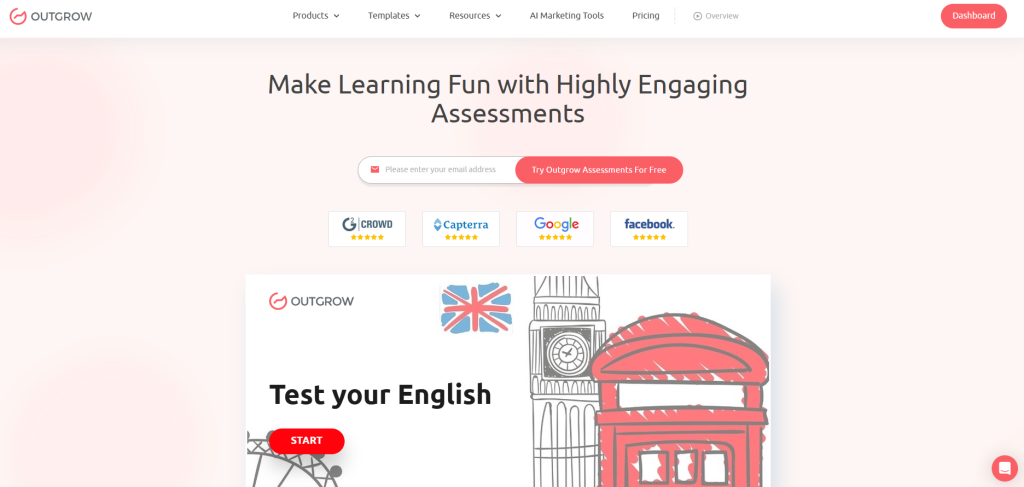
Assessments attract a different kind of user. Someone filling out a “Marketing Maturity Assessment” already knows they have a gap; they’re there to quantify it. That intent means they convert at higher rates (time invested in completing an assessment makes them far more willing to hand over an email), and the results carry more perceived authority.
For link building specifically, assessment tools that produce benchmark comparisons are valuable to industry publications. If your tool compares email open rates to industry averages, it can generate highly shareable insights.
That’s why adding aggregate data early matters because most links come from insights, not the tool itself.
A Quick Format Cheat Sheet
| Format | Best Search Intent Match | Link Earning Potential | Lead Quality |
| Calculator | Transactional (“how much does X cost”) | Very High | High |
| Assessment / Grader | Decision-stage (“am I doing X right”) | High | Very High |
| Quiz | Informational / awareness | Medium | Medium |
| Interactive Infographic | Evergreen reference | High | Low |
How to Find Topics Worth Building (Without Guessing)
Here’s the honest reality of interactive content topic selection: most teams pick topics based on what the product team wants to promote, not what searchers are actually looking for. That’s how you end up with a beautifully designed calculator nobody finds organically.
Do keyword research first. Specifically, do it for the interactive format, not just the topic.
Search for the modifier, not just the head term. Run searches for your core topic combined with “calculator,” “estimator,” “checker,” “quiz,” “assessment,” or “grader.” These modifier-plus-topic combinations tell you what kind of output searchers expect. “Marketing ROI” is a topic. “Marketing ROI calculator” is a keyword with clear interactive intent, and someone searching it will not be satisfied by a blog post.
Raid the “People Also Ask” box. This is criminally underused for tool ideation. Questions starting with “How much does…”, “How do I calculate…”, “What’s a good benchmark for…”, or “Am I ready for…” are natural calculator or quiz seeds. Collect them, group them by theme, and you have a product roadmap that’s already validated by search behavior.
Study what competitors have built, then find the gaps. If a competitor’s mortgage calculator sits at position two for a keyword, they’ve validated the format. Your job isn’t to replicate it; it’s to build something more comprehensive, more variables, a cleaner results page, and stronger supporting editorial content.
Go narrow on the topic. “ROI calculator” faces enormous competition. “ROI calculator for B2B SaaS content marketing” faces almost none, converts better because the audience is precisely defined, and is much easier to build embed partnerships around. Niche tools punch above their weight in interactive content SEO.
Sanity-check with existing Search Console data. If you have blog content on the topic, look for queries with high impression counts but CTRs below 2%. That pattern often signals searchers want a different format, and an interactive tool is frequently what they’re actually after.
The Page Structure Problem Nobody Talks About
The most common interactive content SEO mistake isn’t building the wrong tool. It’s building the right tool and putting it on a page that Google can’t make sense of.
Here’s what most companies ship:
The Undercooked Tool Page:
None
[Tool name as H1]
[The embedded tool]
[“Use our free calculator to find out X.” – one paragraph]
[CTA button]
Google crawls that page and finds minimal indexable text, no semantic context, no methodology, no internal links, and nothing another website could cite or reference. The tool might be excellent. The page is invisible.
Here’s what the page should actually look like:
The SEO-Ready Tool Page:
None
[H1 with primary keyword included naturally]
[150–200 word intro: what the tool does, who it’s for, what a user gets out of it]
[The tool, placed prominently – above the fold or immediately below it]
[H2: How to Use This Tool – 200–300 words on inputs and interpreting outputs]
[H2: Why [Topic] Matters – 400–500 words of industry context with data]
[H2: Methodology – a brief, honest explanation of how the calculation works]
[H2: Frequently Asked Questions – 6–8 questions targeting semantic keyword variations]
[H2: Related Resources – internal links to 4–5 relevant posts and tools]
[Embed Code section – for other sites to embed the tool with proper attribution]
[Author bio, last updated date, data sources with links]
The difference isn’t word count alone. A methodology section gives journalists reliable data points they can easily cite. Meanwhile, FAQ, semantic, and embed sections improve visibility, relevance, and passive link acquisition.
Run through this technical checklist before publishing:
- Primary keyword in the H1, the opening paragraph, and at least two H2s
- Meta title under 60 characters; meta description under 160 characters
- FAQ Page schema on the FAQ section – Google surfaces these as rich results regularly, and the CTR lift is worth the 20 minutes of implementation
- How to schema if the tool involves sequential inputs
- Page speed under 2.5 seconds- interactive tools with heavy JavaScript can drag, and Core Web Vitals affect rankings
- At least three internal links to related content, placed contextually within the body copy (not just in a widget at the bottom)
- Canonical tag if the tool appears on multiple pages of your site
The SCALE Framework: Five Steps From Tool Launch to Backlinks
Most tool launches follow the same failed sequence: build, publish, tweet once, move on. Backlinks don’t show up. The tool sits at position 47. Nobody finds it.
What actually works is systematic. Here’s the framework.
S: Sharpen the Topic Before You Build Anything
Before a line of code is written or a single quiz question is drafted, run this filter: can you name five specific types of websites that would genuinely want to link to this tool?
Not five individual websites. Five types. For a freelance rate calculator: creative industry blogs, freelancer community sites, agency resource pages, career advice publications, HR and hiring blogs. If you can name five types quickly, the topic is sharp enough. If you’re struggling to name three, the topic is either too generic or too obscure to support a link-building strategy.
This exercise isn’t just a sanity check; it also shapes your outreach list later. Do it now, before the tool exists.
C: Craft the Embed Code Before You Launch
Almost nobody does this step. That’s why most tools earn a fraction of the links they could.
An embed code turns your tool into a distributed infrastructure. A blogger embeds your salary calculator inside a post about freelance pricing, they get useful content for their readers; you get a backlink. The transaction costs them 30 seconds. Without a ready embed code on your tool page, that transaction never happens, not because they didn’t want to embed it, but because they didn’t know they could.
Build the embed code before launch. Put it in a dedicated section on the tool page with a clear header (“Embed This Tool on Your Site”).
Two things matter in the attribution block. First, the anchor text on the tool link should include your target keyword; “Marketing ROI Calculator” earns more from an anchor text standpoint than “click here.” Second, remove all friction: no sign-up required to use the embedded tool, mobile-responsive by default, with a one-step copy instruction.
A: Assemble a Prospect List That’s Actually Targeted
Link-building outreach fails mostly because of list quality, not email quality. Sending your calculator pitch to 500 random marketing blogs wastes everyone’s time. Sending it to 50 sites that have already linked to similar tools in your category is a different activity entirely.
Build the list this way: pull the backlink profile of two or three similar tools using Ahrefs’ free tier or Moz’s Link Explorer. Sites that have already linked to a competitor’s calculator have demonstrated they link to tools in your category; they’re pre-qualified. Search for “[your topic] resources” and “[your topic] tools” to find roundup posts and resource pages where getting added is one outreach email away. Look for journalists who’ve covered your topic in the past three to six months; a piece on freelance pricing trends from four months ago is a warm lead for your freelance rate calculator.
Segment by domain authority and prioritize accordingly. Five DR 60+ referring domains beat fifty DR 20s every time.
L: Launch Like It’s a Product, Not a Blog Post
A social media post and a newsletter mention are announcements. A launch is something different.
Treat the tool as a product release with a press angle. Not “we built a calculator” but “new data shows 70% of freelancers are undercharging by more than 40%”, using aggregate data from even 50 beta users. That’s a story. Write a short press kit: a data one-pager, two or three surprising insights from early user patterns, and a screenshot or short screen recording of the tool in action. For companies that want to maximize the media potential of interactive assets, a digital PR agency can help package original data and insights into newsworthy stories and pitch them to relevant publications, expanding the reach beyond owned channels.
Launch simultaneously across channels: Product Hunt if your audience is there, relevant Subreddits, LinkedIn as a thought leadership post, and targeted Slack communities in your space. First-day traffic signals can influence how quickly Google decides a page deserves to rank.
A synchronized launch sends a stronger signal than a staggered rollout.
E: Execute Outreach With the Embed as the Lead
Standard link-building pitches ask for a link addition or a guest post. Tool outreach should lead with something concrete: a free resource their readers can use, with an embed option they can deploy in 30 seconds.
Here’s an outreach framing that works:
Subject: Free [tool name] your readers can use
Hi [Name],
Read your piece on [topic] from [timeframe], liked the point about [specific observation].
We built a free [Tool Name] that lets [specific user type] figure out [specific output] in about two minutes. No sign-up is required for their readers to use it.
There’s also an embed option; copy and paste the code below, and it lives on your page instantly.
Happy to share some interesting patterns from early users if a data angle would be useful for a future piece.
[Tool URL] [Embed code]
Including the embed code in the email body, not just a link to your page, removes the friction between “this looks interesting” and “it’s now embedded on my site.” That friction matters more than the email copy does.
Which Calculator Topics Earn the Most Backlinks
Not all calculator categories perform equally as link-building assets. These five have a clear track record:
ROI calculators attract links from agencies, vendors, and marketing publications because every “is X worth it?” article wants to link to a tool that lets readers run their own numbers. An email marketing ROI calculator earns links from posts about email best practices, platform comparisons, and marketing budget guides, categories that get written about constantly.
Cost savings calculators framed around replacing a process, switching vendors, or automating a manual task earn links from anyone writing about that decision. A “cost of manual data entry calculator” gets linked by articles on automation, operations, and workflow efficiency. A finance-focused version could quantify the time and cost savings of invoice automation, including digital invoice capture, validation, approval routing, and payment scheduling. The appeal: it arms readers with the internal business case ammunition their CFO needs.
Industry benchmark tools are journalists’ favorites. When a reporter needs to illustrate a point about, say, average SaaS churn rates, a tool that lets their readers compare their own number to an industry benchmark is more citable than a static reference, because readers can actually use it. The personalized comparison is the hook.
Compliance and risk calculators serve a niche that links generously: legal, HR, and regulatory publications need citable, interactive reference tools on an ongoing basis. A GDPR fine estimator or workers’ comp calculator earns links from sites with consistently high domain authority and long institutional link lifespans.
Salary and compensation tools attract the broadest linking audience: job boards, career advice sites, HR publications, industry associations, and business media. The query volume is substantial, competition is real at the generic level, but a tool targeted at a specific industry or role type can own a niche others have left unaddressed.
Promoting the Tool After Launch
Publishing is the easy part. The six months after launch determine whether a tool earns links for three years or disappears after three weeks.
Embed it in your highest-traffic posts
A post on content marketing ROI ranking between positions 8 and 15 gets an immediate dwell-time improvement when you embed a relevant calculator inside it. Better engagement metrics can push the post’s ranking up; a higher ranking sends more traffic to the tool; more traffic earns more organic links. It’s a compounding loop that starts with your own existing content inventory.
Turn user data into a second content asset
After a few hundred completions, your tool has real data. What’s the median score? What inputs correlate with better or worse outcomes? What percentage of users fall into each result bucket? Write a data-driven post or publish a data snapshot, that content earns its own links, every one of which passes authority back to the tool page.
Co-promotion with complementary brands
Find one or two companies serving a similar audience that don’t compete with you directly. A simple arrangement: they embed your tool or feature it in their newsletter; you do the same for one of their assets. Works especially well when the two tools are genuinely complementary, a hiring cost calculator and an onboarding cost calculator, for instance, serve the same buyer at different stages of the same decision process.
Update the data and re-pitch
If your calculator uses industry averages or benchmarks, update them annually. Post an “updated for [year]” announcement, re-pitch your outreach list with fresh data as the angle, and do a targeted push on LinkedIn around the update. Tools that stay current earn links indefinitely. Tools that go stale start losing them as referring sites refresh their resource pages.
Measuring SEO Impact: The Metrics That Actually Matter
Pageviews feel good, but they don’t tell you whether a tool is functioning as an interactive content SEO asset. Here’s what to actually track:
Referring domains earned post-launch
This is the north-star metric. Set a baseline at launch and track new referring domains weekly for the first three months, monthly after that. A well-promoted tool should aim to earn new referring domains within the first 90 days, although results vary based on competition, authority, and promotion efforts. Zero new referring domains after 90 days of active outreach tells you something is wrong with the tool’s value proposition, the targeting, or the embed code friction.
Embed pickups
Search Google for your tool URL in quotes or search for the iframe source domain to find sites that have embedded it. Each embed should correspond to a referring domain in Ahrefs or Search Console. If embeds aren’t showing up as referring domains, your attribution code is broken.
Average engagement time
Google Analytics 4 measures engagement time rather than session duration, which is a better signal for tool pages. A calculator or quiz with good engagement averages above three minutes. Below 90 seconds indicates users are abandoning the tool before completing it, which usually means the tool is either confusing or not delivering what the headline promised.
Keyword ranking progression
Track rankings for your primary keyword and at least ten long-tail variations. Rankings typically take 60–120 days to stabilize after a tool launch. Judge trajectory at month four, not month one.
Lead conversion rate
For tools with gated results or embedded CTAs, what percentage of completions become leads? Well-optimized interactive tools can achieve strong completion-to-lead conversion rates, depending on audience intent and CTA placement. Below 15% usually means the CTA is interrupting the results experience, or the results page itself doesn’t deliver enough value to motivate action.
Return visitor rate
Tools that become recurring resources, a pricing calculator a freelancer checks each quarter, a benchmark tool a manager uses before every planning cycle, generate repeat visits that signal genuine utility. A 20–25% return visitor rate is a meaningful indicator. It’s also worth mentioning in PR pitches: “one in five users returns within 90 days” is a credibility signal that makes outreach more effective.
5 Interactive Assets That Actually Earned Links (And Why)
1. Outgrow’s “Optimize Your Customer Acquisition Costs” Calculator
CAC is a metric every growth team obsesses over, but few have a structured way to diagnose. Outgrow’s CAC optimization calculator fills that gap, walking users through their channel mix, sales cycle length, and LTV ratios to surface exactly where acquisition costs are bleeding. That kind of personalized, diagnostic output is what SaaS bloggers cite and CFOs forward to their CMOs.
The topic sits at the intersection of marketing, finance, and operations, so the potential linking audience spans demand gen blogs, SaaS growth publications, and CFO-focused outlets, all writing content where a citable, interactive CAC tool is a natural reference. That’s the real lesson here: tools built around high-anxiety business metrics earn more links than curiosity-driven ones, because the people who find them are actively looking for an answer and grateful enough to share it.
2. HubSpot’s Website Grader
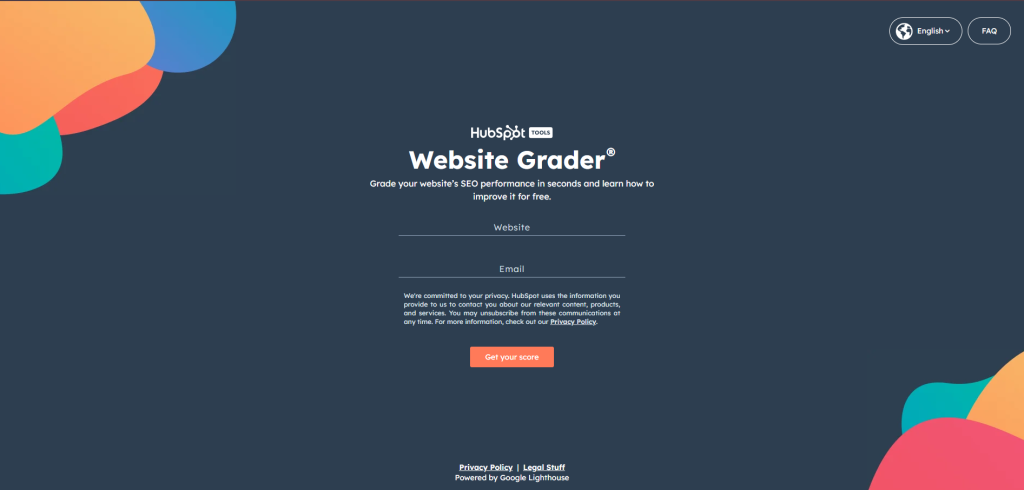
Website Grader has been running since 2007, long enough to accumulate thousands of referring domains across authority tiers. It gives any website owner a performance score across speed, mobile responsiveness, SEO basics, and security, then breaks down each dimension with specific findings rather than a vague grade.
What made it a link-earning machine wasn’t the scoring system alone. It was the specificity of the output. Every user gets a different result. That personalization makes the tool shareable (people post their scores) and citable (bloggers recommend it as a free diagnostic to readers). Free access, immediately actionable, that combination is still the template most calculators and graders try to replicate.
You can see the same structural logic across 23 high-performing interactive content examples that have driven both backlinks and leads at scale.
3. Moz’s Domain Authority Checker
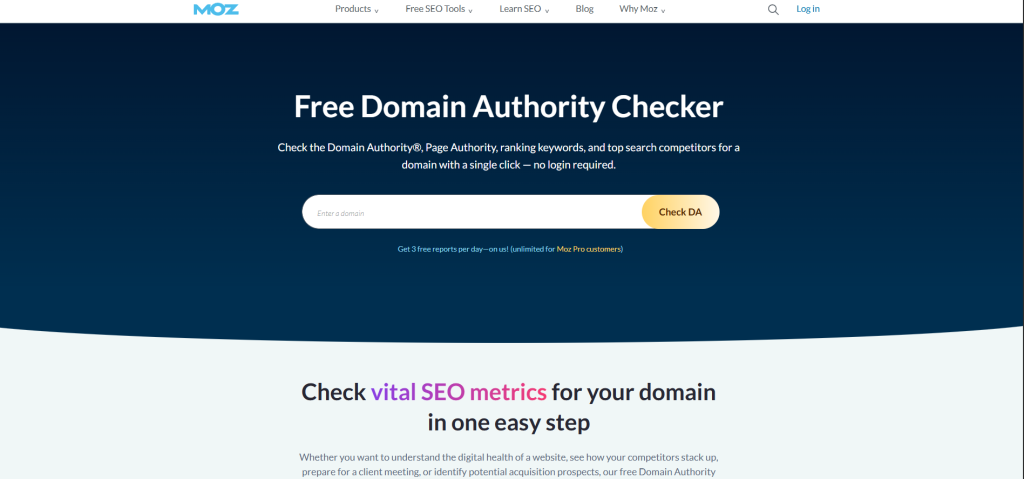
This tool earns links through a different mechanism than most: it didn’t just serve a need, it created the metric everyone else in the industry needed to reference. Domain Authority became a vocabulary, an industry-standard phrase, and every time an SEO post needed to explain what DA means or how to check it, the natural citation was Moz’s own tool.
The lesson for interactive content SEO is about metric ownership. If your tool produces a score or benchmark that becomes the standard way people in your industry talk about a concept, you have a permanent, self-sustaining link-earning asset. That’s a high bar, but it’s not out of reach for companies with genuine niche expertise.
4. WordStream’s Google Ads Performance Grader
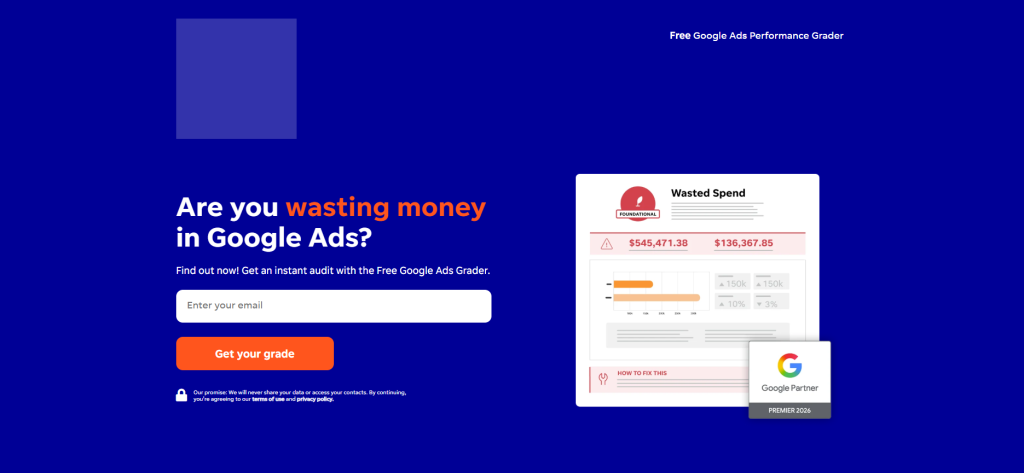
WordStream’s tool analyzes a Google Ads account and produces a performance score broken down across quality score, impression share, long-tail keyword usage, negative keyword management, and several other specific dimensions. It earned backlinks from PPC publications, agency resource pages, and digital marketing roundup posts, not because it was the only free ads tool, but because the output was specific enough to be citable.
A blogger writing about Google Ads quality scores could link to the Grader as a resource readers could use to check their own accounts. The tool did what a consulting engagement would do, for free, in 60 seconds. That value differential is what earns links in the long run.
5. Buffer’s Social Media Image Size Guide

Buffer’s interactive image size guide is worth studying because it’s technically simple: users select a social platform and see the current recommended dimensions. But it earns consistent links from design blogs, marketing guides, and social media management resources.
The reason it earns links where a static blog post would not is that it stays current. When Instagram changes its story dimensions, or LinkedIn updates its cover photo spec, Buffer updates the tool. Sites that linked to it two years ago have valid links today, and they don’t need to update their posts because the resource handles it. For interactive content SEO, the “evergreen through updates” dynamic is a strong long-term strategy, especially in categories where benchmarks, specifications, or standards change regularly.
Conclusion
Interactive content SEO is one of the few channels where the same asset earns you traffic, backlinks, and leads simultaneously, and keeps doing it long after you’ve moved on to the next campaign. The brands winning at this aren’t always the biggest or best-resourced.
Instead, they build tools around real questions, promote them consistently, and measure metrics that actually matter.
A blog post earns links when you publish it. A good calculator earns links while you sleep.
Ready to build yours? Start Outgrow’s 7-day free trial, no code required, no engineering time needed. Browse the template library to find a starting point and have something live before the week is out.

Frequently Asked Questions
Google can’t directly index the dynamic output of a JavaScript-rendered tool, but it indexes everything surrounding it, the text, the methodology section, the FAQ, and the internal links. The tool improves behavioral signals by increasing dwell time, encouraging return visits, and reducing bounce rates. As a result, these signals can positively influence how Google ranks the page.
With active promotion during the first 30–60 days, a targeted tool can quickly earn referring domains through direct outreach. Organic, unprompted link acquisition, people who find the tool in search and link to it on their own, typically starts accumulating around months three to six, once the page builds enough ranking momentum to generate consistent traffic.
It depends on what you want most. For example, open tools earn more embeds, organic backlinks, and word-of-mouth, while gated tools generate more leads from fewer completions. A middle path that works well: show partial results immediately, then offer the full output in exchange for an email. This preserves the tool’s shareability and embed potential while converting engaged users.
No. In fact, platforms like Outgrow let marketers build functional, embeddable calculators or quizzes in an afternoon without coding. As a result, the real constraint is content strategy and outreach discipline, not technical resources. In fact, the build is usually the easy part; however, promotion is where most teams underinvest.
Yes, but the approach differs. Calculators typically map to transactional queries because they solve a clear numerical intent. Meanwhile, quizzes work better for informational or diagnostic intent, such as “What type of [X] am I?” or “How do I know if my [process] is working?” For commercial keywords specifically, outcome-based quizzes that segment users by need or maturity level can rank and convert well, because each outcome’s results page becomes a targeted mini-landing page in its own right.

Sakshi is a digital marketing enthusiast passionate about connecting brands with audiences. With a background in content strategy and social media, she loves turning trends into actionable strategies. Outside of work, you’ll find her reading a book or hunting for the perfect cup of coffee.