Mortgage Payment Calculator: Estimate Your Monthly Payment in Minutes
Table of Contents
Some people can eyeball a home listing and know, more or less, what it’ll cost them every month. Most of us can’t. We open the calculator app on our phone, punch in a number, and forget three things that matter: taxes, insurance, and the fact that the rate we used is from an ad we saw two weeks ago.
That gap between “I think I can afford this” and actually knowing is exactly what this kind of calculator is built to close.
What Is a Mortgage Payment Calculator?
It’s a tool that turns your loan details into a real monthly number, before you’ve made an offer, before you’ve talked to anyone.
Underneath, it’s running the same amortization formula lenders have used for decades, the one that spreads principal and interest evenly across your loan term. What used to require a financial calculator, or a phone call to a loan officer, now takes a few form fields.
Most calculators ask for five inputs:
- Home price: What you’re paying, or your home’s current value if you’re refinancing.
- Down payment: A dollar amount or a percentage. This one moves the needle more than people expect.
- Loan term: Usually 15, 20, or 30 years.
- Interest rate: The single biggest lever on your final number.
- Credit score and zip code: These tell the calculator what rate you’d realistically qualify for.
A calculator that only handles principal and interest is giving you half the answer. The better ones fold in property taxes, homeowners insurance, PMI, and HOA fees too, so the number you see actually resembles your real bill.
Why Running the Numbers Actually Matters
Two homes at the same price can land at very different monthly payments. One sits in a county with low property taxes and no HOA. The other has both working against it. You’d never catch that comparing sticker prices alone.
What a real mortgage payment calculator gives you that guesswork can’t: an actual number, tied to your actual rate and your actual down payment, not a rule of thumb someone mentioned at dinner.
It also lets you check affordability on your own time, before you’re sitting across from a loan officer who’s already assuming you want the house.
And it turns “what if rates go up half a point” from a shrug into an answer. Change one input, get a new number in seconds, instead of redoing the math by hand every time your what-if changes.
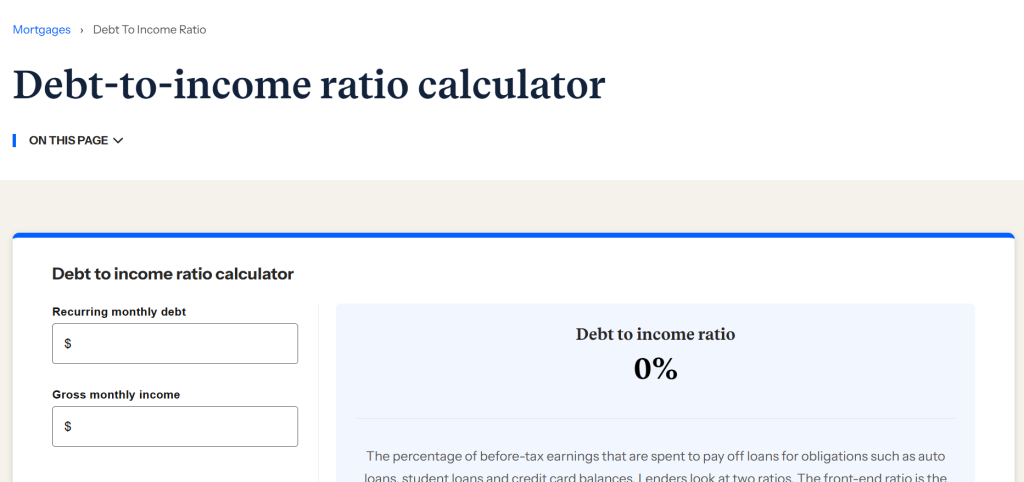
For a fuller picture before you commit to anything, it’s worth pairing this with a debt-to-income calculator too, since a payment that looks fine on its own can still trip up a lender’s approval.
How to Use One Without Fooling Yourself
Most take under two minutes. Getting a number you can actually trust depends less on the tool and more on what you feed it.
Use the numbers you actually have, not the ones you’re hoping to have by closing day.
Pull a current interest rate. Not one from a few months ago, not one quoted to your cousin with a different credit score. Rates move more than people think.
Don’t skip the extras just because they make the number bigger. Taxes and insurance are real costs whether or not you type them in.
Inputs You’ll Encounter
- Home price: Sets your loan principal and gets used to estimate property taxes for a home at that value.
- Down payment: Changes your loan amount directly, and decides whether PMI shows up on your bill at all.
- Loan term and interest rate: Together, these decide how fast you pay it off and how much interest you hand over along the way.
What Your Results Are Actually Telling You
The number on screen isn’t one thing. It’s a breakdown.
- Principal and interest make up your base cost. Early on, most of each payment covers interest. That balance flips over time, and more of what you pay starts building equity instead.
- Taxes, insurance, and PMI are where first-time buyers usually get caught off guard. Property taxes fund local services and vary a lot by municipality. Insurance is close to mandatory; most lenders won’t close without proof of a policy. PMI shows up if you’re under 20% down, typically running a fraction of a percent of your loan balance a year.
- Total cost of the loan, often buried in an amortization tab, is the number that tends to stop people cold. Every payment added up across 30 years, interest included, and it’s usually a lot higher than the home price alone suggests.
- Payoff date gives you a fixed point on the calendar, and one that moves closer with every extra dollar you put toward principal.
Can You Actually Afford It?
There’s a widely used benchmark for this: the 28/36 rule. Spend no more than 28% of your gross monthly income on housing, and no more than 36% on total debt, housing included.
Say you make $60,000 a year. That’s roughly $5,000 a month before taxes. 28% of that is $1,400, your rough ceiling for principal, interest, taxes, and insurance combined.
It’s a guideline, not a law. Someone carrying almost no other debt might comfortably go higher. Someone trying to also max out retirement contributions might want to stay well under it.
Two things help you pressure-test the number before you commit. Try a financial test drive: for a few months, set aside the gap between your rent and your projected payment, and see if living without that money actually feels sustainable. And check your debt-to-income ratio directly, because a payment that looks fine on paper can still get rejected if your total monthly debt runs past roughly 36% to 43% of your pre-tax income.
Using Your Results
Getting the number is the easy part. Doing something with it is where people usually stall.
If it feels comfortable, confirm your debt-to-income ratio, then get preapproved. Preapproval isn’t paperwork for its own sake; it’s what tells a seller you’re not wasting their time.
If it feels like a stretch, run a few what-ifs first. A longer term, a bigger down payment, or a lower price point can shift things more than expected. Or just wait a few months, pay down a card or two, and let your rate improve on its own.
Either way, budget for what the calculator won’t show you: maintenance, a broken water heater, the stuff that shows up after closing. And be careful timing the market. If prices keep climbing while you wait for rates to drop, you can end up worse off than if you’d bought now and refinanced later.
Mortgage Calculators in 2026
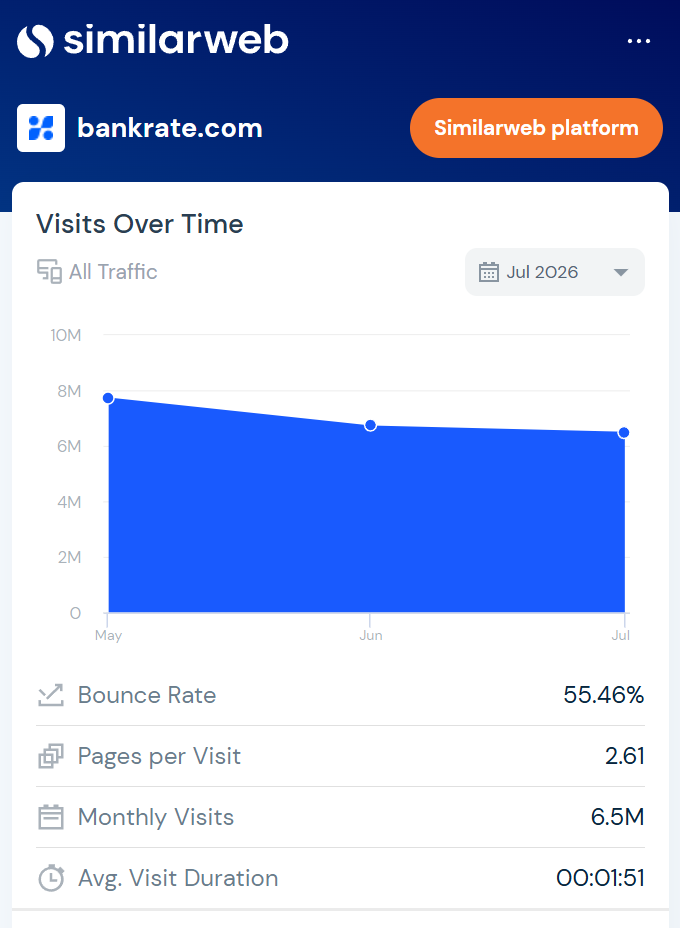
Not a niche tool anymore. They’re often the first stop in a home search now, before someone even talks to an agent, because people want a real number before they commit to a conversation.
Calculator pages consistently rank among the highest-traffic pages on lending and personal finance sites, which says something about what people actually want: not another article, an answer.
Lenders and financial coaches noticed too. An interactive calculator holds someone’s attention far longer than a blog post does, and it turns a casual visitor into an actual lead in a way static content rarely manages.
How to Build a Mortgage Payment Calculator with Outgrow
Outgrow’s builder lets you put one of these together without touching code, branded, lead-capturing, and genuinely useful to whoever lands on it.
1. Account Setup
Create an Outgrow account, or log in if you’ve already got one. No developer needed.
2. Choose Your Format
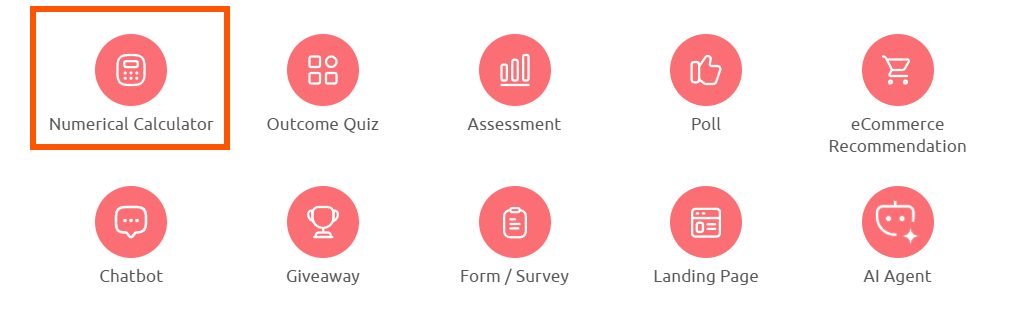
Pick “Calculator” from the dashboard. Start from a mortgage template, or go blank if you’d rather build it yourself.
3. Set Up Your Inputs
Home price, down payment, loan term, interest rate, and optionally credit score or ZIP code for a sharper estimate.
4. Build the Formula Logic
Apply the standard amortization calculation, then layer in taxes, insurance, PMI, and HOA fees for a realistic total.
5. Design the Output
A single monthly figure, a full category breakdown, or a visual amortization chart- whatever fits your audience.
6. Launch and Integrate
Embed it on your site or landing page, and connect it to Mailchimp, HubSpot, Salesforce, or your loan origination software.
7. Analyze and Improve
Track completion rates, where people drop off, the average loan amount entered, and which traffic sources actually convert. Use that instead of guessing.
Final Thoughts
This was never just a number to plug into a spreadsheet. It’s the difference between assuming you can afford a house and knowing, down to the dollar, what it costs you every month, and what you can adjust if the math doesn’t work yet.
Whether you’re running this for your own search or building one for clients, the payoff is the same: fewer guesses, more grounded decisions.
Stop estimating in your head. Build a calculator that does the guessing for you.
Want to see the platform in action? Start your 7-day free trial with Outgrow and build your first mortgage payment calculator today.
Frequently Asked Questions
Only as accurate as what you put into it. It’s a solid starting estimate, but your actual rate, taxes, and insurance costs get confirmed later by a lender during underwriting.
A good one should. Basic versions only cover principal and interest, which makes your real cost look smaller than it is. Look for one that lets you add taxes, insurance, PMI, and HOA fees.
It directly reduces your loan principal, which lowers both your monthly payment and the total interest you pay. Hit 20% down and PMI usually disappears entirely.
Using an outdated interest rate. Rates shift often enough that a number from a few months ago, or one quoted to someone with a different credit profile, can throw off the whole estimate.

Sakshi is a digital marketing enthusiast passionate about connecting brands with audiences. With a background in content strategy and social media, she loves turning trends into actionable strategies. Outside of work, you’ll find her reading a book or hunting for the perfect cup of coffee.

![How to Create a Poll: A Guide to Boost Engagement [+Tips]](https://outgrow.co/blog/wp-content/uploads/2021/05/create-poll-768x432.jpg)