Best Calculator Builders in 2026: 10 Tools Compared
TL;DR
Table of Contents
Most calculator tools were built to display a number. Not many were built with the actual next step in mind: a qualified lead, a CRM record, a sales rep who already knows what the prospect needs.
Best overall: Outgrow. Best for pricing pages: ConvertCalculator, Best for ROI calculators: Outgrow, Best for agencies: involve.me
Confused about how to build a calculator? We spent a few weeks building the same SaaS pricing estimator on all 10 platforms. Every rating, price, and criticism in this article comes from actually using the product, not skimming a features page.
Quick Comparison Table
| Tool | Best For | Formula Flexibility | Conditional Logic | Embeds | Integrations | Templates | Analytics | Pricing |
| Outgrow | Lead gen + marketing | Excellent | Excellent | Excellent | Native (HubSpot, SF, Marketo) | 1,000+ | Full funnel | $22/mo |
| involve.me | Multi-step funnels | Good | Excellent | Excellent | 60+ native | 300+ | Good | $49/mo |
| ConvertCalculator | Complex pricing models | Excellent | Good | Excellent | Zapier only | Focused | Basic | $25/mo |
| Calconic | Simple widgets | Good | Good | Good | Zapier only | ~50 | Basic | $6/mo |
| Embeddable | Design-first widgets | Good | Good | Excellent | Limited | Moderate | Basic | Free/Paid |
| Calclet | AI-generated tools | Moderate | Basic | Good | CSV export only | AI prompt | Minimal | $29/mo |
| Calculoid | PDF quote output | Good | Good | Good | Limited | ~30 | Basic | $19/mo |
| Taskade Genesis | AI-first apps | Good | Good | Good | 100+ via automations | AI prompt | Basic | $20/mo |
| Common Ninja | Multi-widget sites | Moderate | Basic | Good | Minimal | ~20 | Minimal | $10/mo |
| Bubble | Custom full-stack apps | Unlimited | Unlimited | Good | API/plugin | Community | Custom | $69/mo |
How We Tested
Same calculator, all 10 platforms. We built a SaaS pricing estimator with three tiers (Starter, Growth, Enterprise), a monthly/annual billing toggle with a 20% discount baked in, and a user count slider going from 1 to 500. This is the same test Taskade ran in their own comparison, and it works because it quickly shows where each tool runs out of road.
For every platform, we tracked:
- Build time from a blank screen to something we could actually publish
- Formula flexibility, specifically IF/AND/OR logic, slider math, and toggle-based discounting
- How easy was it to set up the conditional logic for tier-based pricing
- Embed quality, tested on both WordPress and a plain HTML page
- What CRM data actually showed up in HubSpot after a test submission
- Mobile experience on both iOS and Android
We also went through G2 and Capterra reviews from the past year, focusing on 3-star reviews because that is where people tend to be honest about what annoyed them.
The 10 Tools: Full Reviews
1. Outgrow | Best Overall Calculator builder for Lead Generation
Best for: Marketing and growth teams who need calculators that actually feed a sales pipeline, not just a pretty number on a screen.
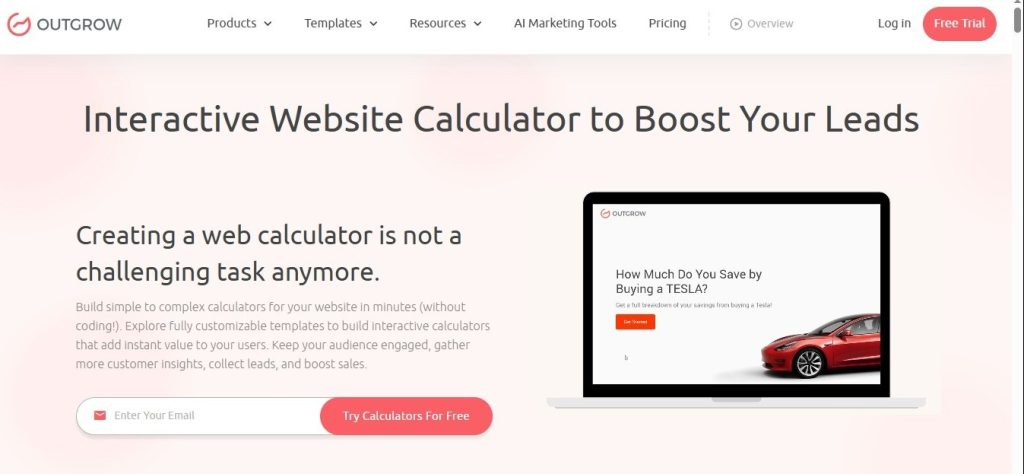
If you have spent time trying to build a real pricing website calculator inside a form tool and given up halfway through, Outgrow makes that problem go away. Calculators are not a secondary feature here. They are one of the core reasons the product exists.
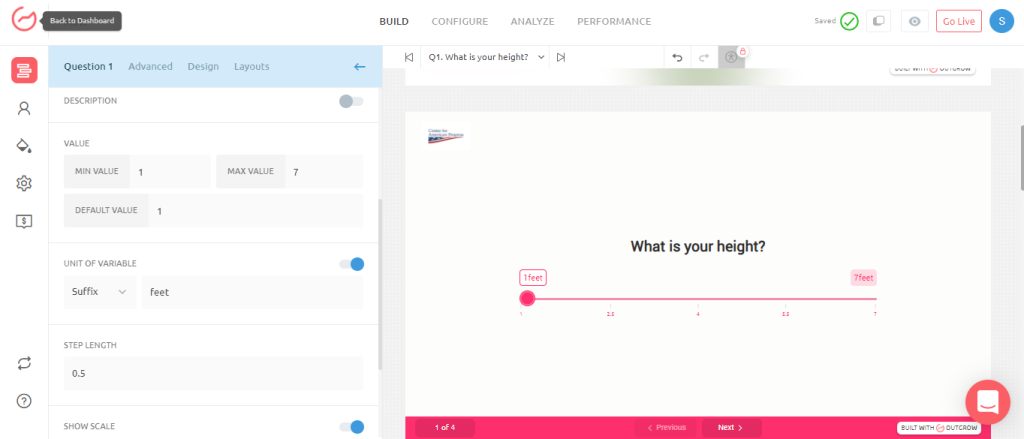
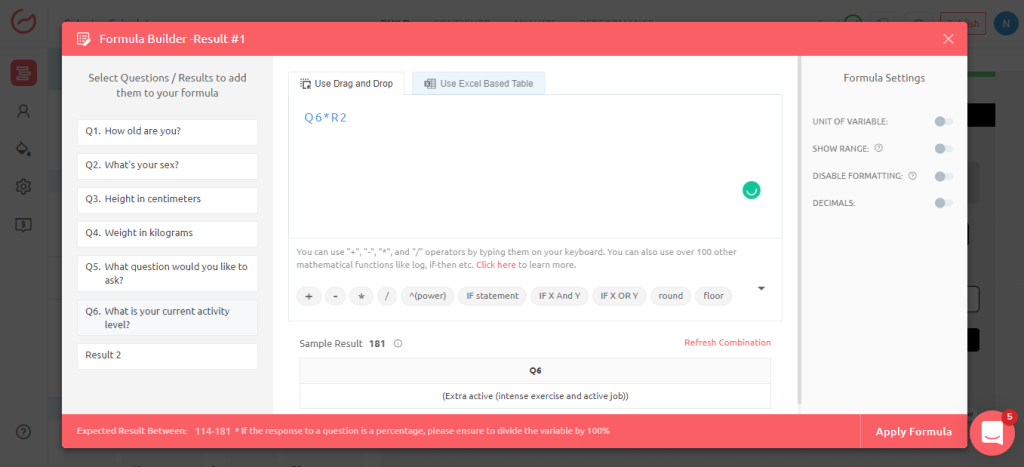
Our Price Quote Calculator took 42 minutes to build. That is slower than some tools on this list, but the end result was doing considerably more. The monthly/annual toggle applied a real conditional discount through a native formula. The tier logic used proper IF statements. The slider drove live output across all three tier cards at the same time. Getting that level of behavior out of any other tool required either custom code or multiple workarounds.
The formula builder is the most capable we tested. Lead scores, individual question answers, and result categories all push through to HubSpot, Salesforce, or Marketo natively. Sales does not just get a name and email. They get context.
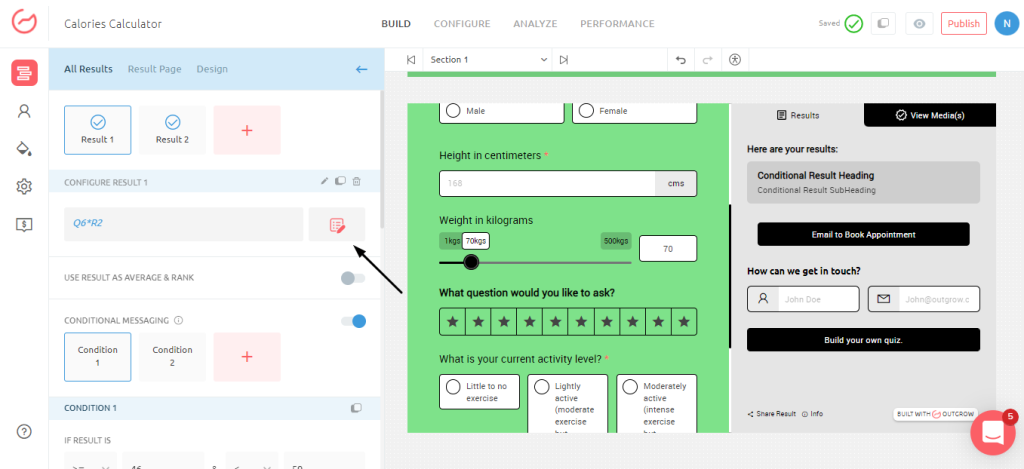
Strengths: One builder for calculators, quizzes, and assessments; richest CRM data of anything tested; 1,000+ templates; field-level drop-off analytics.
Weaknesses: Longer build time than simpler tools; takes a few hours to get comfortable with the interface.
Pricing: Freelancer $22/mo | Essentials $115/mo | Business $720/mo
2. Involve.me | Best Calculator builder for Agencies and Multi-Step Funnels
Best for: Agencies and service businesses that want a calculator to be the first step of a funnel, not a standalone tool.

involve.me is not just trying to build you a calculator widget. The idea is that your calculator leads somewhere: a qualification step, a form, a booking link, all in the same session without the user bouncing between tabs or pages. When it works well, it is genuinely impressive.
Our estimator took 35 minutes to build. The AI funnel builder launched in mid-2025, and it is worth using. We gave it a plain-English description of what we wanted and had a working draft in under 10 minutes.
Strengths: AI funnel generator that actually produces usable drafts; built-in lead scoring and CRM routing; Stripe and Mollie payments native; 300+ templates; 60+ native integrations.
Weaknesses: Formula logic is not as deep as ConvertCalculator for complicated math; we hit mobile display bugs on a complex conditional flow during testing; the pricing structure has a frustrating gap between tiers.
Actual limitation: Users seek more integration possibilities, requesting additional templates and better price options.


Pricing: $49/month (Starter) up to $399/month (Enterprise).
3. ConvertCalculator | Best Calculator builder for Pricing Pages
Best for: SaaS teams and agencies whose pricing logic is genuinely complicated and who need the formula engine to keep up without slowing down.

ConvertCalculator does one thing and does it well. Their FormulaScript engine is built specifically for complex pricing calculations, and it handles nested logic and large data tables without the performance issues that appear in other tools when the formula count climbs. Our estimator was done in 25 minutes, the fastest of any dedicated calculator tool we tested.
Strengths: FormulaScript handles INDEX, VLOOKUP, and Excel-style formulas; pricing updates in real time as users interact; data import from Excel spreadsheets; fast and clean embed on any platform; free plan available.
Weaknesses: No native CRM integrations at all; template library is smaller than Outgrow or involve.me; no AI generation; analytics are very basic.
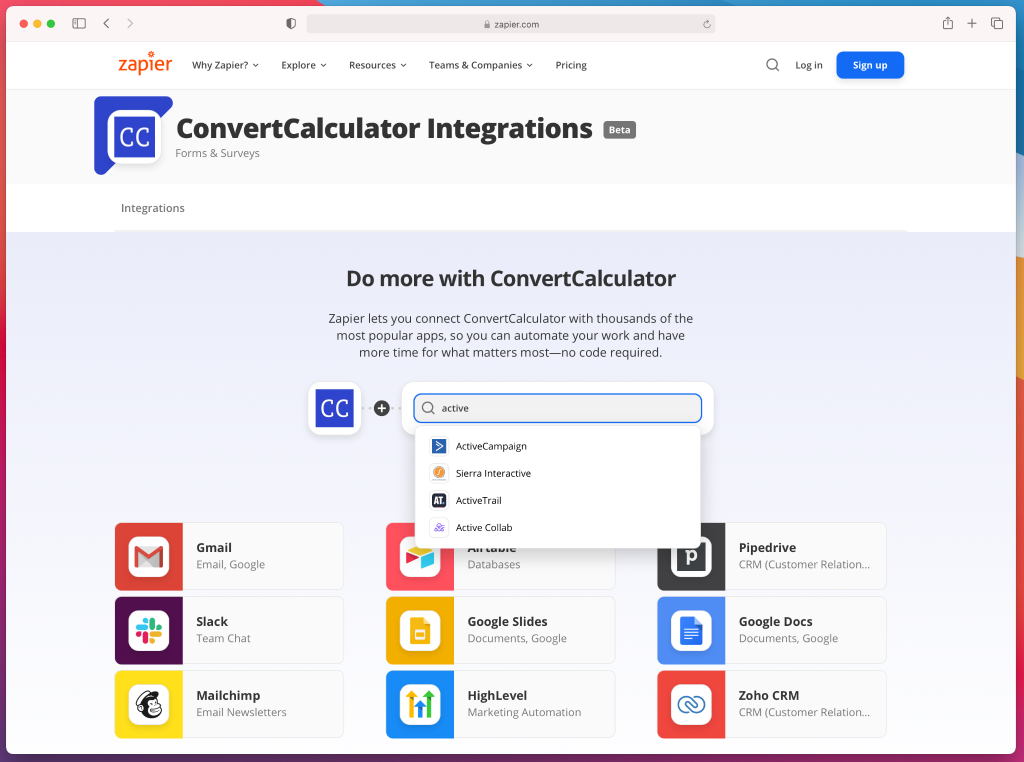
Actual limitation: ConvertCalculator lacks native integration with the most popular and widely used CRM tool, named Salesforce, that needs zapier integration to connect with.
Pricing: From $25/mo (Hobby) | Platinum $240/mo
4. Calconic | Best Budget Option
Best for: Small businesses and solopreneurs who want a simple, good-looking calculator embedded on their site without spending much or learning a complex tool.
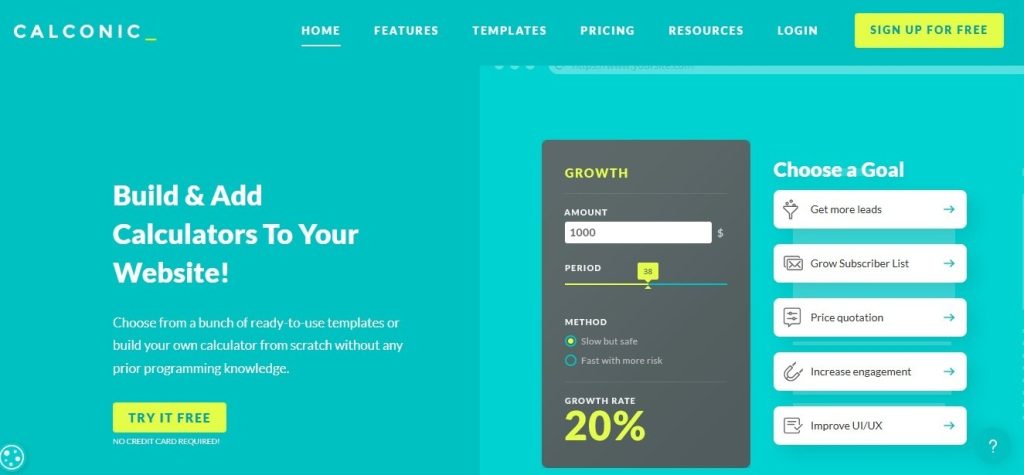
Calconic has been around since 2017, which shows in a good way. The editor is straightforward, the output looks clean, and at $5/month, you are not going to find anything better at that price. Our test calculator came together in 28 minutes and worked as expected.
Strengths: Cheapest paid plan on the list at $5/mo; dedicated WordPress plugin; formula editor handles conditional logic and date math; visual output is regularly praised in user reviews.
Weaknesses: Not suited for complex multi-variable calculators; no AI features; Zapier-only for CRM connections; analytics stop at impressions.
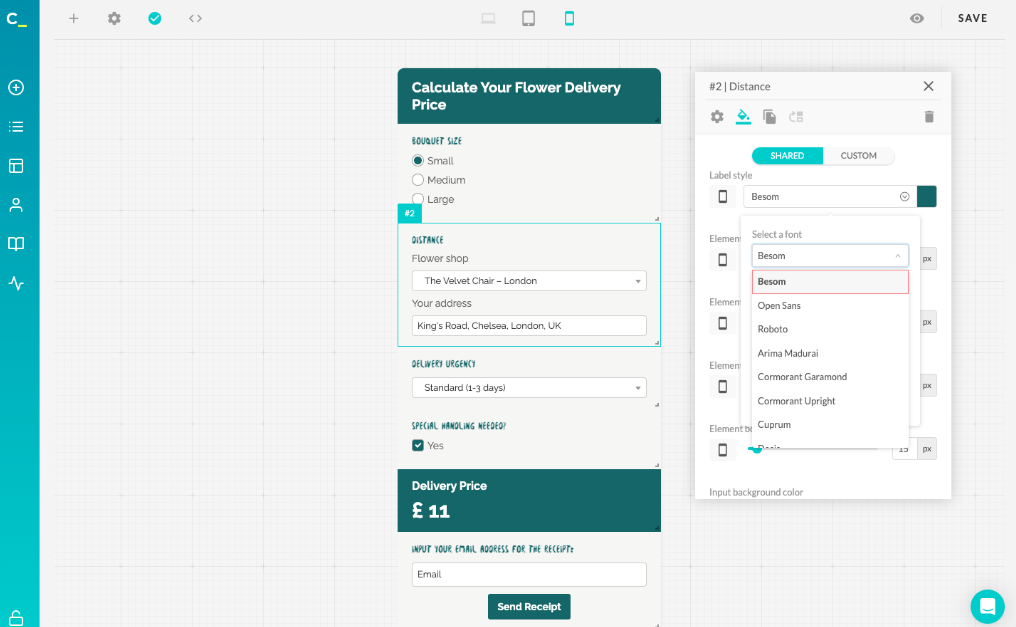
Actual limitation: Typography changes are not global. If you update the font in one element, you have to repeat that change in every other element manually. For a calculator with many fields, this gets tedious fast. Capterra reviewers mentioned it repeatedly, and we confirmed it during testing. There is no “apply to all” option anywhere in the editor.
Pricing: Free plan | Light $6/quarterly | Regular $17/quarterly | Bold $55/quarterly
5. Embeddable | Best Embed Quality
Best for: Teams whose main priority is a calculator that loads fast, looks polished, and fits neatly into their existing website design.

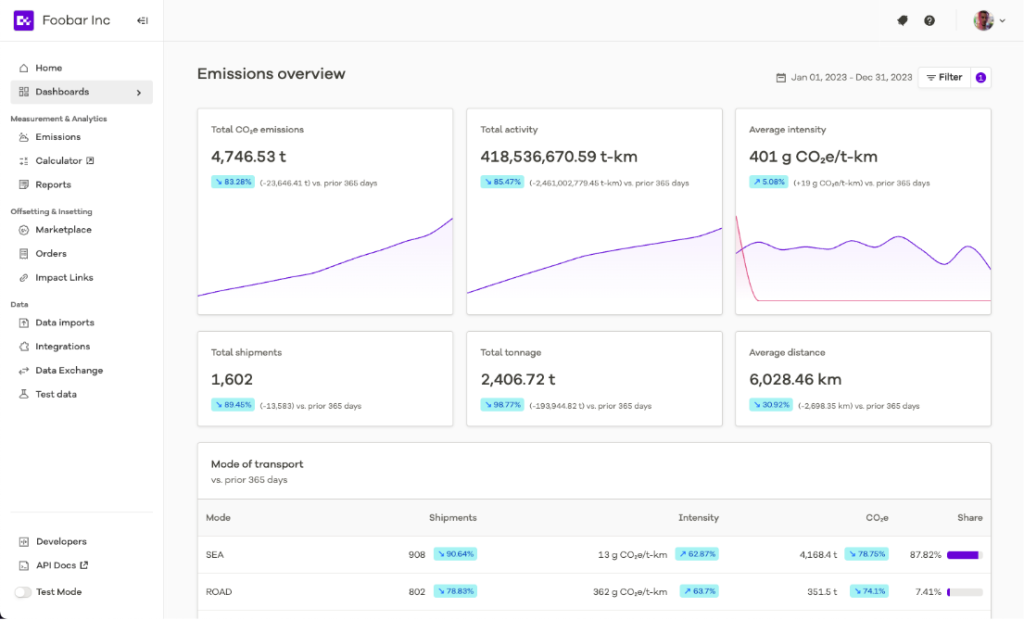
Embeddable is focused on one thing: the best-looking, fastest-loading calculator you can drop onto a website. The design customization is deeper than most tools, the embed is genuinely lightweight, and both desktop and mobile output looked good without any extra CSS work on our part.
Strengths: Cleanest embed of any tool tested; deep design control without needing to write CSS; fast load time that helps when running paid traffic; free plan to get started.
Weaknesses: No lead scoring; analytics are surface-level; this is a widget builder, not a marketing platform.
Actual limitation: Lead data collected through Embeddable sits in the Embeddable dashboard, and getting it somewhere useful is limited. No native HubSpot or Salesforce integration exists. Any CRM routing requires a Zapier workaround. The front-end experience is genuinely good, but the lead capture side stops well short of what marketing teams need.
Pricing: Free plan | Paid plans on request
6. Calclet | Best AI-Powered Calculator Builder
Best for: Solo marketers who want something functional built in under five minutes and are fine with editing from a generated starting point.

Calclet went all-in on AI generation. Describe what you want, and you get an embeddable calculator with real logic and responsive styling in seconds. We wrote one sentence describing our SaaS pricing estimator and had something working in under five minutes. For generating a first draft quickly, no other tool on this list comes anywhere close to that.
Strengths: Fastest build time by a wide margin; AI generates real working logic rather than a skeleton; supports iframe and JavaScript embed; lead email gating built in.
Weaknesses: No CRM integrations, only CSV export; complex conditional logic needs manual editing after generation; no analytics beyond a lead count.
Actual limitation: Features such as logic jump and conditional messaging are not available. Apart from this, only a few question types are available in the questions tab.

Pricing: Free plan | Starter $29/mo to paid custom plans available
7. Calculoid | Best Calculator Builder for PDF Quotes
Best for: Service businesses and agencies that need the calculator to generate a formatted PDF at the end of the flow, not just display a number on screen.
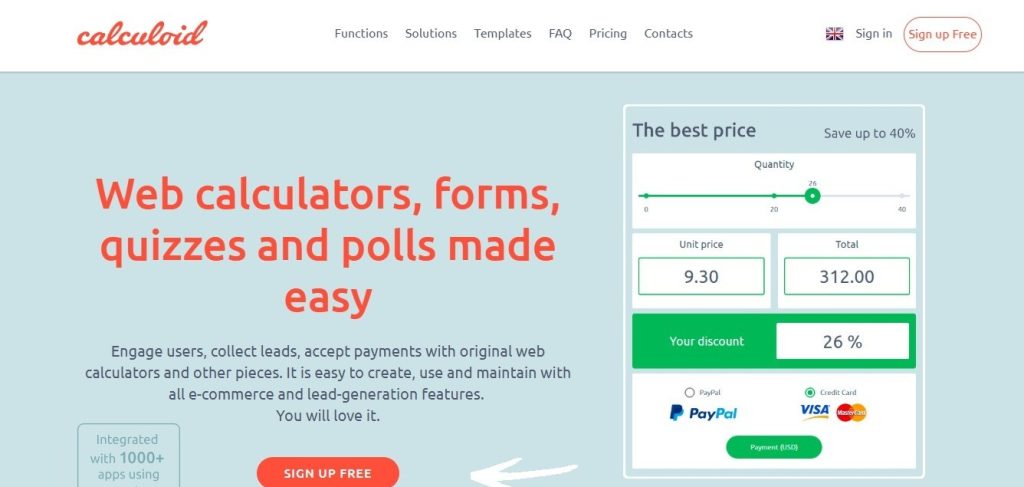
Calculoid’s main differentiator is PDF report generation. After a user finishes your calculator, they can receive a formatted PDF of the results. That is useful for quotes, service proposals, and financial summaries, and no other tool on this list does it natively. Stripe and PayPal payment collection is also available inside the same flow.
Strengths: Native PDF report output; Stripe and PayPal payments built in; multi-page calculator flows; CSV table import for data-driven logic.
Weaknesses: Free plan is essentially unusable because templates are gated; design output looks functional but not polished; CRM options are limited; no lead scoring.
Actual limitation: Templates are not accessible on the free plan at all. Every template shows an upgrade prompt. For a tool that promotes templates as a starting point, blocking them entirely on the entry tier is a frustrating experience. Several user reviews pointed this out, describing the free plan as more of a demo than something you can actually build with.

Pricing: Free (very limited) | Lead Gen $19/mo | High Traffic $39/mo | Agency $99/mo
8. Taskade Genesis | Best for AI-First Teams
Best for: Teams who want to describe a calculator and receive a full application with a database and workflow automations, not just a widget.
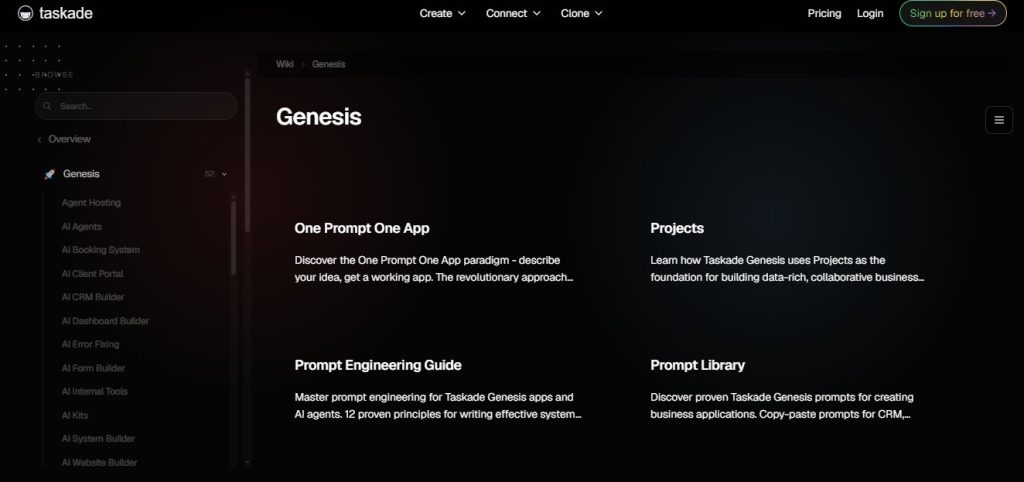
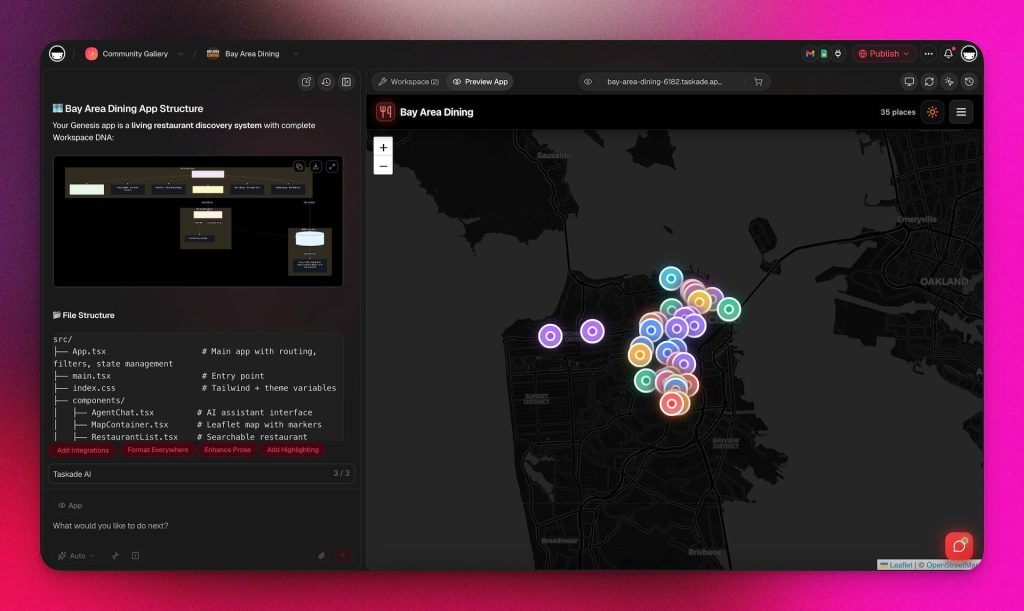
Taskade Genesis is a different product from everything else here. You are building a calculator app, not dropping a widget onto a page. It has persistent data storage, AI agents, and workflow automations attached. Our pricing estimator was ready in under two minutes from a prompt. Published apps cost no additional credits regardless of how many people use them, which is a meaningful advantage over tools that charge per submission.
Strengths: Under two minutes to build from a prompt; full app with database rather than just a widget; flat-rate pricing with no per-submission costs; 100+ integrations via automations; real-time collaboration built in.
Weaknesses: No visual drag-and-drop editor; less design control than dedicated widget builders; not purpose-built for lead generation; the calculator UI is whatever the AI generates.
Actual limitation: There is no visual editor at all. If the AI gets the layout 90% right but the field order or spacing is off, fixing it means re-prompting or working through a non-visual configuration layer. Marketers used to dragging elements around will find this friction adds up quickly, especially on a deadline.
Pricing: Starter $6/mo | Pro $20/mo | Business $50/mo
9. Common Ninja | Best for Multi-Widget Sites
Best for: Teams already using Common Ninja for other widgets who want to add a calculator without signing up for another tool.

Common Ninja runs a broad library of embeddable widgets, and the calculator is one of the better ones in that library. Our estimator took 20 minutes to build. The embed works across platforms, and the free plan lets you test before committing to anything.
Strengths: Part of a larger widget ecosystem; clean embed on all major site builders; free plan available; GDPR compliant by default.
Weaknesses: Formula engine is the weakest we tested; conditional logic is limited to basic show/hide; no CRM integrations worth noting; analytics show views only.
Actual limitation: On the free plan, the calculator stops loading for visitors once you hit the view limit. The tool does not tell you clearly when you are getting close to that limit. During testing, the widget simply stopped rendering on our test page with no error message, and it took a while to figure out why. For any site with regular traffic, this is a surprise you do not want to deal with.
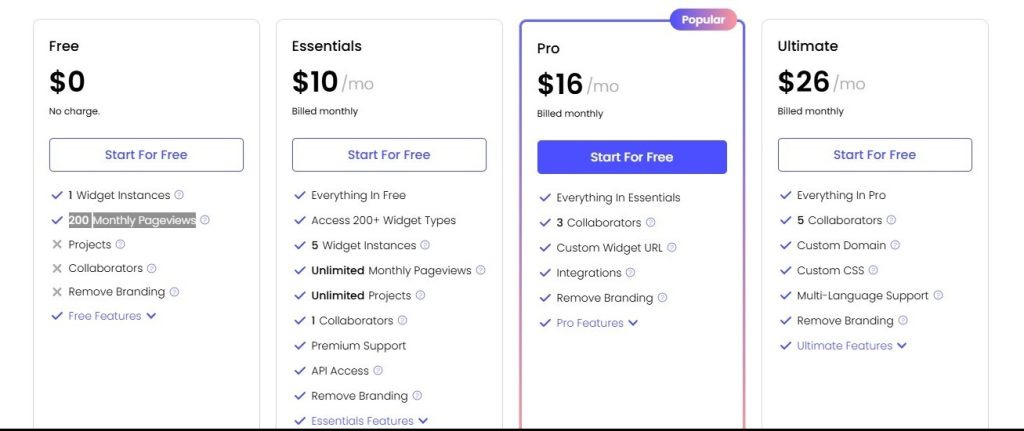
Pricing: Free plan (view-limited) | Paid plans available starting from Essentials $10/month
10. Bubble | Best for Custom Full-Stack Apps
Best for: Technical founders or development teams who need a calculator that functions as a standalone web application with its own URL, database, and user logic.

Bubble is not a calculator builder in the same sense as anything else on this list. It is a full no-code application platform. Building our pricing estimator took 3 to 4 hours and involved setting up a database, workflows, and responsive layouts. The output was a standalone app at its own URL. If that is the level of control you need, nothing here competes with it.
Strengths: No ceiling on formula or logic complexity; over 8,000 plugins available; full database with user accounts and backend workflows; native mobile app builder now in public beta.
Weaknesses: Build time is in a different category from every other tool; learning curve takes months to work through properly; Workload Unit billing can get expensive fast; no source code export if you ever leave the platform.
Actual limitation: Bubble charges by Workload Units, which means costs go up with every database query, workflow execution, and API call. For a calculator with complex logic or serious traffic, bills can grow faster than expected. One Capterra reviewer described rebuilding a heavily-used page in Node.js after Bubble’s costs became 10x higher than a coded alternative at scale. The pricing is transparent, but the real cost of high-traffic use is not obvious until you are already in deep.
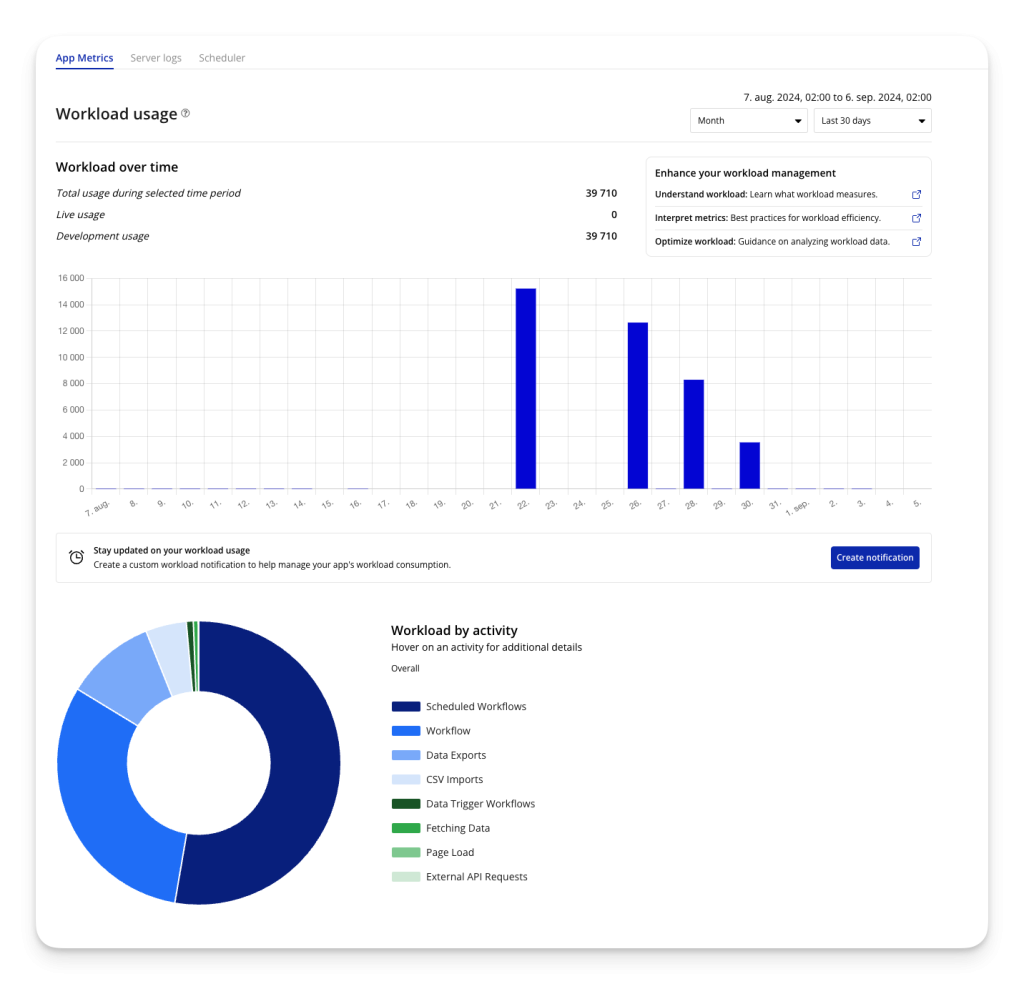
Pricing: For Web & Design: Free (no live deployment) | Starter $69/mo | Growth $249/mo | Team $649/mo.
Use Case Guide
SaaS companies get the most mileage out of pricing calculators and ROI estimators (using the ROI calculator guide) that help a prospect understand what they are buying before getting on a call. Outgrow is the right pick here because the result page personalizes to each lead’s inputs and the data routes natively into HubSpot or Salesforce. ConvertCalculator makes more sense if your pricing logic is genuinely complicated and formula performance matters more than what happens to the lead data afterward.
Pick: Outgrow | Runner-up: ConvertCalculator
Agencies need a tool that keeps client work organized and a calculator that can qualify a lead and schedule a call in one session. involve.me handles that multi-step flow better than anything else here. The AI funnel builder also speeds up production across multiple client verticals. For agencies focused on calculator-driven content as a lead magnet, Outgrow’s broader content library adds value.
Pick: involve.me | Runner-up: Outgrow
E-commerce brands benefit from calculators that help shoppers understand total cost, potential savings, or product fit before purchasing. It keeps people on the page longer and removes some of the friction in the decision. Outgrow handles multi-input product calculations well, and the result page supports direct purchase links. Calconic covers simpler e-commerce calculators at a lower price point.
Pick: Outgrow | Runner-up: Calconic
Calculator Builder vs. Spreadsheet vs. Form Builder
A spreadsheet is for internal number-crunching. A form builder collects inputs. A calculator builder gives someone a useful answer before asking for their contact details. That sequence matters because it shifts the dynamic of the interaction entirely.
Interactive forms convert at around 47.3% on average compared to 2.8% for static forms, based on Outgrow’s analysis of over 50,000 forms. The gap exists because the visitor gets something before they are asked to give anything.
Form builders can technically run calculations, but real-time output, conditional logic that adapts to inputs, personalized result pages, and lead scoring that syncs to a CRM are not things a standard form tool does well. If those features matter to your pipeline, a dedicated calculator builder is worth the investment.
Add this section right before the Final Recommendation section, after the “Calculator Builder vs. Spreadsheet vs. Form Builder” section. It fits naturally there because by that point the reader has seen all 10 tools and understands the landscape, so a “here’s what goes wrong” section lands well before the final push.
5 Mistakes That Kill Calculator Conversions
Building the calculator is the easy part. Getting people to complete it and hand over their contact details is where most teams leave results on the table. Here are the five mistakes we saw repeatedly across the tools we tested.
1. Asking for the email before showing the result
This one kills more calculator conversions than anything else. If you gate the result behind a form before the visitor has seen any value, most people will leave. The sequence that works is: let them interact with the calculator, show them a partial or teaser result, then ask for their email to get the full breakdown. Outgrow lets you control exactly where the lead gate sits in the flow. Most simpler tools do not.
2. Building a calculator that only does basic math
A slider that multiplies user count by a fixed price is not a calculator. Visitors figure that out in about 10 seconds and lose interest. The calculators that convert well involve some logic the user could not easily replicate in their head, conditional pricing tiers, discount thresholds, ROI projections based on multiple inputs. If your formula is simple enough to do mentally, the tool is not adding enough value to justify the email ask.
3. Ignoring mobile completely
More than 60% of web traffic is mobile in most industries, and calculator builders vary wildly in how well they handle smaller screens. Sliders that are hard to drag on a touchscreen, result pages that overflow, and forms that break the keyboard flow all tank completion rates silently. We tested every tool on iOS and Android during this review for exactly this reason. Outgrow, involve.me, and Embeddable handled mobile well. Several others needed work.
4. No result page worth reading
A lot of calculator builders spit out a number and stop there. The result page is actually the highest-intent moment in the entire interaction. The visitor just told you exactly what they need and got a personalized answer back. That is the moment to show a relevant case study, a CTA that matches their specific output, or a next step that makes sense given what they calculated. Tools like Outgrow let you customize the result page based on output ranges. Most basic builders give you one static page for everyone.
5. Not connecting calculator data to your CRM
Collecting an email is not the same as capturing a lead. If all that flows into your CRM is a name and email with no context about what the person calculated, your sales team has nothing useful to work with. The tools that actually support pipeline generation, Outgrow and involve.me primarily, push the full calculation context through: what tier they selected, how many users they entered, and what result they received. That context changes the quality of the first sales conversation entirely.
Final Recommendation
We ran all 10 tools through the same test. The differences were clear by the end.
When the goal is a sales pipeline and not just page engagement, Outgrow’s calculator builder is the right answer. It is the only platform here where calculators, quizzes, assessments, and recommenders all sit in one builder, all push useful data to a CRM natively, and all come with analytics that show what is actually working.
The learning curve is real, and we will not pretend otherwise. But it is also the only tool on this list that grows with a serious marketing operation rather than creating a ceiling six months after you have committed to it.
ConvertCalculator calculator builder wins on formula depth. Calconic wins on price. Taskade wins on how fast you can build. Calculoid wins if PDF output is the requirement. But when the question is which tool actually contributes to revenue, Outgrow keeps coming out ahead.
The mistake most teams make is treating a calculator like a form with better visual design. The tools that actually feed a pipeline are built around one question: what does knowing this number tell us about what this person needs? If the platform cannot route that answer to your sales team in a useful format, you have built a content piece, not a revenue tool.
Ready to start? Outgrow’s calculator templates cover most SaaS and e-commerce use cases with a working starting point already in place.

Frequently Asked Questions
Outgrow. The native CRM integrations and lead scoring mean your sales team gets real context on every submission, not just a name and email. For teams that only need a simple pricing widget and are not worried about pipeline data, ConvertCalculator or Calconic are more affordable alternatives.
Yes, but the quality varies a lot across platforms. Outgrow passes lead scores, individual answers, and result categories natively. ConvertCalculator and Calconic route everything through Zapier, which adds latency and potential failure points. involve.me connects natively with HubSpot through its integration library.
From our testing: Taskade Genesis under 2 minutes, Calclet under 5, ConvertCalculator and Calconic around 25 to 28 minutes, involve. Embeddable around 32 and me to 35 minutes, Outgrow around 42 minutes, and Bubble 3 to 4 hours. Faster build times generally come at the cost of flexibility after the fact.
A form builder asks questions and stores the answers. A calculator builder asks questions, runs formula logic on those answers, and shows the visitor a personalized number in real time. The visitor gets value before handing over their contact details, which is why calculator conversion rates tend to run 2 to 3x higher than standard forms.
Outgrow if the priority is lead quality and CRM data. ConvertCalculator if the pricing model is complicated enough that formula performance is the constraint and marketing integrations matter less.

Muskan is a Marketing Analyst at Outgrow. She is working on multiple areas of marketing. On her days off though, she loves exploring new cafes, drinking coffee, and catching up with friends.

![How to Create a Poll: A Guide to Boost Engagement [+Tips]](https://outgrow.co/blog/wp-content/uploads/2021/05/create-poll-768x432.jpg)