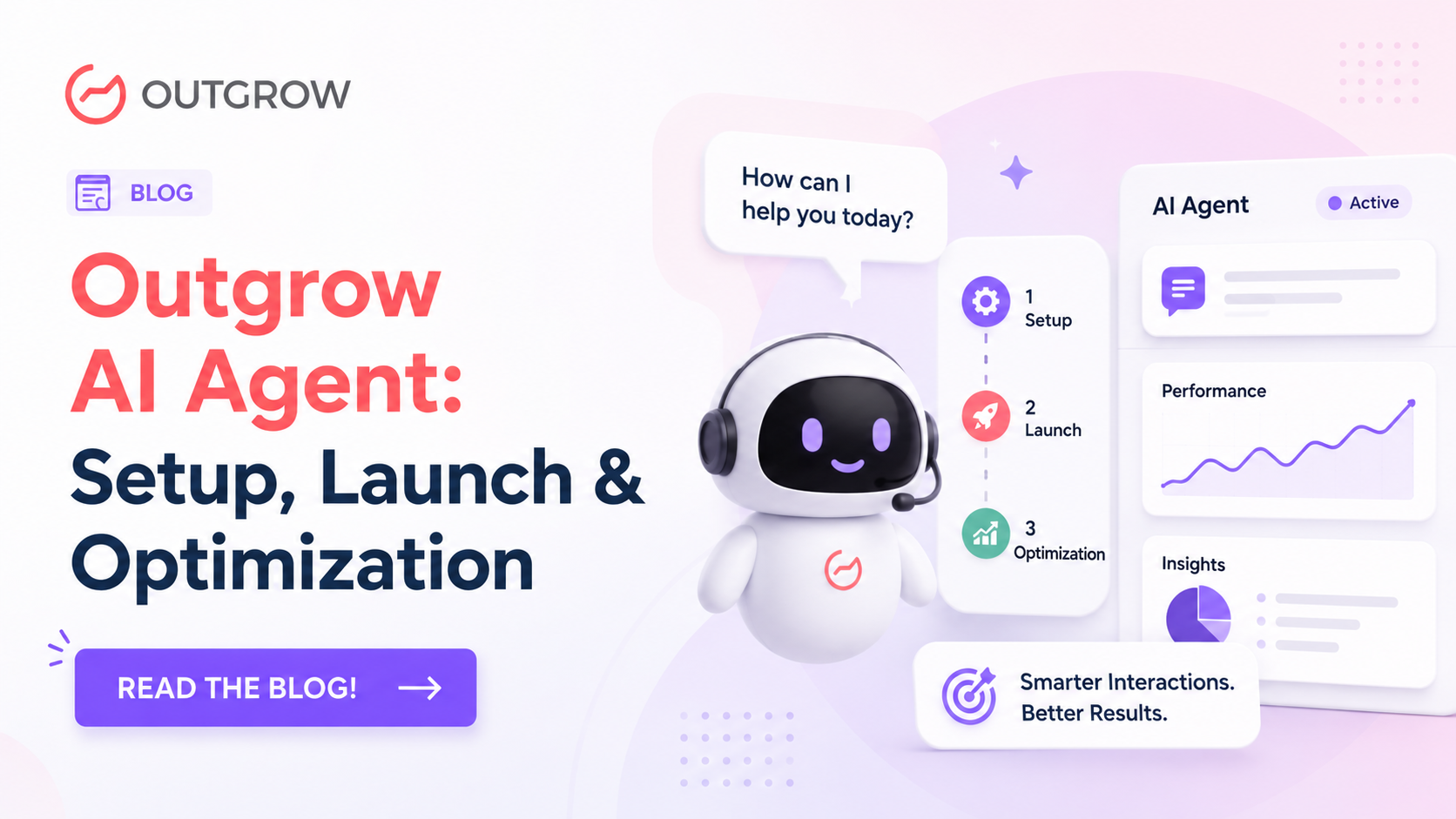
Outgrow AI Agent: Setup, Launch & Optimization
Table of Contents
Here’s something most teams don’t realize until after they’ve launched: a chatbot that hasn’t been set up thoughtfully doesn’t just underperform; it actively pushes users away. Wrong answer once, and they’re gone.
With the Outgrow AI Agent, there’s a way to do this that actually works: configure it properly before launch, publish it only when it’s genuinely ready, and keep improving it using real conversation data. This guide covers three key areas to help you get there.
This guide walks you through all three.
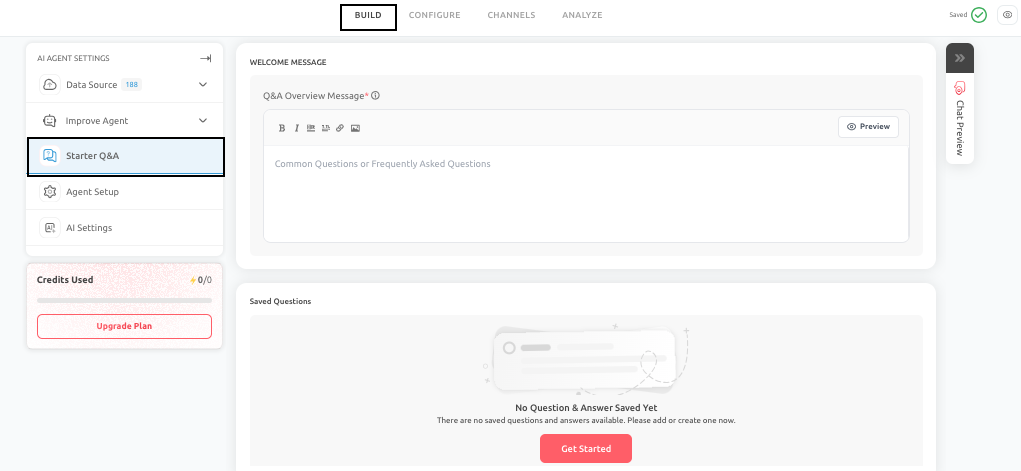
Starter Q&A: Don’t Make Users Guess
Opening a chat window and not knowing what to type is more common than you’d think. Users who don’t immediately see a path forward tend to leave. That’s the problem Starter Q&A solves.
When configured, the Outgrow AI Agent displays a short list of suggested questions right at the top of the conversation. Users pick one, or type something themselves. Either way, the “where do I even start?” problem disappears before it has a chance to cause a bounce.
What You’re Actually Configuring
There are three pieces to set up here.
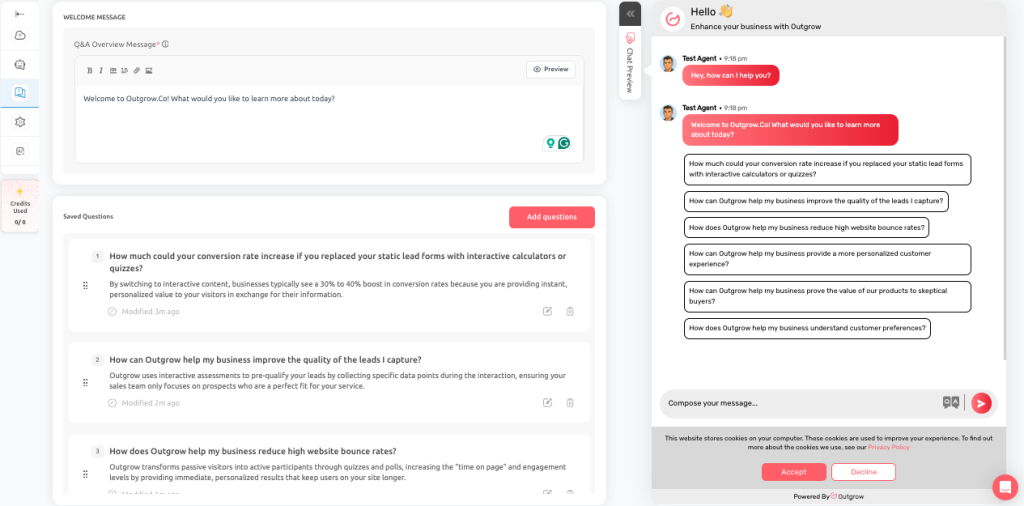
The Q&A Overview Message is a one or two-line intro that sits above your suggested questions. Keep it simple; something like “Welcome to Outgrow.co! Here are some questions to help you get started” works fine. You’re just giving people context, not writing ad copy.
Suggested Questions are where most teams go wrong. The instinct is to write questions that reflect how your team talks about the product internally. That’s backwards. Write questions the way a customer would actually type them.
Compare these two:
- “Explain SKU-specific shipment control logic”– nobody would type this
- “How much does shipping cost?”– yes, they would
Every question on the list should pass that test. On top of that, keep the list tight. Between 4 and 8 questions is the right range. Below 4 feels sparse. Above 8 and users start scanning instead of clicking, which defeats the whole point.
For a SaaS business, a solid starter list might look like:
- How does pricing work?
- Do you offer a free trial?
- Can I book a demo?
- How does onboarding work?
- Which integrations do you support?
- Is this suitable for agencies?
Six questions, all high-intent, all written the way a prospect would ask them. That’s the bar.
Answer Setup is the third piece, and it’s a choice between two modes for each question.
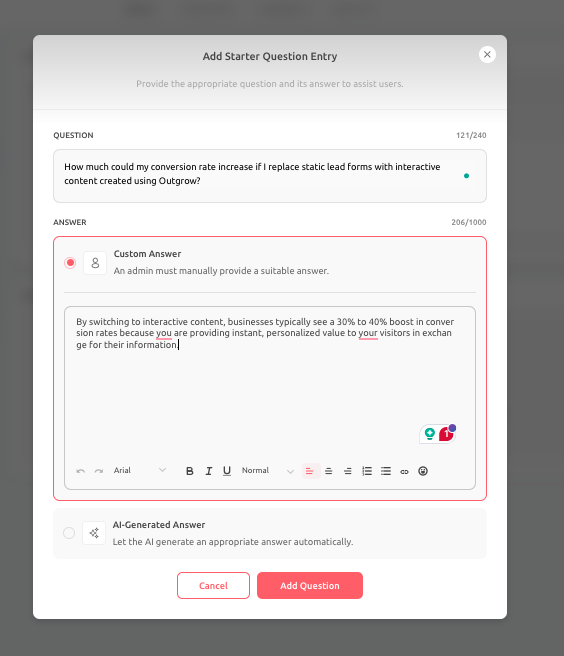
Custom Answers lock in a specific response that won’t vary. Use these when the wording genuinely matters: a refund policy, a compliance statement, a pricing breakdown that has to be exact. If the answer can’t change based on context, lock it down.
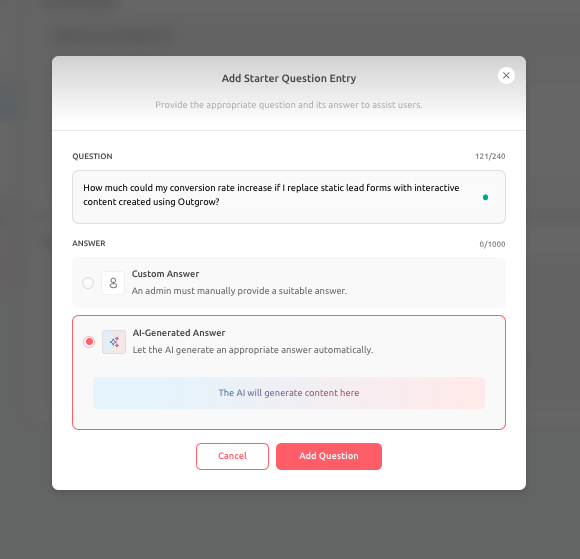
AI-generated answers pull from your knowledge sources and flex based on the question. Better for product walkthroughs, feature explanations, integration details, anything where a rigid script would leave users with a half-answer.
Go Live: A Checklist Worth Actually Following
Most teams treat Go Live like a formality. It isn’t.
Once the Outgrow AI Agent is live, it’s having real conversations with real users. Every gap in the setup, a missing fallback, a broken integration, a vague response, becomes a user experience problem. The pre-launch checklist exists because those things are much easier to catch before publish than after.
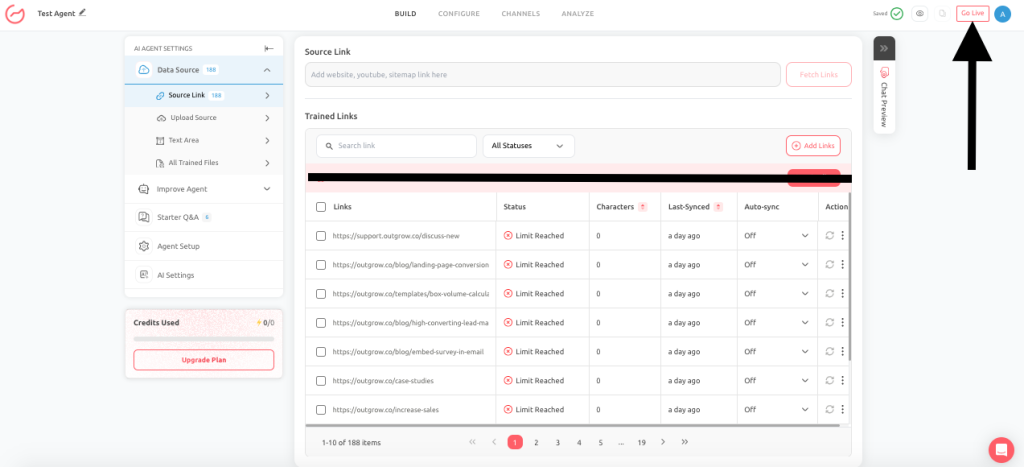
Before going live, confirm:
- Goals are configured, and the target action is clear
- Prompts are written and finalized, not “good enough for now”
- Attributes are mapped to the right fields
- Every link and CTA has been clicked and verified
- Escalation paths have been tested
- Fallback behavior has been reviewed; does it sound helpful or robotic?
- Data sources are current, not pulled from six months ago
- Integrations are connected and working
- You’ve run through the most common user journeys in Chat Preview
That last one matters. Chat Preview is the closest thing to a real conversation before launch. If you haven’t walked through the five or six paths a user is most likely to take, you’re not ready.
One more thing: going live isn’t the finish line. It’s when the real data starts coming in. The conversations that happen in the first few weeks after launch will tell you more about what needs fixing than any amount of pre-launch testing.
Improve Agent: Where the Real Work Happens
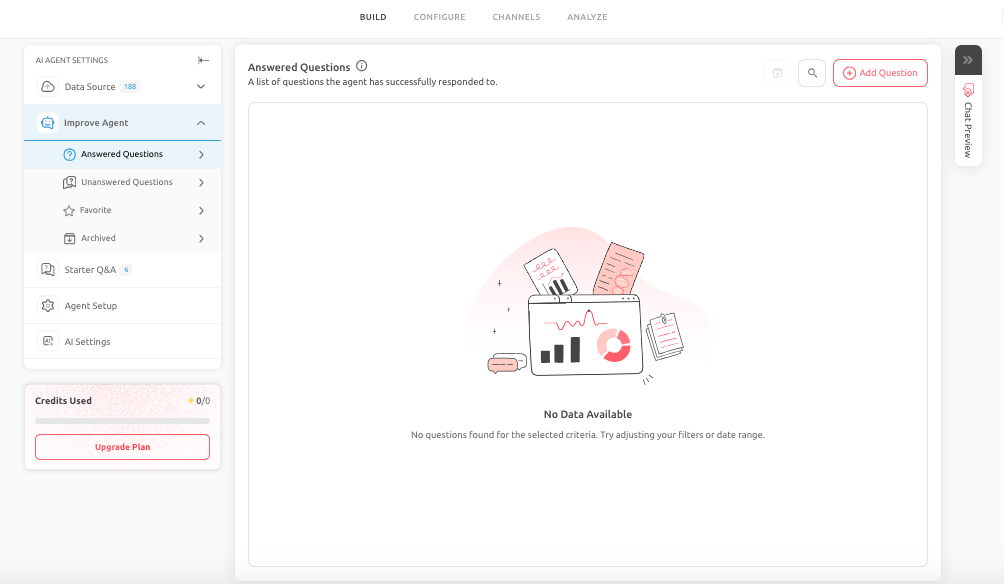
The Outgrow AI Agent gets better over time, but only if someone is paying attention to what it’s doing. The Improve Agent section is built for that. It gives you four tools, each focused on a different part of the optimization process.
Answered Questions
This is your baseline view. It shows you the conversations where the agent gave a response, which lets you check two things: what users are actually asking, and whether the answers are genuinely good.
“Good” doesn’t just mean factually correct. An answer can be accurate and still too long, too vague, or structured in a way that confuses people. Answered Questions is where you catch that. A response that works at launch may not work six months later when your product has changed; this is where you’d spot that drift.
Unanswered Questions
If you’re only going to spend time in one part of Improve Agent, make it this one.
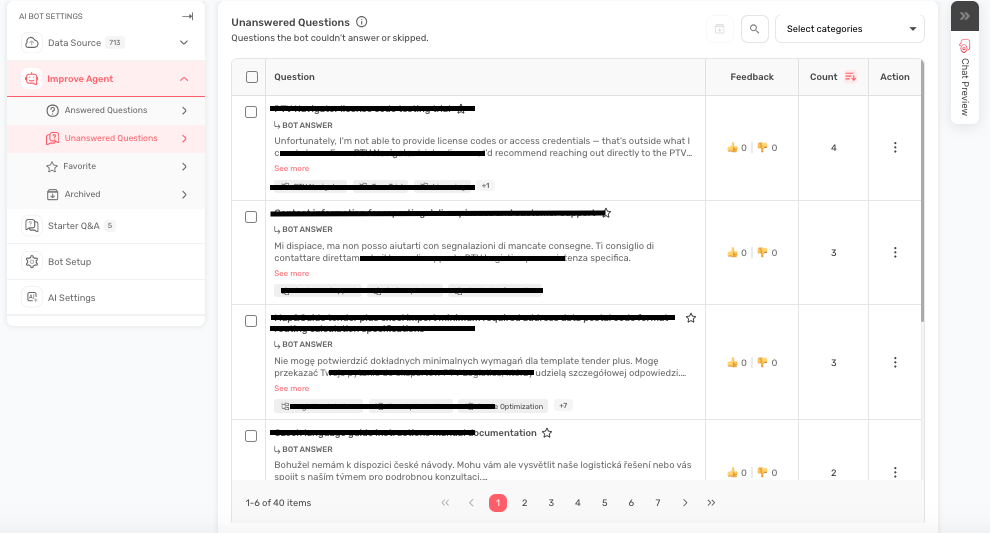
Unanswered Questions shows you where the agent failed, no response, or a response that clearly missed what the user was asking. Each one is a gap worth investigating. Common causes include missing data sources, prompts that are too narrow, model limitations, or user intent that nobody thought to account for during setup.
Work through these by impact, not by volume. A question that comes up twice but relates to pricing or a sales conversion deserves attention before a question that comes up twenty times about something low-stakes. Fix the gaps that cost you the most first.
Solutions vary; sometimes it’s rewriting a prompt, sometimes it’s adding a Q&A pair, sometimes it’s uploading a new document to the knowledge base.
Add Q&A
Add Q&A lets you write specific question-and-answer pairs that bypass the AI’s usual response logic and return exactly what you’ve written. It’s a precision tool.
Use it for the things that can’t be paraphrased: exact pricing language, refund policy wording, legal disclaimers, compliance responses. Write the question the way a user would ask it, not the way you’d label it internally. Keep the answer tight. Include a next step if there is one.
It’s also the fastest way to resolve a repeated failure in Unanswered Questions. You don’t need to wait for a data source update; just write the pair, and it’s live.
Favorites
Not all responses are equal. Some are carefully worded, reviewed, and represent exactly what your business wants to say. Favorites lets you flag those so they don’t get buried or accidentally overwritten during updates.
Use it selectively: approved policy language, high-converting answers, responses that took effort to get right. If everything is a favorite, nothing is.
Archived Questions
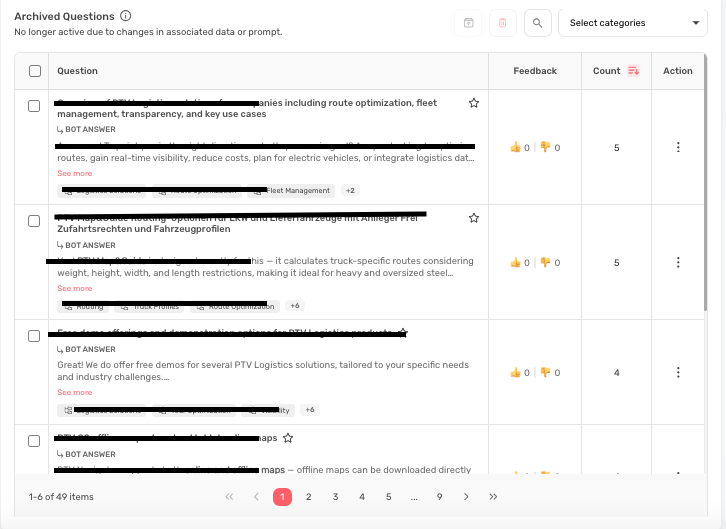
Businesses change. Products get updated, pricing shifts, campaigns end. Archived Questions is where you put responses that are no longer accurate but shouldn’t be permanently deleted.
Archiving keeps the live agent clean without losing content that might be useful to reference later. Set a habit of reviewing archives every quarter; some of it can be updated and restored, some can be deleted entirely.
Building a Review Habit
The teams that get the most out of the Outgrow AI Agent don’t treat improvement as a one-off project. They build a recurring rhythm: check Answered and Unanswered Questions on a set schedule, fix the highest-impact gaps first, use Favorites to protect what matters, and archive what’s gone stale. Over time, the agent gets sharper because the data gets richer and the fixes compound.
Conclusion
Getting results from the Outgrow AI Agent isn’t about the initial setup alone. It’s about all three phases working together. Starter Q&A handles the first impression. A proper Go Live process means users don’t hit broken flows or confusing fallbacks. And Improve Agent gives you the tools to keep it performing as your business evolves.
The businesses that see consistent value from it are the ones treating it as a system that needs attention, not a tool that runs itself.
Feel free to use our chat tool on the bottom right or reach out to us at Questions@Outgrow.Co if you have any questions, and our team can help you with a quick solution.
Frequently Asked Questions
It shows users a set of suggested questions at the start of a chat so they don’t have to figure out what to ask on their own, reduces hesitation, and gets conversations moving faster.
4 to 8 is the range that works. Under 4 feels incomplete; over 8 and users start scrolling past instead of clicking, which beats the purpose of having them.
Custom Answers return the exact text you write, good for policies, pricing, compliance. AI Generated Answers pull from your knowledge sources and adapt to the question, better for product guidance and anything where context matters.
Goals, prompts, integrations, fallback behavior, attribute mapping, and a full Chat Preview run. Don’t skip the behavioral checks; the technical checklist catches config issues, but you need to actually talk to the agent to catch tone and logic problems.
Treat each one as a specific gap to diagnose. Figure out whether it’s a missing data source, a prompt issue, or intent you didn’t account for, then fix it. Start with the gaps that affect revenue or trust the most.
Favorites mark your best active responses, so they’re protected and easy to find during updates. Archived Questions hold content that’s no longer live, old pricing, retired features, and past campaigns, in case you need to reference it later.

Sakshi is a digital marketing enthusiast passionate about connecting brands with audiences. With a background in content strategy and social media, she loves turning trends into actionable strategies. Outside of work, you’ll find her reading a book or hunting for the perfect cup of coffee.