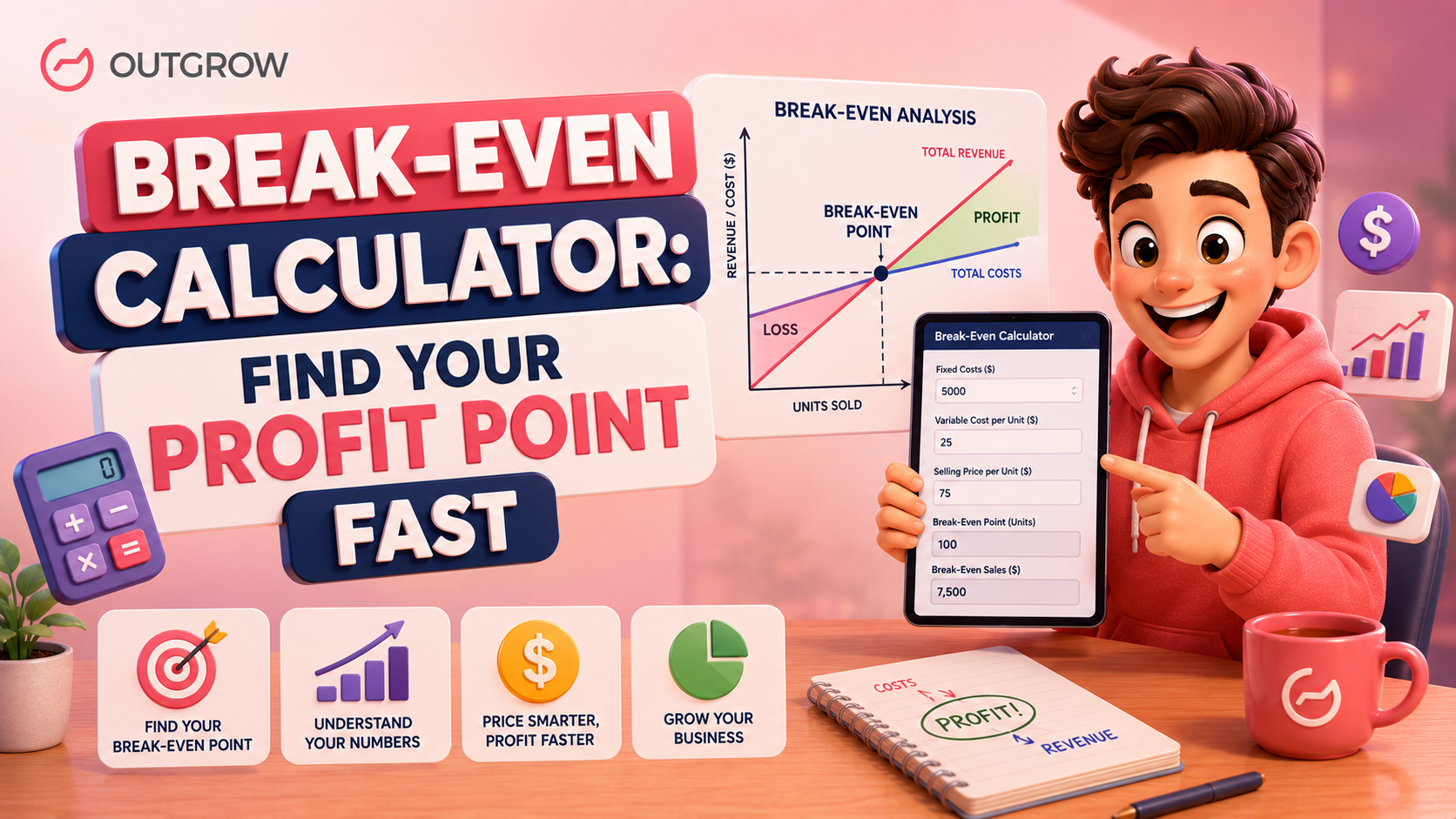
Break-Even Calculator: Find Your Profit Point Fast
You got into business to make money. But before the money rolls in, there’s one number you really need to nail down: the point where losses stop and profits begin.
That number is your break-even point.
And honestly, if you don’t know it, you’re just guessing. Whether you’re setting a price for the first time, sitting across from an investor, or questioning whether your numbers even make sense, the break-even calculator cuts through the noise and gives you something real to work with.
This post covers how the break-even calculator works, how different businesses actually use it, and how you can punch in your own numbers in about two minutes with a free interactive tool powered by Outgrow.
What Is a Break-Even Calculator?
Table of Contents
A break-even calculator tells you the minimum number of units you need to sell before your business stops losing money. Once you cross that threshold, each unit sold starts adding to your bottom line instead of plugging a hole.

The math behind it looks like this:
Break-Even Point (Units) = Fixed Costs / (Sales Price per Unit – Variable Cost per Unit)
That gap between your price and your variable cost per unit? That’s called your contribution margin. The break-even calculator takes your fixed costs and divides them by that margin to show you exactly what you’re working toward.
Here’s a plain-English breakdown of the three inputs:
- Fixed Costs: What you pay regardless of how much you produce or sell. Think rent, full-time salaries, insurance, software subscriptions.
- Variable Costs per Unit: Costs that climb as you make more. Raw materials, packaging, per-order shipping.
- Sales Price per Unit: What your customer actually pays.
Feed those three numbers into the break-even calculator, and you get one output: the unit count where your revenue finally covers your total costs.
Why Your Break-Even Point Matters More Than You Think
Most business owners pour time into revenue projections and growth tactics. Far fewer sit down and actually work out their break-even number. That gap is a problem.
Here’s what knowing your break-even point actually does for you:
- It sanity-checks your pricing. If breaking even requires selling 10,000 units but your entire addressable market is 3,000 people, that’s a pricing problem, not a traffic problem.
- It gives your sales team a real target. A quota that comes from actual cost structure beats a number someone pulled from thin air.
- It grounds your funding conversations. Before taking on debt or bringing in investors, you need to know what revenue it takes to service those obligations. The break-even calculator gives you that anchor.
- It uncovers costs you forgot about. Running the break-even calculator forces you to list every fixed cost. Fixed costs have a way of hiding until you actually write them all down.
- It keeps new product launches honest. Run the break-even calculation before you spend on production or marketing. If the number isn’t reachable, fix the product or the price before you commit.
A business that knows its break-even point makes decisions based on actual numbers. The ones that don’t are usually surprised later.
How to Use the Break-Even Calculator
Once your numbers are in front of you, the break-even calculator is genuinely quick to use. Here’s how to walk through it:
Step 1: Pin down your fixed costs
Pull together every cost that doesn’t change with your production volume:
- Office or workspace rent
- Full-time employee salaries
- Insurance premiums
- Software and platform subscriptions
- Loan repayments
- Accounting and legal fees
Add them up for a specific period. Most businesses start with a monthly break-even calculation.
Step 2: Figure out your variable cost per unit
This is what it costs to produce or deliver one unit. For a physical product, that typically includes:
- Raw materials or components
- Packaging
- Per-unit labor costs
- Shipping per order
For service businesses, think about contractor fees per project, per-client software usage, or travel costs tied to specific engagements.
Step 3: Confirm your sales price per unit
What does one customer pay? If you sell at multiple price points (wholesale vs. direct, for instance), run the break-even calculator separately for each.
Step 4: Run the numbers
Plug your three figures into the break-even calculator. The number you get back tells you how many units you need to move before your business covers its costs. From there, the real question becomes: is that number actually achievable in your market?
Try the Interactive Break-Even Calculator
Skip the spreadsheet. The break-even calculator below takes your three inputs and spits out your break-even point in units right away. No formulas to set up, no cells to format.
Try the Break-Even Calculator Here
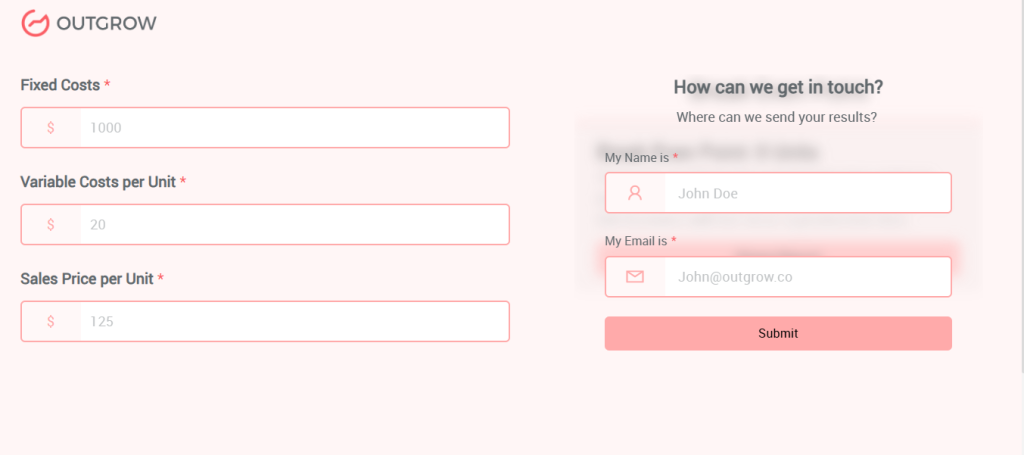
Three inputs. Instant output. Done.
How Outgrow Builds Break-Even Calculators (And Why That’s Useful)
Building an interactive website calculator from scratch is a bigger project than most people expect. Getting the logic right, designing the interface, making it work on mobile, embedding it cleanly into your site. It can easily stretch into days of work.

Outgrow is built to close that gap. It’s an interactive content platform that lets you create calculators, quizzes, assessments, surveys, and recommendation tools without writing code.
What you can build:
- Financial calculators like this break-even calculator
- ROI calculators for SaaS products
- Pricing estimators for agencies or service businesses
- Lead qualification assessments
- Product recommendation tools
- Interactive quizzes for audience segmentation
Why businesses use it:
Outgrow sits at a useful crossroads between lead generation and user education. A break-even calculator on a financial services website doesn’t just answer a visitor’s question. It captures their data (with consent), qualifies them as a lead, and can kick off automated follow-up sequences through integrations with HubSpot, Salesforce, Mailchimp, and others.
The platform works as a free quiz maker, a free survey maker, and a free form builder, all in one place, but built specifically for conversion. You’re not just answering a question. You’re adding a working piece of your SaaS marketing funnel that runs on autopilot.
Features worth knowing about:
- Drag-and-drop builder, no code needed
- Logic branching so results adapt to what users enter
- Real-time analytics and lead tracking
- Custom branding and design control
- Embeds on any website or landing page
- Native integrations plus 1,000+ tools via Zapier
- Mobile-optimized by default
How the Outgrow break-even calculator works:
The calculator takes three inputs: fixed costs, variable costs per unit, and sales price per unit. It applies the break-even formula and shows the result dynamically on a result screen, along with a plain explanation of what that number means for the user’s business. There’s also a share button, which gives the tool organic reach every time someone sends their result to a colleague.
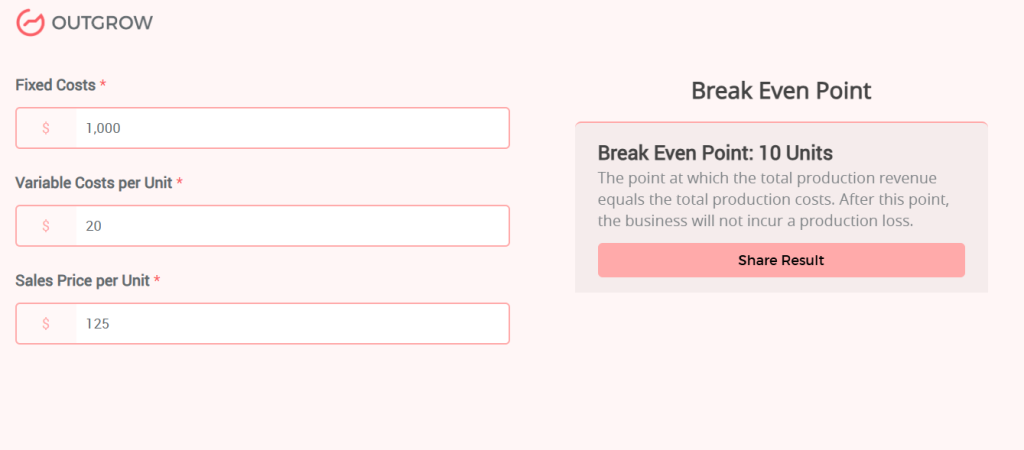
For businesses that want to generate leads while giving something genuinely useful away, an interactive break-even calculator is one of the better content assets you can put on your site.
Break-Even Calculator Use Cases Across 5 Industries
The break-even calculator looks different depending on your business model. Here’s how five different industries actually put it to work.
1. E-Commerce and Direct-to-Consumer Brands
A brand selling handmade candles runs $4,000/month in fixed costs (studio rent, website, staff). Variable cost per candle is $8 (wax, jars, packaging, shipping). Each candle sells for $28.
Contribution margin: $20 per candle
Break-even point: 4,000 / 20 = 200 candles per month
Before candle 201, the business wasn’t making money. It also tells the founder that any discount cutting the price below $18 eliminates the margin needed to break even. Running the break-even calculator before a sale or promotion can save a brand from a discount strategy that quietly kills profitability.
2. SaaS and Subscription Businesses
A SaaS startup carries $50,000/month in fixed costs (engineering, sales, office). Variable cost per customer is $20/month (infrastructure, support). Monthly subscription price: $120.
Contribution margin: $100 per customer
Break-even point: 50,000 / 100 = 500 customers
Until they hit 500 active subscribers, the business bleeds cash. This is exactly the kind of number a founding team needs when building a SaaS funnel and working backward from how much to spend on customer acquisition. If CAC is $300 and monthly churn is 5%, the path to 500 customers gets very specific, very fast.
3. Food and Beverage
A new coffee shop has monthly fixed costs of $12,000 (rent, staff, equipment leases). Variable cost per cup: $1.50 (coffee, milk, cup). Average transaction value: $5.50.
Contribution margin: $4.00 per cup
Break-even point: 12,000 / 4 = 3,000 cups per month
That’s 100 cups a day. Before opening a second location or expanding the menu, the owner can use the break-even calculator to immediately see what a rent increase to $15,000 would do to that target, or what adding a lunch offering with different margins would mean for the overall picture.
4. Manufacturing
A small electronics company making wireless earbuds has fixed costs of $80,000/month (factory overhead, R&D amortization, full-time staff). Variable cost per unit: $35 (components, assembly, packaging). Retail price: $99.
Contribution margin: $64 per unit
Break-even point: 80,000 / 64 = 1,250 units per month
A major retailer wants a 30% wholesale discount, dropping the price to $69.30. Run the break-even calculator again: contribution margin falls to $34.30, pushing break-even past 2,332 units. That’s a number worth having before you walk into any wholesale negotiation.
5. Freelancers and Service Businesses
A freelance UX designer has $3,500/month in fixed costs (home office, tools, insurance, accounting) and minimal variable costs. They charge $3,500 per project.
Break-even point: roughly 1 project per month
They want to bring on a junior contractor at $2,000/month. Fixed costs jump to $5,500. Now they need two projects per month just to break even. The break-even calculator gives them a concrete answer to “can I afford to hire?” before they’ve committed to anything.
Mistakes People Make When Using a Break-Even Calculator
The formula in the break-even calculator is airtight. The inputs, though, are where things go sideways. Here are the mistakes that come up most often:
- Underestimating fixed costs: Rent and salaries are obvious. Annual fees amortized monthly, software tools, accounting costs, equipment depreciation. Those tend to get missed until they show up on a bank statement.
- Mixing time periods: If your fixed costs are annual, divide by 12 before plugging them into a monthly break-even calculator. Mixing periods produces a meaningless number.
- Ignoring small variable costs: Payment processing fees, return shipping, customer support overhead per order. They feel negligible individually, but across volume they can meaningfully shift your contribution margin.
- Running the calculation once and moving on: The break-even calculator earns its keep when you run it across multiple scenarios. What if you raise the price by 10%? What if material costs go up? Treat it as an ongoing planning tool.
- Treating break-even as the goal: Breaking even means you’re not losing money. It doesn’t mean the business is generating the kind of return that’s worth the risk you’re taking. Break-even is the floor. Build above it.
Building Your Own Break-Even Calculator with Outgrow
If you want a break-even calculator on your own website, specifically for your industry or audience, Outgrow’s calculator builder gets you there fast.
Here’s what the basic setup looks like:
Inputs:
- Fixed Costs (numeric, currency format)
- Variable Costs per Unit (numeric, currency format)
- Sales Price per Unit (numeric, currency format)
Formula:
Break-Even Point = Fixed Costs / (Sales Price per Unit – Variable Costs per Unit)
Output:
The break-even unit count, a short explanation, a share button, and an optional lead capture form before or after the result screen.
You can add conditional logic (a warning if variable cost exceeds sale price, for instance), connect the tool to your CRM, and track every interaction as a lead. Outgrow also functions as an online survey tool, free questionnaire maker, and form builder with analytics built in, so you can layer a follow-up survey onto the calculator without stitching together separate platforms.
Conclusion: Know the Number, Make Better Calls
The break-even calculator is not complicated. But knowing your break-even point is the difference between running a business reactively and running it with a plan.
Work out your number before you launch something. Before you change your pricing. Before you hire. The break-even calculator hands you the financial ground truth that should sit under every major decision you make.
And if you want to put this kind of tool to work for your own audience, build a branded break-even calculator with Outgrow and start converting website visitors into leads.
Sign up for the 7-day free Outgrow trial today and Calculate Your Break-Even Point Now.
Frequently Asked Questions
It tells you the exact number of units or amount of revenue your business needs to generate before it covers all its costs. Once you hit that number, every unit after it contributes to profit rather than cost recovery. It’s the one financial metric that makes everything else easier to plan around.
The break-even calculator formula is mathematically precise. What varies is the accuracy of your inputs. If you’ve accounted for every fixed and variable cost correctly, the output is reliable. Most errors come from underestimating fixed costs or missing small variable costs that add up across volume.
Absolutely. For service businesses, one “unit” might be a client project, a billable hour, or a monthly retainer. Once you define what your unit looks like and what it costs to deliver, the break-even calculator works the same way. The formula doesn’t care whether you’re selling software subscriptions or consulting hours.
Your contribution margin goes negative, which means there’s no break-even point to calculate. Every unit sold deepens the loss rather than reducing it. The break-even calculator will surface this immediately. It’s a signal to raise your price or cut your variable costs before anything else.
Any time something material changes: a new lease, a price adjustment, a new hire, a supplier cost increase, a new product line. For most businesses, reviewing the break-even calculation quarterly makes sense as a baseline. Running it before any significant financial commitment is a good habit to build regardless of how often you do the routine check.

Muskan is a Marketing Analyst at Outgrow. She is working on multiple areas of marketing. On her days off though, she loves exploring new cafes, drinking coffee, and catching up with friends.