Summarize with :
Outgrow’s Top 10 Interactive Quizzes and Calculators
Table of Contents
As we start another calendar year, our marketing team took some time out to analyze what worked last year and how we can take those lessons to crush it even more. Last year we created more than 25 interactive quizzes and calculators using the Outgrow interactive builder. These interactive experiences played a huge role in our mission of providing valuable, actionable content to our audience and increasing ROI while generating leads. With an online calculator builder, marketers can create personalized experiences that deliver useful results while capturing valuable information from prospects. Here are 10 that performed the best in terms of lead generation. These 10 interactive experiences had an overall conversion rate of 37.8%.
Also Read: How to Build Quizzes and Calculators that go Viral
Why Interactive Quizzes and Calculators Work for Lead Generation
Interactive content gives visitors a reason to actively participate rather than simply read a page and leave. A well-designed online quiz maker can turn a few simple questions into a personalized experience, while a calculator maker can help visitors get useful, tailored results based on their own data. These experiences are also effective because they provide value before asking visitors to take the next step. For businesses focused on lead generation, a lead generation calculator can combine useful calculations with strategically placed forms, helping marketers collect relevant information while giving prospects something valuable in return.
1. Is your SEO knowledge good enough?
We asked people to answer 12 questions and told them how their SEO knowledge stacks up against the top 150 marketers who took this assessment. This quiz had a conversion rate of 51.51%! An online quiz maker makes it easier to turn educational assessments like this into engaging experiences that encourage visitors to complete the entire quiz. Try it out for yourself ->

2. Which marketing automation platform is right for you?
HubSpot, Marketo, Pardot – the marketing automation space is overflowing with competitors. This quiz helps you find the marketing automation platform which fits your requirements the best. All you need to do is answer 4 simple questions. This quiz has a conversion rate of 42.9%. Experiences like this show how an online quiz maker can help businesses guide prospects toward personalized recommendations instead of presenting them with generic information. Take this quiz for yourself ->

3. How much should you spend on paid advertising?
Most companies overspend or underspend when it comes to paid advertising. This calculator helps you find your optimum monthly ad budget. At last count, this calculator was converting at 42.7%! A flexible online calculator builder can help marketers create similar tools that turn complex questions into simple, personalized results. Try it out ->

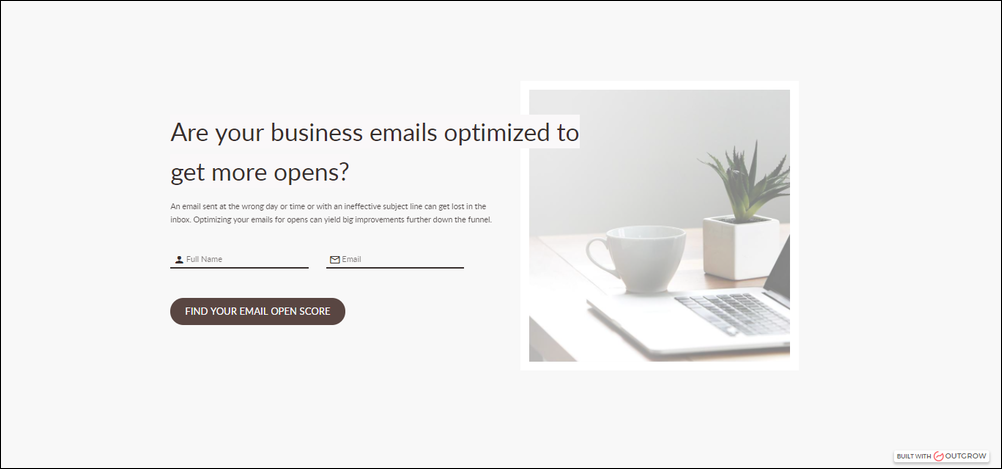
4. Are your business emails optimized to get more opens?
An email sent on the wrong day or time or with an ineffective subject line can get lost in the inbox. Optimizing your emails for opens can yield big improvements further down the funnel. This interactive calculator helps you find your Email Open Score and also gives you suggestions to improve your score. Currently, this calculator is converting at an impressive 38%. A calculator maker can be used to create interactive assessments that turn a visitor’s inputs into actionable recommendations. Try out this calculator ->
5. How much time are you spending on strategic marketing activities?
As marketers, we need to make sure that we are investing enough time in strategic activities – planning, developing thought leadership, researching, etc. This calculator helps you find out how much time you’re spending on strategic marketing activities versus tactical stuff. Conversion rate of this calculator = 36.4%. Tools built with an online calculator builder can make this type of self-assessment more interactive and engaging for visitors. Try it out for yourself ->

6. Calculate the ROI of using Outgrow
Interactive quizzes and calculators help increase leads as well as increase sales conversion rate because of more lead data available to the sales team. This calculator helps you find out how much ROI you will get from using Outgrow. This calculator is converting at 35.3%. A lead generation calculator can be especially useful when the result naturally demonstrates the potential value of a product or service. Find your Outgrow ROI ->

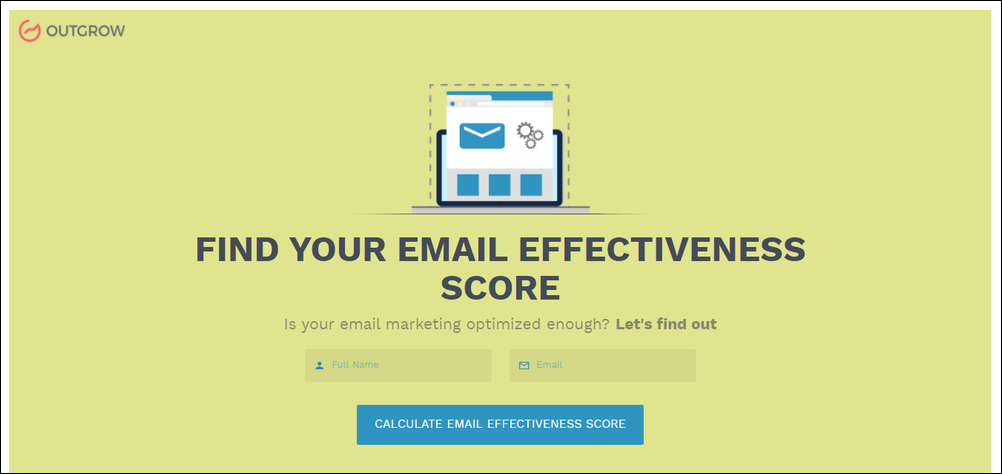
7. Find your email effectiveness score
This calculator helps you find out if your email marketing is optimized enough. You get an overall email effectiveness score, as well as individual scores for frequency, personalization, subject line, as well as date and time of sending. This calculator is converting at 33.8%. Try this calculator ->
8. Looking to increase your blogging frequency? Find out how much you stand to gain in terms of traffic and leads!
As the name suggests, this calculator helps you find out how much increase in traffic and leads if you increased your blogging frequency by a specific number. At last count, this calculator is converting at 33.5%! Try it out for yourself ->

9. Is your Adwords account performing up to par?
This calculator helps you benchmark your Adwords performance against your industry. The current conversion rate for this calculator is 33%. A lead generation calculator can use inputs such as industry benchmarks and performance metrics to provide prospects with a more relevant result while creating an opportunity for businesses to capture leads. Try it out ->
10. Are your LinkedIn posts optimized?
Use this calculator to find out if your LinkedIn publishing game matches up with the experts. You’ll get an overall score, as well as individual scores for time, post title, visual element, post structure, length, as well as the sentiment. Currently, this calculator is converting at 31.4%. A calculator maker can help marketers package multiple performance factors into one interactive score, making the experience more useful and actionable. Try it out for yourself ->

Which of these quizzes and calculators did you like