


Calorie Intake Calculator: Know Your Number Before You Guess
Here’s how most weight loss or weight gain attempts start: a guess. Smaller portions, a skipped meal here and there, “just eating less than usual,” and hoping the scale cooperates.
That’s not a plan. It’s throwing darts in the dark.
The actual number you need is your daily calorie intake, which is what your body burns based on your age, gender, height, weight, and how active you are. Skip that number, and you’re just guessing, however good your intentions are. Whether you’re kicking off a new diet, training toward something specific, or simply wondering if your current eating habits add up at all, a calorie intake calculator cuts through the noise.
Below is how the calorie intake calculator works, how it changes depending on your goal, and how you can get your own numbers in about two minutes using a free tool from Outgrow.
What Is a Calorie Intake Calculator?
A calorie intake calculator figures out how many calories your body needs daily to maintain, lose, or gain weight, based on your stats and activity level. Once that number exists, everything after it, portion sizes, deficits, surpluses, stops being guesswork and starts being arithmetic.
It begins with your Basal Metabolic Rate (BMR): calories burned just by existing, running your organs, before you’ve moved a muscle that day. From there, the calorie intake calculator adds in how active you are to get your Total Daily Energy Expenditure (TDEE). That second number is the one that counts.
A few things shape it:
- Gender changes BMR, since men and women tend to carry different muscle-to-fat ratios.
- Age plays a part too. Metabolism slows down with time, no way around it.
- Height and weight matter, since larger bodies generally burn more even at rest.
- How active you are makes a real difference. Someone sitting at a desk all day needs less fuel than someone training six days a week.
- Your goal, whether that’s losing, holding steady, or gaining, decides where your number lands compared to TDEE.
Put all that through the calorie intake calculator and out comes one thing: your daily calorie target.
Why Your Calorie Intake Calculator Number Matters More Than You Think
Table of Contents
“Eat less” or “eat more protein” is where most people start, without ever pinning down what their baseline actually looks like first. That’s the problem, and it’s a bigger one than people give it credit for.
Here’s what actually having that number gets you:
- A reality check on your diet. Eating 1,200 calories against a TDEE of 2,400 isn’t a mild cut; it’s a steep one, and steep cuts rarely last.
- A concrete target in place of a vague one. “Eat healthier” is meaningless. “2,100 calories a day” isn’t.
- Flexibility as goals shift. Losing weight, staying put, and packing on muscle each need their own number, even for the exact same body.
- Early warning signs. If the calorie intake calculator hands back a target that seems way too low for how active you are, that’s worth a second look before things get out of hand.
- Honesty about the plan. Do the math before diving into a new diet or training block. If the number’s unrealistic, that’s the time to fix it, not three weeks later.
Know your number, and decisions come from actual data. Skip it, and plateaus, frustration, and quitting tend to follow.
How to Use the Calorie Intake Calculator
Stats ready? The calorie intake calculator takes barely a minute.
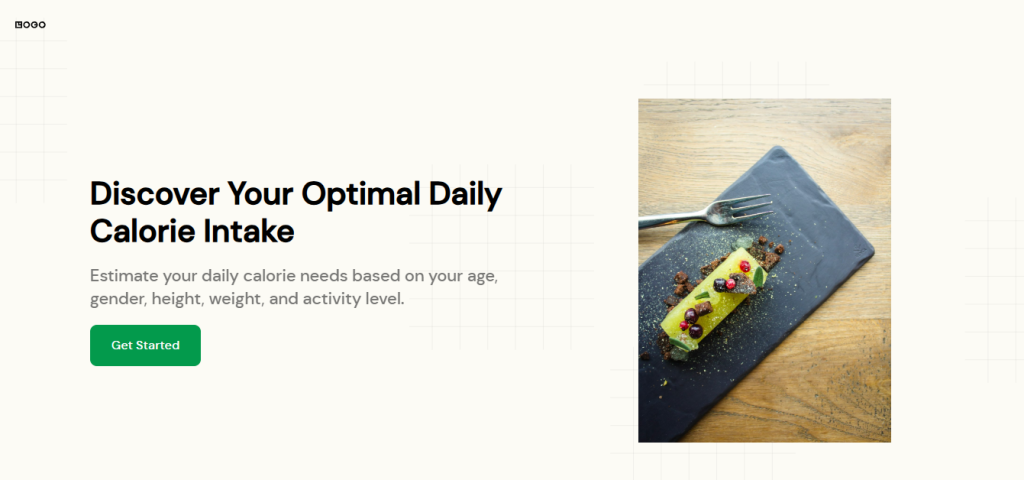
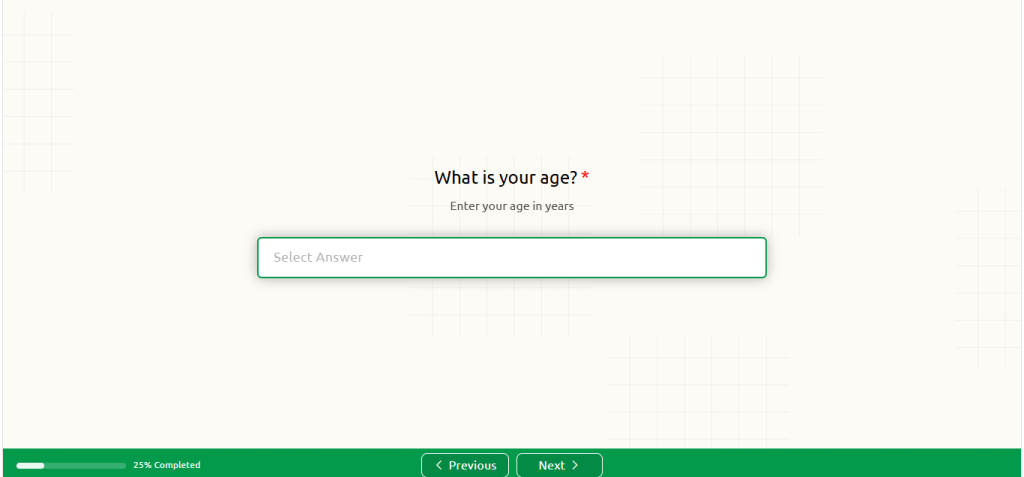
Step 1: Enter your basic stats
Gender, age, height, and current weight are the pieces that set your baseline BMR.
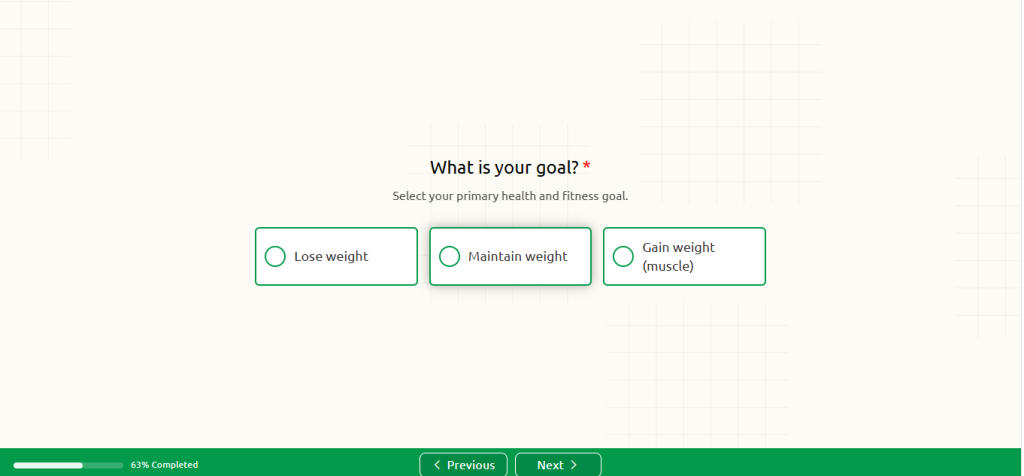
Step 2: Choose your goal
Losing, maintaining, or gaining (muscle). This is what decides which direction your number moves away from TDEE.
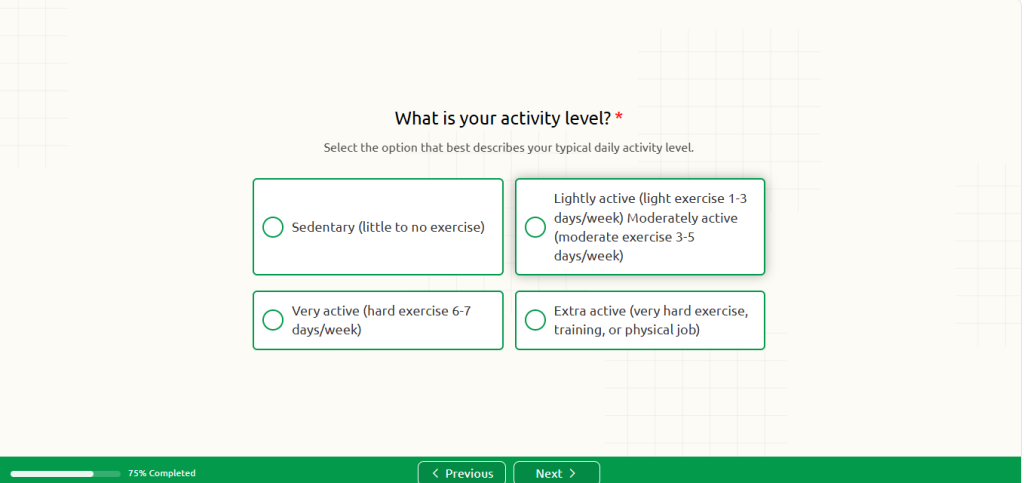
Step 3: Select your activity level
Sedentary all the way to extra active. Be honest here, since overestimating activity is probably the number one reason people end up with a calorie intake calculator result that doesn’t match reality.
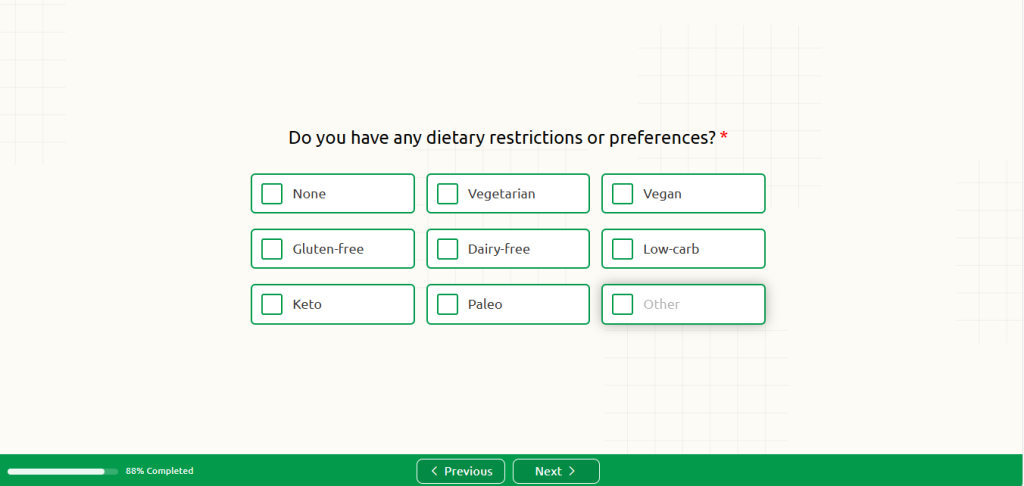
Step 4: Add any dietary preferences
Vegetarian, vegan, keto, whatever fits. Doesn’t move the calorie number itself, but helps if the tool offers food suggestions afterward.
Step 5: Run the numbers
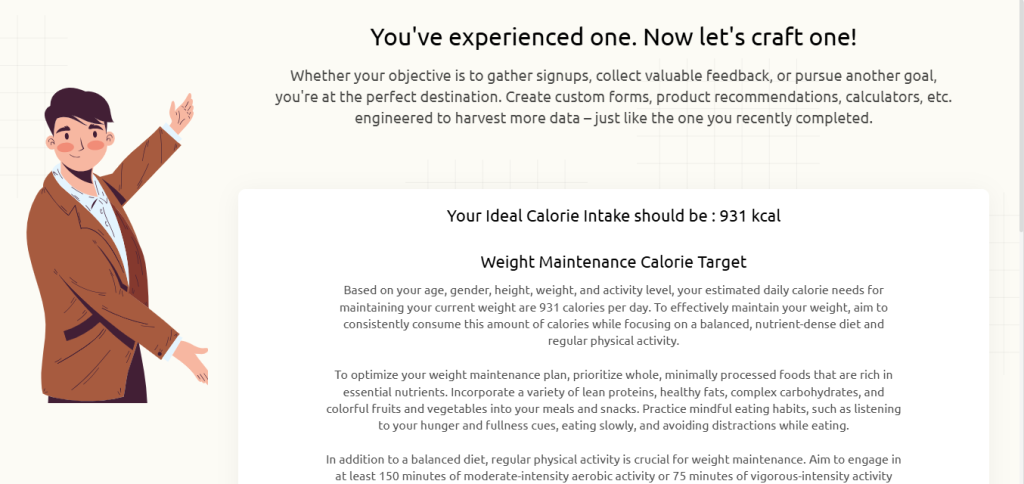
Enter everything and see what comes back. That figure tells you what to eat daily to hit your target. From there, it’s just consistency, building meals around that number week after week.
Try the Interactive Calorie Intake Calculator
No need to work through BMR math by hand. The calorie intake calculator below takes your details and gives you a daily number on the spot.
Try the Calorie Intake Calculator Here.
How Outgrow Builds Calorie Intake Calculators (And Why That’s Useful)
Building something like this on your own, something that handles conditional logic across gender, activity, and goals, takes more work than most people expect. Getting the logic right, designing something usable, making sure mobile works, embedding it properly. That alone can eat up several days.

Outgrow exists to close that gap. It’s a platform for building website calculators, quizzes, assessments, surveys, and recommendation tools, with no coding involved.
What you can build:
- Health and fitness calculators like this one
- BMI and body fat estimators
- Meal plan quizzes
- Fitness personality assessments
- Recommendation tools for supplements or programs
Why businesses actually bother with it
Outgrow lands somewhere between lead generation and educating your audience. A calorie intake calculator on a fitness or nutrition site isn’t just answering a question; it’s collecting data with consent, sorting people by goal (losing versus gaining), and setting off automated follow-up through tools like HubSpot or Mailchimp.
It also works as a quiz maker, free survey maker, and free form builder, all in one spot, but is designed around conversion specifically. You’re not just giving someone an answer. You’re setting up a piece of your funnel that keeps working on its own.
Worth knowing:
- Drag-and-drop, no code needed
- Logic branching so results shift with gender, goal, and activity level
- Analytics and lead tracking, live
- Full control over branding and design
- Works embedded on any site or landing page
- Native integrations plus 1,000+ more through Zapier
- Mobile-ready from the start
How the actual Outgrow calorie intake calculator works
Eight things go in: gender, age, height, weight, goal, activity level, dietary preferences, target weight change. These get run through BMR and TDEE math, and the answer shows up on a results screen with a plain explanation of what it means. A share button’s built in too, so the tool spreads a bit on its own whenever someone forwards their result along.
Outgrow calorie intake calculator.
For any business trying to generate leads while actually giving something useful away, an interactive calorie intake calculator earns its spot on the site.
Calorie Intake Calculator Use Cases Across 5 Goals
The calorie intake calculator looks different depending on who’s punching in the numbers.
1. Weight Loss
Take a 32-year-old woman, moderately active, TDEE sitting at 2,200. For sustainable loss, the calorie intake calculator suggests 1,800, a deficit that’s manageable rather than one that leads to burnout and rebound weight.
Before she had that number, portion sizes were a guessing game. Now there’s an actual figure guiding meals.
2. Muscle Gain
A 24-year-old man, very active, TDEE around 2,900. Building muscle means the calorie intake calculator points toward roughly 3,300, enough extra fuel to support training without gaining much unwanted fat along the way.
Without that number, “eating more” tends to land either short (not enough to actually grow) or way over (extra weight that isn’t muscle).
3. Weight Maintenance
A 45-year-old man, lightly active, wrapping up a cut and wanting to hold steady. His result lands right at his TDEE, roughly 2,400.
This is the number people skip most often, since holding steady doesn’t feel like it needs a plan. Skip it anyway, though, and small surpluses creep in slowly until the weight’s back.
4. Post-Plateau Recalculation
Someone who’s dropped 15 kg runs the calorie intake calculator again and finds their TDEE dropped by 300, simply because there’s less body mass to fuel now. Their old number stopped creating any deficit at all, which explains the stalled scale.
A fresh calculation gives them something accurate again, instead of leaving them stuck on a number that expired weeks back.
5. Dietary-Restricted Goals
A vegan athlete training five days a week runs the calorie intake calculator to get her baseline, then works her dietary preferences in on top to decide which foods actually get her there. The target itself doesn’t shift based on diet. Just the path to it does.
Mistakes People Make With the Calorie Intake Calculator
The math behind the calorie intake calculator holds up. It’s the inputs where people trip up.
- Overestimating activity level. Nearly everyone thinks they’re more active than they are, and that inflates the number and stalls results.
- Skipping the goal entirely. The same person needs a different target depending on whether they’re losing, maintaining, or gaining.
- Assuming the number never changes. As weight shifts, the target should too. Recalculate every few weeks instead of setting it once and moving on.
- Not recalculating after a plateau. A stall usually just means TDEE dropped along with body weight. That old number stopped being accurate a while ago.
- Missing the small stuff. Cooking oil, sauces, a bite here and there, they pile up fast and can quietly undo an otherwise solid plan.
Building Your Own Calorie Intake Calculator with Outgrow
Want a calorie intake calculator built for your own site and your own audience? Outgrow’s builder gets you there fast, without much of a learning curve.
Basic setup looks like this:
Inputs:
- Gender, age, height, weight
- Goal (lose, maintain, gain)
- Activity level
- Dietary preferences
- Target weight change
Formula:
BMR math, adjusted with an activity multiplier and a goal-based offset
Output:
Daily calorie target, a short explanation, a share button, and an optional lead capture form either before or after the result.
Add conditional logic on top (a flag if the target drops below a healthy minimum, for example), hook the tool up to your CRM, and track every interaction as a lead. Outgrow also doubles as an online survey tool, free questionnaire maker, and form builder with analytics included, so a follow-up survey can sit right on top of the calculator without needing separate platforms stitched together.
Conclusion: Know Your Calorie Intake Number, Then Build the Plan
The calorie intake calculator isn’t complicated math. But knowing your number is what separates eating with a plan from eating on hope alone.
Figure out your target before starting a diet. Before changing up training. Before getting frustrated at a scale that won’t budge. The calorie intake calculator gives you the ground truth every food decision should rest on.
Want a tool like this working for your own audience? Build a branded calorie intake calculator with Outgrow and start turning site visitors into leads.
Sign up for the 7-day free Outgrow trial today and build your own calorie intake calculator.
Frequently Asked Questions
An estimate of daily calorie needs based on your stats and activity level, adjusted for your specific goal. It’s the single number that makes every other food decision easier to plan around.
It’s a solid estimate built on established BMR and TDEE formulas, not an exact science down to the calorie. Metabolism varies from person to person, so use the number as a starting point and adjust based on how things go over a few weeks.
It does, yes. The gap between sedentary and very active can swing the daily target by several hundred calories, so getting this part right matters more than most people assume.
Calorie needs drop right along with body weight. Sticking with an outdated number is one of the more common reasons for weight loss plateaus.
Every few weeks, or whenever weight, activity level, or goals shift in a meaningful way. Doing it before any major diet or training change is a good habit regardless of how often you check in otherwise.

Muskan is a Marketing Analyst at Outgrow. She is working on multiple areas of marketing. On her days off though, she loves exploring new cafes, drinking coffee, and catching up with friends.

![How to Create a Poll: A Guide to Boost Engagement [+Tips]](https://outgrow.co/blog/wp-content/uploads/2021/05/create-poll-768x432.jpg)


![How to Write Good Quiz Questions [Tips and Tricks]](https://outgrow.co/blog/wp-content/uploads/2022/08/write-quiz-768x432.jpg)