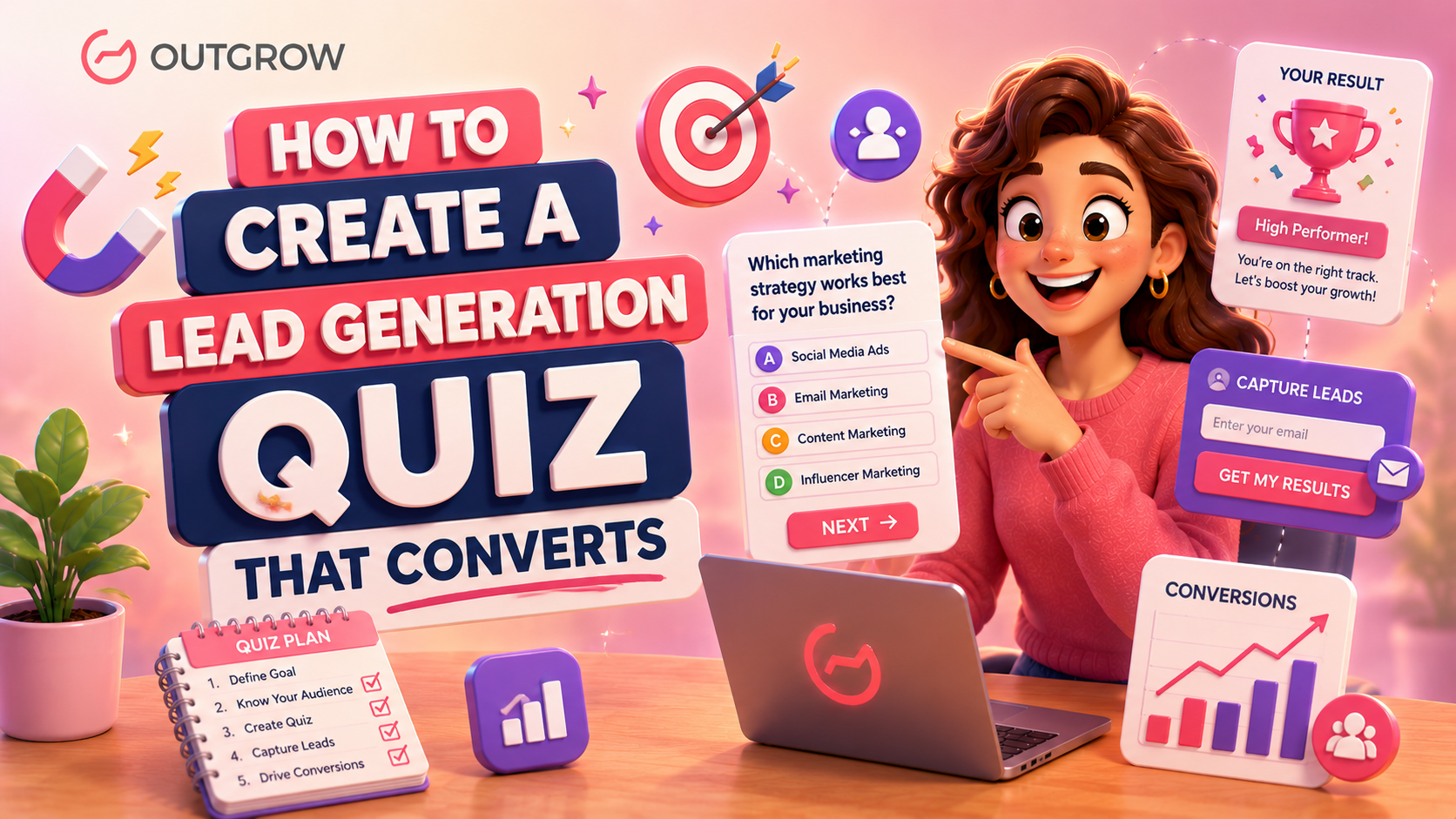
How to Create a Lead Generation Quiz That Converts
Here’s the problem with most lead generation tactics – they feel like a shakedown. You put out a free resource, someone drops their email, and then you both awkwardly wait to see who holds up their end. The visitor wonders if the spam is coming. You wonder if they’ll ever actually open your emails.
Quizzes break that cycle completely. When you learn how to create a lead generation quiz properly, people give you their contact details because they want to. They’re genuinely curious about what their result says. That’s a completely different starting point for a relationship.
And the data is pretty clear on this. Quizzes pull in roughly 2x more leads than passive content like eBooks or white papers. Completion rates on well-built quizzes sit between 80 and 90 percent. The leads that come through a lead generation quiz are warmer, better qualified, and far easier to convert into actual customers.
This guide walks through everything involved in how to create a lead generation quiz that delivers real business results – the right quiz format, how to write questions that filter out low-intent visitors, branching logic, opt-in form placement, and distribution.
Why Lead Generation Quiz Work
Table of Contents
Engagement vs Traditional Forms
Think about the last time you were genuinely excited to fill out a contact form. That has never happened for anyone. A quiz, though, is a different experience entirely. There’s a natural pull to it; each question moves you closer to finding out something about yourself, and that curiosity is hard to walk away from. The numbers back this up: interactive content generates 52.6% more engagement than static formats, according to Mediafly research. A Demand Metric study found that interactive content like quizzes and assessments generates conversions moderately or very well 70% of the time, compared to just 36% for passive content. And according to data from Interact, 65% of people who start a quiz answer every single question; that kind of completion rate most content marketers can only dream about.
The other big thing is the exchange itself. A contact form just takes. A quiz gives something back. People answer a few questions and walk away with a personalized result that means something to them. That’s a trade worth making. Quizzes with images convert 43% more leads than text-only versions, and interactive forms on the Outgrow platform reach 40–50% conversion rates across industries, well above the 10–15% typical of standard landing pages.
Benefits of Interactive Lead Generation
What makes quiz leads genuinely different is the context they come with. Before your first email goes out, you already know what the person is struggling with, what they want, and sometimes how much they’re prepared to spend. That’s not something you get from a typical opt-in. It means your outreach can be personal from the very first message, your sequences hit closer to the mark, and sales conversations skip the early small talk.
On top of that, quizzes keep people on your site longer – which Google notices – and they get shared on social media in a way that a standard landing page just doesn’t.
How Quizzes Improve Lead Quality
A good quiz quietly does your qualifying work for you. When you ask about budgets, team sizes, timelines, or current pain points, you naturally start separating people who are seriously interested from people who are just clicking around. You end up with a list of contacts who have already told you who they are and what they need. That changes every sales conversation you have downstream.
Choose the Right Lead Generation Quiz Type for Your Next Goal
Before you write a single question, you need to settle on what type of quiz you are actually building. This decision shapes everything else, and each format works best at a specific stage of the funnel.
Product Recommendation Quizzes
These guide visitors through a handful of questions about their needs, then point them toward the most fitting product or service. They’re perfect for ecommerce brands, SaaS companies, and service businesses with multiple options. Outgrow’s Product Quiz builder lets you map specific answers to specific outcomes, which takes the guesswork out of the decision and tends to lift add-to-cart rates noticeably.
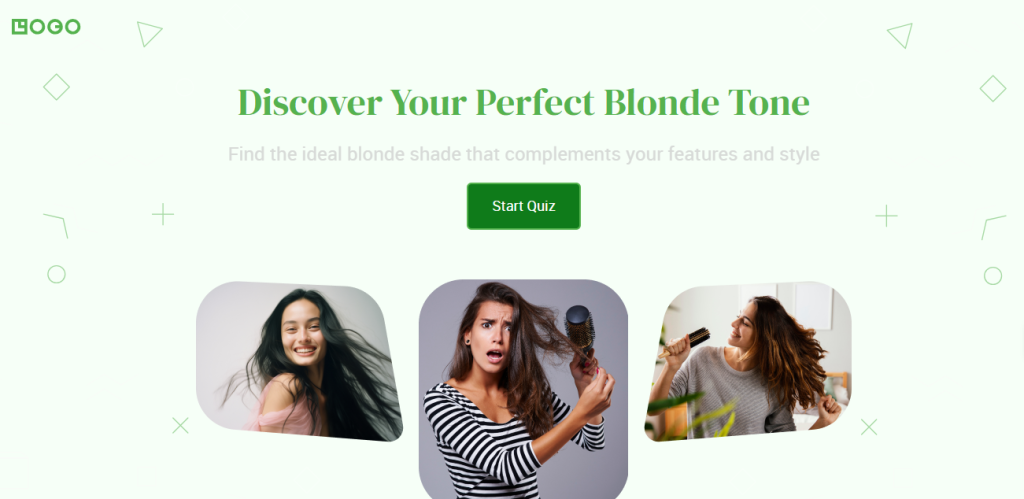
For example, A ‘Perfect Blonde Tone Product Recommendation Quiz’ helps you find the ideal blonde shade that complements your features and style.
Assessment Quizzes
An assessment quiz shows someone the gap between where they are now and where they want to be. For B2B lead generation, this format is particularly powerful. Once a prospect sees through your quiz that their current approach has three obvious weak points, suddenly they’re a lot more interested in talking about how to fix them.
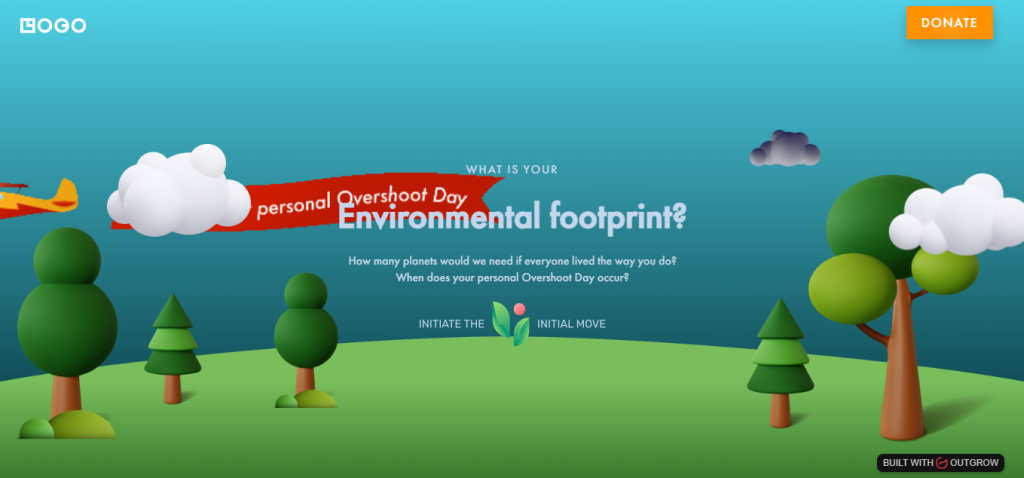
For example: ‘Outgrow’s Environment Footprint Assessment’ tells you how many plants you would need if everyone lived the way you do.
Personality Quizzes
These are consistently some of the most shared content on the internet, and for good reason – people love learning something about themselves and telling others about it. For lead generation, the key is making sure the result connects to something genuinely useful. A quiz like “What kind of entrepreneur are you?” can segment your audience by growth stage and feed each group into a completely different email sequence. Outgrow’s Personality Quiz templates are a good place to start.
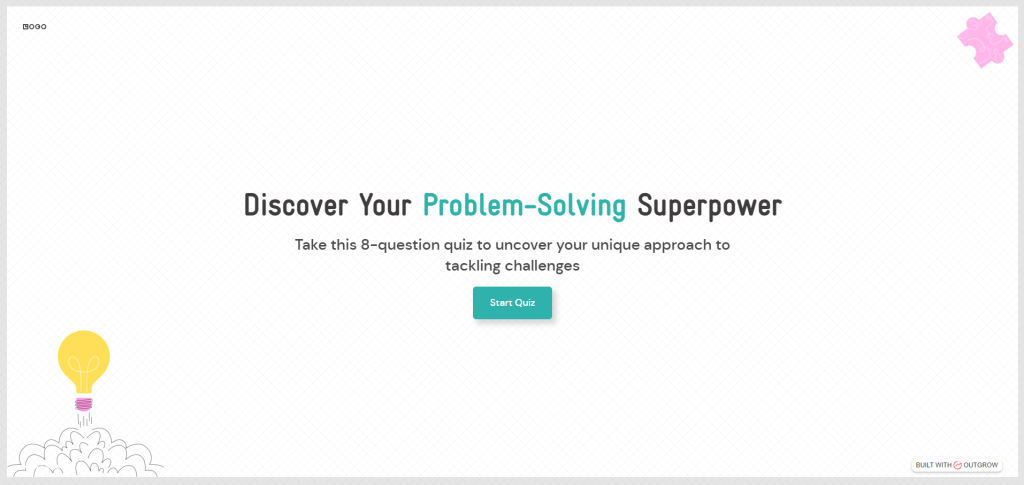
A personality quiz built by Outgrow, such as ‘Discover Your Problem-solving SuperPower’ and embedded live on this very page that identifies your dominant problem-solving style as a marketer or growth professional. Different result types, each mapped to a specific approach to marketing challenges, and a content resource matched to that style.
Diagnostic Quizzes
Diagnostic quizzes are built to surface specific problems and point toward solutions. They’re especially effective for service businesses and consultants, where the prospect often needs to fully recognize a problem before they’re open to hearing about your solution. A cybersecurity firm might build one to help businesses understand their exposure. A marketing agency might use one to diagnose why a content strategy isn’t gaining traction. Outgrow’s Diagnostic Quiz format is set up exactly for this.
Knowledge and Score Quizzes
These test what someone already knows and give them a score. They work well for educational brands, certification prep, and any business that wants to establish credibility while gauging interest. A high score naturally points toward a “you’re ready for the next step” CTA. A low score opens the door to a nurture sequence that helps them get there.
Calculator Quizzes
Calculators give people a concrete number – ROI, potential savings, current spend. There’s a credibility that comes from showing your work, and that makes calculator quizzes particularly effective at getting opt-ins. The result itself is the incentive. Outgrow’s calculator templates are among the strongest performers on the platform.
For example: You can easily build interactive calculators such as ‘Discover the true cost of living in your dream city’ by prepping an 8-question quiz to compare the cost of living between two cities and make an informed decision about your next move.

How to Match Quiz Types to Funnel Goals
At the top of the funnel, personality and knowledge quizzes work well for awareness and cold traffic. In the middle, assessments and diagnostics help warm leads get a clearer picture of their situation. At the bottom, product quizzes and calculators push people toward a decision. Getting this match right is one of the highest-leverage choices you’ll make when figuring out how to create a lead generation quiz.
Define Your Conversion Goal Before Building the Lead Generation Quiz
Before anything else, get clear on what you actually want this quiz to do. Not the topic. The business outcome.
Lead Capture
If the goal is building your database, design the quiz to pull in a broad but relevant audience and collect enough detail to segment leads from the start. The results have to feel genuinely worth the email address. If people feel like they gave something for nothing, they’ll unsubscribe fast.
Product Recommendation
If you’re guiding visitors toward the right product or plan, every question should be doing the work of narrowing that down. The results page becomes a trusted product page – one people believe in because it’s based on their own answers.
Audience Segmentation
One of the smartest things quizzes do is segment your list at the moment of opt-in. Instead of waiting weeks for behavioral data to tell you who someone is, you can tag and route leads immediately based on what they’ve shared. Company size, role, biggest goal – you can drop each lead into the right sequence from day one.
Appointment Booking
For service businesses, a quiz makes a strong pre-qualification step before anyone reaches your calendar. If someone answers questions about budget, timeline, and current situation before booking, only the right people actually show up on the call. That saves real time and improves close rates on the calls that do happen.
Email List Growth
When volume is the goal, quizzes run through social ads and paid campaigns can drive strong opt-in numbers. The topic needs enough mass appeal to bring in a wide audience while staying specific enough to attract people who could realistically become customers.
Write Questions That Qualify Leads, Not Just Entertain
Your questions determine your lead quality. Every question needs a purpose beyond just keeping someone engaged – it should either move them toward a meaningful result or tell you something useful about who they are.
Ask One Thing at a Time
Two-part questions create confusion and bumps in the experience. If you catch yourself writing “What’s your budget and how soon are you looking to buy?” – split it. One question, one focus, every time.
Use Conversational Language
Write the way you’d actually talk to someone. “What’s your biggest challenge right now?” works. “Please identify the primary obstacle affecting your current operational performance” does not. People are taking a quiz, not filling out a government form.
Start with Easy Questions
The first two or three questions should be almost effortless. Simple preferences, basic situations, quick answers. This builds momentum. Once people have answered a few questions, they’re invested enough to push through the harder ones later.
Include Qualifying Questions Naturally
Budget, timeline, team size, buying intent – these all belong in a lead generation quiz, but they need to feel like natural next questions, not an interrogation. “How many people are on your marketing team?” fits smoothly in a marketing quiz. “What’s your monthly budget for tools like this?” makes perfect sense in a tech recommendation quiz. These answers are pure gold for your sales team.
Avoid Unnecessary Open-Ended Questions
Text fields kill momentum. People slow down, second-guess what to write, and sometimes just leave. Cut them unless they’re necessary, and if you keep any, put them at the very end. Multiple choice is faster, easier to analyze, and fits the format far better.
Keep Answer Choices Clear and Specific
Vague options create hesitation. If someone can’t immediately tell which answer fits their situation, they’ll either guess – which messes up your segmentation – or give up and close the tab. Each option should be distinct enough that the right choice is obvious for the right person.
Build Curiosity Toward Results
Every question should leave the person a little more curious about what their result will say. Small things help a lot here – a progress bar at 70 percent, a line like “Almost there, one more question…” These tap into the psychological pull of completing something already in motion.
Remove Friction and Reduce Quiz Fatigue
Go through your question list and be ruthless. If a question isn’t earning its place, cut it. A strong lead generation quiz feels meaningful enough to produce a real result but light enough that finishing it never feels like effort.
Add Branching Logic and Outcomes
What Is Branching Logic?
Branching logic means answers shape the path forward. Different responses lead to different questions rather than everyone walking the same linear route. Someone who says “I run everything myself” moves through different questions than someone managing a 50-person team.
How Branching Improves Completion Rates
Relevance is what keeps people going. Branching removes the questions that simply don’t apply to each person, making the quiz shorter and more targeted for everyone who takes it. Fewer irrelevant questions means fewer drop-offs.
How Branching Increases Lead Quality
Beyond completion, branching lets you go deeper with the right people without overloading everyone. A high-intent lead who signals a strong budget and a tight timeline can be routed through additional qualifying questions. A lower-intent lead takes a shorter path. By the end, you know dramatically more about each person than a flat quiz ever could.
Personalizing Quiz Paths Based on Answers
With Outgrow’s Quiz Maker, you can create branching rules that respond to any combination of answers. One answer sends someone down one path, a different combination takes them somewhere else entirely. The experience feels personal without requiring anything extra from the person taking it.
Creating Tailored Outcomes and Recommendations
Every unique path should land on a result that actually fits. When everyone gets the same generic results page regardless of what they answered, you’ve thrown away the most valuable moment in the whole experience. The more specific the result feels to each person, the more likely they are to trust it and take the next step.
Where to Place Your Lead Capture Form
Placement matters more than most people expect when they’re learning how to create a lead generation quiz. Each option has real trade-offs.
Before the Quiz
Putting the form first protects your lead volume if someone drops off midway. The downside is friction before anyone’s seen a single question, which can reduce the number of people who start. This placement works best when the quiz topic is genuinely compelling, and your audience already knows your brand.
Mid-Quiz Lead Forms
Catching people halfway through means catching them when curiosity is already high. They’ve answered a few questions and want to see where this is going. This placement often converts well because the emotional hook has been set but the payoff hasn’t come yet.
Before Results
This is the most common placement, and the performance data supports why. The person has answered everything and is eager to see their result. At that point, giving an email address feels like a perfectly fair trade. Outgrow’s Lead Gen Templates default here for good reason.
After Results
Showing the result first and then asking for the opt-in is the lowest-friction option. The lead gets what they came for, then you offer something more – a detailed breakdown, a free consultation, a follow-up resource. This attracts leads who are genuinely motivated to go further.
Which Placement Converts Best?
Most testing points to pre-results as the best balance of volume and quality. If lead quality matters more than volume, mid-quiz or post-results tends to work better. The real answer is that you should test both with actual traffic. Your audience will tell you.
Build a Results Page That Converts
The results page is not a finish line. It’s where the sales relationship actually starts. Treating it as an afterthought is one of the most expensive mistakes in quiz lead generation.
What to Include on the Results Page
Lead with a clear headline that names the result. Follow with a brief explanation of what it means for that specific person. Then give them one obvious next step. Keep the page easy to scan – don’t bury the important stuff under paragraphs of text.
Personalized Recommendations
The recommendation should feel like it was written for that person, because in a well-built quiz, it basically was. “Based on what you shared, you’re in the early awareness stage – which means your biggest opportunity right now is…” lands in a completely different place than something generic that could apply to anyone. Outgrow’s dynamic content features let you pull quiz answers directly into the results page.
CTA Examples That Drive Action
Match the CTA to where the lead actually is. Top-of-funnel leads respond better to low-commitment offers – a free guide, a training video. Leads closer to a decision are ready for “Book a free strategy call” or “Start your free trial.” Outgrow’s Quiz Funnel templates include CTA frameworks matched to each outcome type.
Using Dynamic Content and Segmentation
A quiz with four possible outcomes should produce four genuinely different results pages – different recommendations, different social proof, different next steps. The more each page speaks directly to that person’s situation, the more likely they are to click.
Adding Social Proof and Trust Signals
Testimonials, case study snippets, review counts, and trust badges hit differently on a results page than they do anywhere else on your site. Someone who’s just learned something about themselves through your quiz is in a receptive headspace. A relevant testimonial at that exact moment can push them from interested to ready to act.
Optimize Quiz Length and Completion Rate
Ideal Number of Questions
Five to ten questions is the sweet spot for most lead generation quizzes. Fewer than five can feel too quick to produce a result worth trusting. More than twelve starts to feel like work. When you’re unsure, cutting a question is almost always the right call.
Progress Bars and UX Tips
A progress bar is one of the simplest, most effective tools for improving completion rates. Once someone can see they’re 70 percent through, they almost always finish. Keep the design clean, the text easy to read, and each question smooth to move through.
Mobile Optimization
More than half of quiz traffic comes from mobile devices. Every question needs to be readable without zooming, and every answer easy to tap. Outgrow’s AI Quiz Maker produces mobile-optimized quizzes by default, which eliminates one of the biggest sources of drop-off before it even starts.
Reducing Abandonment
The main culprits are too many questions, confusing answer choices, slow load times, and opt-in forms that appear before any trust has been established. Test your quiz with a few people who have never seen it. They will find friction points you have completely stopped noticing.
Embed and Distribute Your Lead Generation Quiz
Building the quiz is one half. Getting it in front of the right people is the other.
Website Embeds
Embedding directly on a relevant page is the simplest approach. A product recommendation quiz on your pricing page helps visitors figure out which plan fits while they’re already in evaluation mode. Outgrow’s embed code works with any platform without needing a developer.
Popup Quizzes
Exit-intent and timed popup quizzes can convert visitors who are about to leave. A quiz popup feels less pushy than a standard form because it’s offering an experience rather than just asking for something. Use it selectively, and only where the topic actually fits the page.
Landing Pages
A dedicated quiz landing page with no navigation or distractions typically converts best of all. Send paid traffic there, link to it from your email signature, drop it in your bio, or reference it in your content. Outgrow’s Lead Gen Templates include standalone landing page layouts built specifically for this.
Email Campaigns
Sending a quiz to your existing list is one of the more reliable re-engagement tactics available. It also helps you segment subscribers who’ve never identified themselves. Subject lines like “Which [topic] type are you?” consistently outperform standard newsletter benchmarks, and given that the average email click-to-open rate sits at just 6.81% (MailerLite, 2025), a curiosity-driven quiz subject line gives you a real edge. Adding interactive elements like quizzes to email campaigns has been shown to increase click rates noticeably, simply because you’re offering something to do rather than something to read.
Social Media Distribution
Personality and knowledge quizzes spread naturally on social. People share their results, which pulls new traffic back without any additional spend. Make sure your results page has sharing buttons and a headline that makes the result sound interesting even with zero context.
Paid Ads and Retargeting
Quiz ads outperform standard lead gen ads on Facebook and Instagram because they invite curiosity rather than demanding commitment. Retargeting past site visitors with a quiz that addresses what they were probably wondering about is one of the more cost-effective ways to bring warm traffic back and actually convert it.
Track Quiz Performance and Lead Quality
Launching is the beginning. Improving it is an ongoing job.
Completion Rate
Completion rate shows you how engaging and frictionless the quiz actually is. Anything above 60 percent is healthy. Below that, look at exactly where people are leaving and scrutinize the questions just before that exit point.
Conversion Rate
This is the percentage of people who start the quiz and eventually opt in. Track it separately from completion rate – a quiz can finish at a high rate but convert poorly if the form placement is off or the result doesn’t feel worth giving an email for.
Lead Segmentation Insights
Look at which answers your leads are actually choosing. You might discover a large chunk of your audience has a problem you haven’t fully addressed yet, or that a certain type of respondent is far more common than expected. Both are genuinely valuable things to know.
Revenue Attribution
For quizzes tied to sales calls or purchases, track how those leads convert compared to leads from other sources. Most businesses that measure this find quiz leads close at a notably higher rate – which is a strong argument for continuing to invest in the channel.
Common Lead Generation Quiz Mistakes to Avoid
Asking Too Many Questions
It’s the most common mistake, partly because every question feels important when you’re building the thing. But each extra question is a reason someone might quit. Build the shortest quiz that still produces a genuinely useful, personalized result.
Weak CTAs
Ending a results page with “Thanks for taking the quiz!” is a missed opportunity. Every result needs a specific next step that connects directly to the lead’s situation and your business goal.
Generic Results Pages
If your results page is identical regardless of what someone answered, you’ve wasted the most important moment in the entire experience. Personalize each outcome – even at a basic level, this makes a real difference.
Poor Mobile Experience
A quiz that’s annoying to use on a phone will lose more than half your potential leads. Test on multiple devices before publishing, and build for mobile first.
No Follow-Up Strategy
A quiz with no email sequence on the back end is a dead end. Write at least three to five follow-up emails for each quiz outcome before you launch. Each one should speak directly to what that result says about the person’s situation and what they need next.
How to Create a High-Converting Lead Generation Quiz with Outgrow
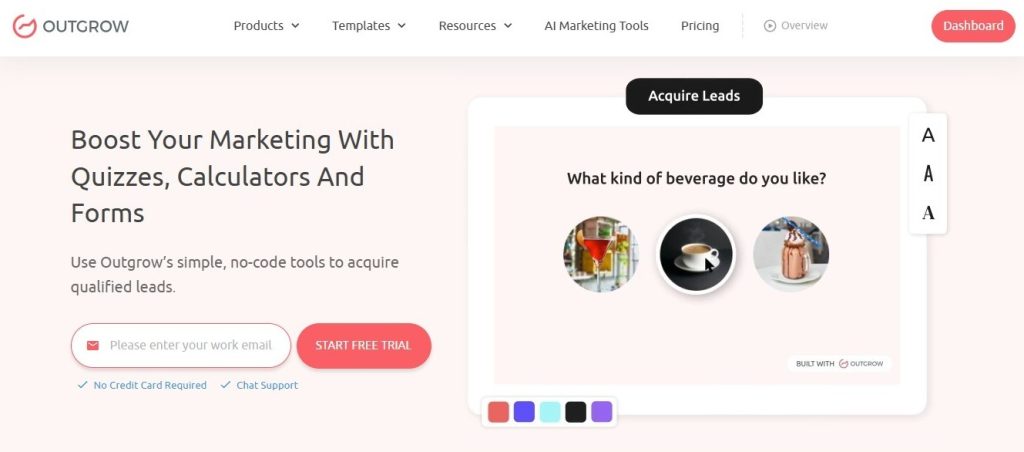
Outgrow is designed specifically for interactive lead generation, which makes it one of the most practical platforms for anyone working through how to create a lead generation quiz that drives real results. Businesses using Outgrow report up to a 40% increase in lead conversion rates through personalized interactive experiences, and some have seen lead generation improve by as much as 300% after switching from traditional static forms to Outgrow-built quizzes and calculators.
Templates and Customization
Outgrow has hundreds of templates across every quiz type – product quizzes, personality quizzes, diagnostic quizzes, score-based quizzes. Every template can be fully customized around your brand, audience, and goals. You can start from scratch or adapt something proven in a matter of minutes.
Branching Logic Features
The branching logic builder is visual and doesn’t require code. You can build multi-path quizzes with complex branching rules, where each rule triggers a different question, a different result, or a different CTA. It gives you real control over how each person moves through the experience.
CRM and Email Integrations
Outgrow connects natively with HubSpot, Salesforce, Mailchimp, ActiveCampaign, Klaviyo, and plenty of others. When someone finishes the quiz, their answers, segment tag, and contact information flow directly into your CRM and kick off the right follow-up sequence automatically.
Analytics and Optimization Tools
The built-in analytics dashboard shows completion rates, drop-off points, answer distribution, and conversion data in real time. The AI Quiz Maker surfaces specific suggestions for improving questions and outcomes based on how your quiz is actually performing.
Final Thoughts
Key Takeaways
Figuring out how to create a lead generation quiz is one of the more worthwhile things you can do for your marketing. The leads are better qualified, they arrive with context already attached, and they convert at a higher rate than most top-of-funnel sources. That’s not a coincidence – it’s because quizzes feel like a genuine exchange rather than a transaction.
Best Practices Recap
Lock in your conversion goal first. Match the quiz type to your funnel stage. Write questions that qualify, not just engage. Use branching to make each path feel personal. Place your lead form where it makes sense in the flow. Build a results page that delivers something real and a CTA that earns the click. Distribute where your audience actually spends time. Then track the numbers that connect quiz performance to revenue.
Next Steps for Launching a Quiz
The fastest way from idea to live quiz is starting with a template. Browse Outgrow’s Lead Generation Templates for formats built around conversion, or use the AI Quiz Maker to generate a full quiz based on your topic and goal in minutes. If you want to build from scratch, the Quiz Maker gives you full control.
The businesses getting the best results from how to create a lead generation quiz aren’t doing anything complicated. They pick the right format, write honest questions, make the results worth something, and follow up with real intent. Start there, and the conversions follow naturally.
Frequently Asked Questions
Between 5 and 10 questions works for most. Long enough to feel like it produced something meaningful, short enough that finishing it never becomes a chore.
Yes – without it, you’re running a quiz, not a lead generation quiz. Placing it just before the results page usually gives you the best balance of volume and quality.
Absolutely. Assessment and diagnostic quizzes work especially well in B2B because they help prospects clearly recognize their own gaps before you ever bring up what you offer.
Put your quiz on a dedicated landing page and use your target keyword in the page title, URL, and meta description. This is one reason why creating a lead generation quiz is worth optimizing for if quiz campaigns are part of your long-term strategy.
Build a segmented email sequence for each quiz outcome before launch. Quiz leads come with real context – use it. Your follow-up emails should speak directly to what each result says about that person’s situation.

Muskan is a Marketing Analyst at Outgrow. She is working on multiple areas of marketing. On her days off though, she loves exploring new cafes, drinking coffee, and catching up with friends.