Outgrow vs POWR Forms (2026): Which Form Builder Generates More Leads?
Introduction
Table of Contents
A form asks visitors to hand over their details and hope for the best. A quiz or calculator gives them something first, such as a score, an estimate or a recommendation, and then asks for an email. That difference sits at the heart of Outgrow vs POWR Forms.
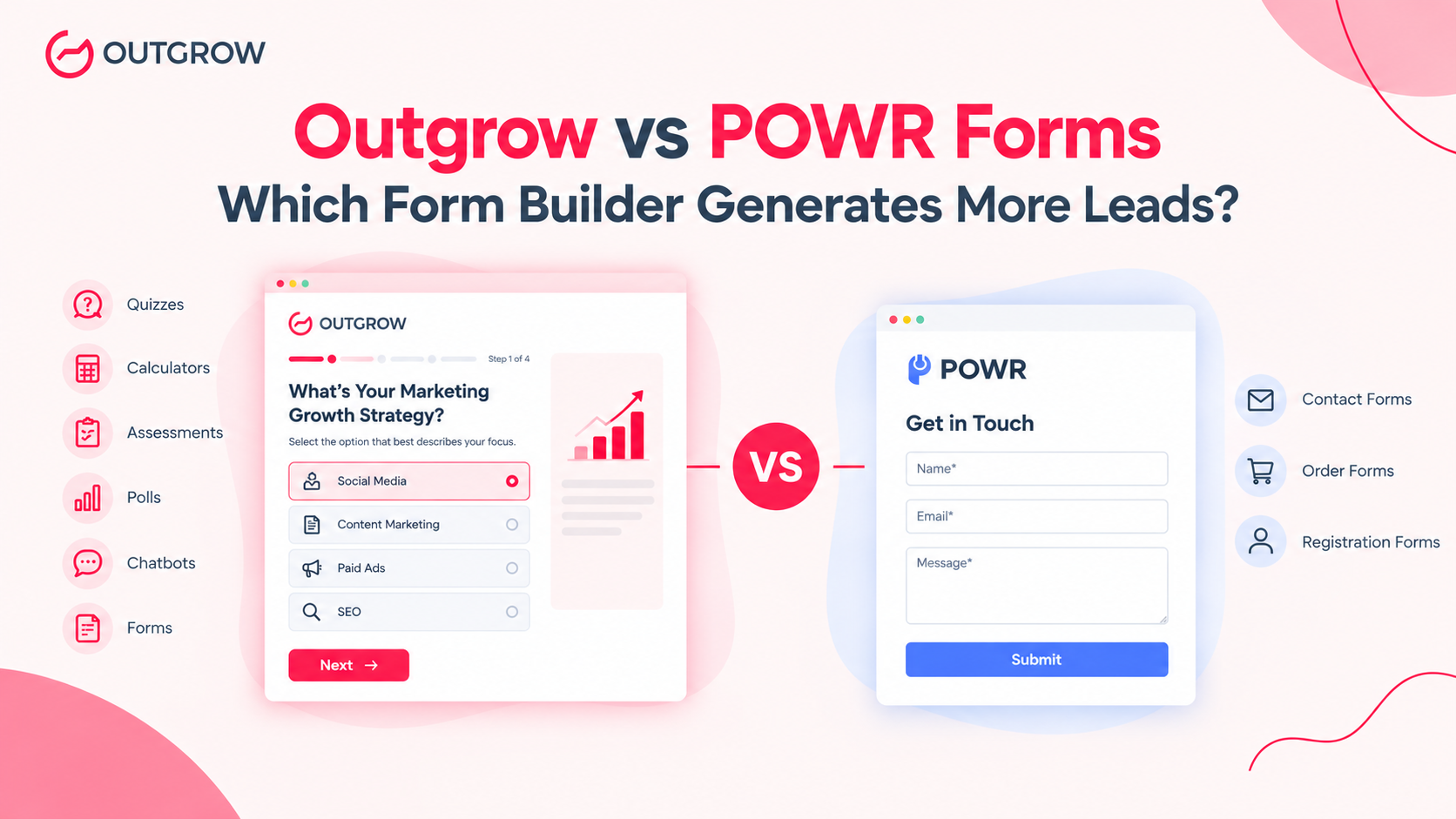
Both tools help you capture leads, but they take different routes. Outgrow is an interactive content platform where forms sit alongside quizzes, calculators, assessments and chatbots. POWR Forms is a low-cost plugin that adds a form to a Wix, Shopify or WordPress site in minutes.
The format you pick can change your results. Demand Metric research found that interactive content drives conversions 70% of the time, compared with 36% for static content. Interactive isn’t always the right call, though. On annual billing, POWR is also cheaper at every tier.
This guide compares Outgrow and POWR Forms on pricing, features, cost per lead, integrations and real customer results, so you can choose with confidence.
Quick verdict
| Choose | If you need |
| Outgrow | More qualified leads through quizzes, calculators, assessments and multi-step forms that connect to your CRM |
| POWR Forms | A simple contact, order, or registration form on a small Wix, Shopify, or WordPress site, at the lowest cost |
| Both | A basic contact form on every page, plus one high-converting interactive tool on your best-traffic page |
What is Outgrow?
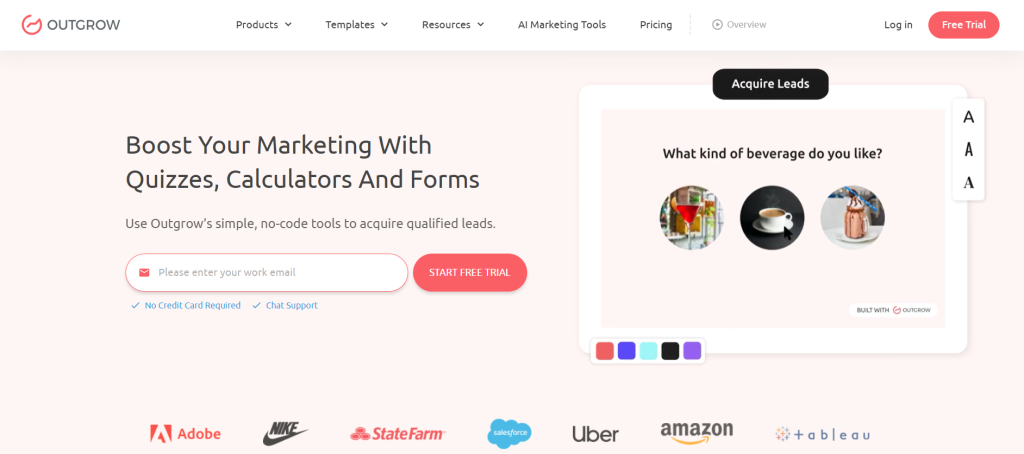
Outgrow is a no-code platform for building interactive content that captures and qualifies leads. Forms are one format among many.
Content types
Outgrow specializes in creating interactive tools and services that include forms as part of larger projects, and your interaction module can be displayed in different formats on your website, including embedded directly into the web page, as a pop-up, or in the form of a chatbot that you can place on your website.
Who it’s for
While both Outgrow and POWR Forms offer similar features in the functionality that they are capable of providing, the two platforms cater to different audiences, with Outgrow being an interactive tool for marketers, agencies, and small businesses interested in lead generation and customer segmentation. A few examples:
- A SaaS company running an ROI calculator
- A coach running a “which program fits you” quiz
- A retailer recommending products from a short assessment
If you’re new to the category, our interactive content guide explains each format in depth.
What is POWR Forms?
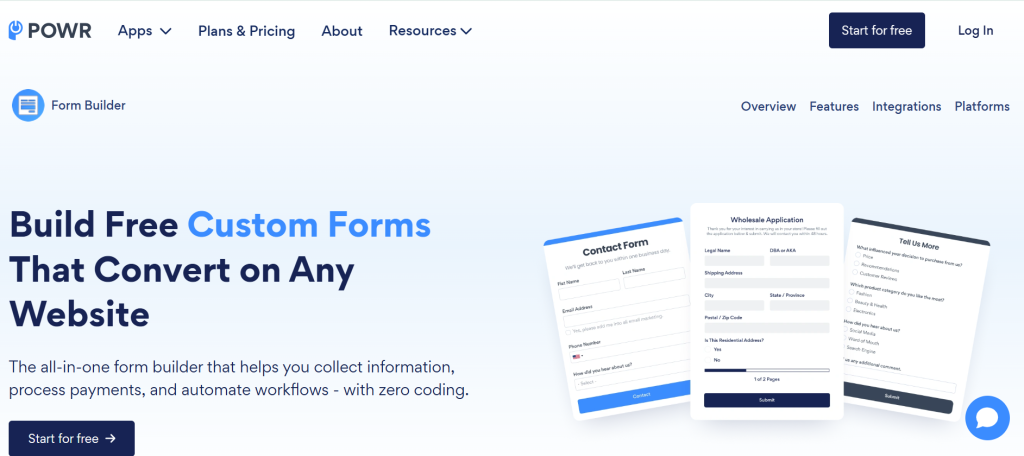
POWR is a library of website plugins. Its form builder is one app in a catalogue of 60+ apps (POWR’s Business plan includes access to all of them).
Who uses it
POWR suits small business owners and store owners who want to bolt a feature onto an existing site without a developer. Contact forms, registration forms, and order forms are its core use cases.
Strengths and limits
POWR is easy to install and cheap to start. The free plan is tight, though. POWR’s free tier allows 25 submissions a month and six fields per form, and conditional logic and file upload sit on its Pro plan. That’s enough to test a form, but not enough for a growing site.
Why form format affects conversions
Before comparing features, it helps to know why the format you choose matters. Three data points frame the decision.
Interactive content engages longer
According to Demand Metric research, interactive content drives conversions 70% of the time, compared with 36% for static content. The same benchmark data shows buyers spend about 13 minutes with interactive content versus 8.5 minutes with static content. For more benchmarks, see our interactive content statistics roundup.
Buyers self-serve before talking to sales
Gartner research found that B2B buyers spend only 17% of their purchase time meeting with suppliers, and as little as 5–6% per supplier when comparing several. Your form or quiz often does the qualifying work before a salesperson is involved. A tool that captures only a name and email gives sales little to work with, while one that records answers gives them context.
Long forms lose people
Baymard Institute’s checkout research is e-commerce specific, but the principle applies to any form. Baymard found 17% of US online shoppers abandoned an order because the checkout was too long or complicated, and that most checkouts could cut 20–60% of their default form elements.
The takeaway: ask for less up front, and use logic to ask for more only when it’s relevant.
Outgrow vs POWR Forms: Feature Comparison Table
| Feature | Outgrow | POWR Forms |
| Core purpose | Interactive lead-gen platform | Website widget library |
| Content types | Quizzes, calculators, assessments, polls, chatbots, forms, recommenders | Forms (surveys and polls in separate apps) |
| Conditional logic | Available, with advanced logic on higher plans | Pro plan and above |
| Custom formula calculators | Core feature | Not a strength |
| Branding removal | Business plan | Paid plans from Starter |
| Embed options | Full-page, in-page, pop-up, chatbot | Plugin on Wix, Shopify, WordPress and other sites |
| User rating | 4.7/5 (332 G2 reviews) | 4.5/5 (48 Capterra reviews) |
Pricing Compared
Outgrow Pricing
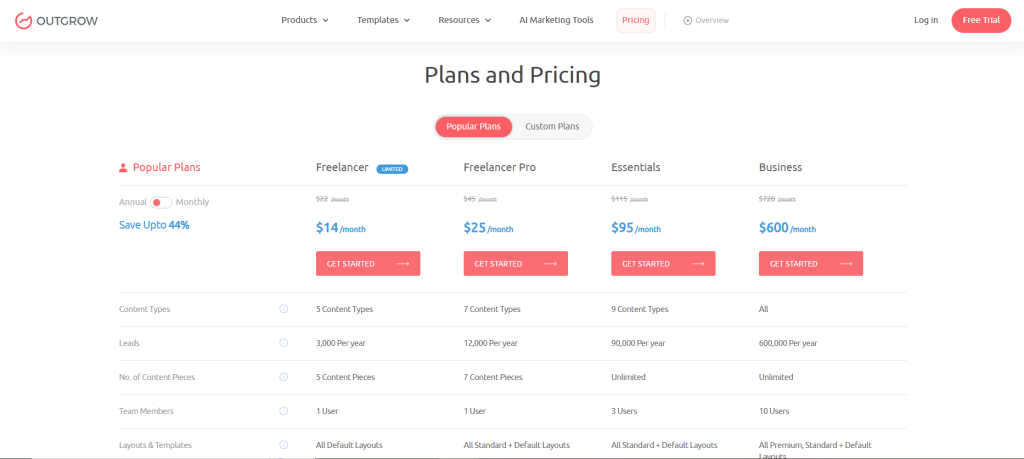
Outgrow’s plans are billed annually, with a monthly lead cap on each tier:
- Freelancer Limited: $14/month (Billed Annually), up to 250 leads, 1 user
- Freelancer Pro: $25/month (Billed Annually), up to 1,000 leads, 1 user
- Essentials: $95/month (Billed Annually), up to 7,500 leads, 3 users
- Business: $600/month (Billed Annually), up to 50,000 leads, 10 users, a custom domain, no Outgrow branding and AI suggestions
- Monthly billing: Costs more, at about $22, $45, $115 and $720 respectively
- Plan for the jump: Dupple’s pricing review notes there’s no tier between Essentials and Business, so plan for that jump if you scale.
POWR Forms Pricing
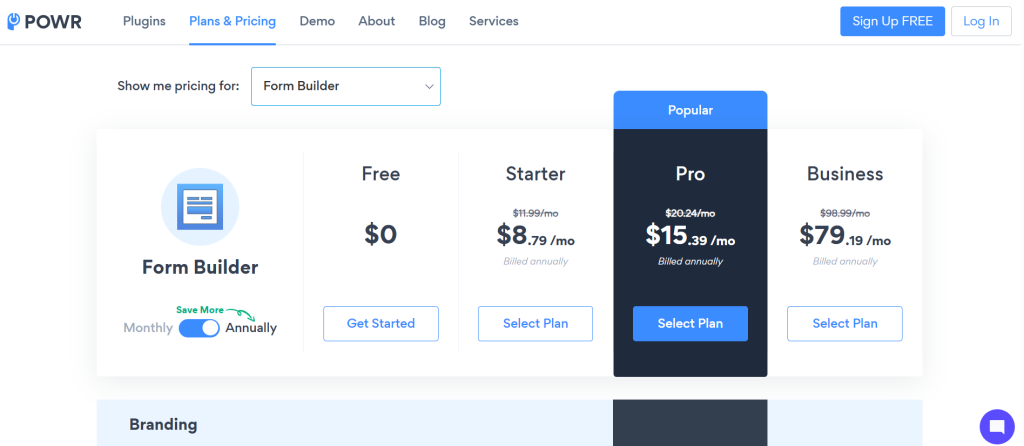
- Free: 25 submissions/month and 6 fields per form, enough for testing
- Starter: 11.99/month(8.79/month billed annually), 100 submissions, 12 form elements
- Pro: around $20/month, 1,000 submissions, up to 100 fields, with conditional logic and file upload
- Business: around $99/month, unlimited submissions and fields
- Platform note: the Pro and Business prices come from the Shopify listing, and POWR’s pricing varies by platform (Shopify, Wix, direct)
Cost per lead (our calculation)
Sticker price misleads when volume differs. This table divides each plan’s price by its monthly cap:
| Plan | Price | Monthly volume | Approx. cost per lead |
| Outgrow Freelancer Pro | $25 (annual) | 1,000 | ~$0.025 |
| Outgrow Essentials | $95 (annual) | 7,500 | ~$0.013 |
| Outgrow Business | $600 (annual) | 50,000 | ~$0.012 |
| POWR Starter | $11.99 | 100 | ~$0.12 |
| POWR Pro | ~$20 | 1,000 | ~$0.02 |
At around 1,000 leads a month, the two are close. At higher volume, Outgrow Essentials works out cheaper per lead than POWR Pro. If you only need forms and want unlimited submissions, POWR Business at about $99 is much cheaper than Outgrow’s $600 tier.
Billing differs here: Outgrow’s figures are annual-billed, and POWR’s are monthly list prices. Cost per lead is only one lens. A tool that converts a higher share of visitors can cost more per plan and less per qualified lead.
Feature Deep Dive
Form logic and fields
Outgrow includes conditional logic and multi-step flows, and its advanced logic and CRM integrations sit on higher plans (per Authencio). POWR’s in-depth conditional logic feature, along with file upload, is exclusive to the Pro plan, which is why any free or Starter subscription will not provide these features. If you are seeking branching queries (“show this field only if the user picks X”), make sure to compare plans and not just the iconic product.
Calculators and quizzes
This is the clearest difference. Authencio’s review notes that Outgrow handles calculators with intricate math logic that POWR’s form builder can’t. Outgrow specializes in pricing calculators, ROI calculators, and quote developing tools. You may refer to our guide for more information. how to build a high-converting quiz
Integrations and analytics
Outgrow is capable of connecting with other platforms including Zapier, and may also link to payment systems and appointment booking programs. POWR, on the other hand, is capable of integration with Google Sheets and Mailchimp, as well as Zapier and Shopify according to information provided by Authencio. If you need to see where visitors drop off and route leads by answer, that gap matters.
Branding and customization
Outgrow reserves branding removal and custom domains for Business at $600 a month. POWR removes its logo from the first paid tier. If white-label output matters on a tight budget, POWR has the edge.
Ease of use and support
Both tools are aimed at non-developers. Outgrow’s G2 reviewers highlight ease of use and responsive support, and POWR’s reviewers also praise support. Neither needs code, so run a free trial and build the same form in each.
Pros and cons
Outgrow
Pros
- Interactive formats that qualify leads
- Strong calculator and logic capability
- Wide integrations and analytics
- High review scores on G2
Cons
- Higher price at the top (Business at $600 a month)
- No intermediate tier between Essentials and Business
- Branding removal only on Business
- More setup than a simple widget
POWR Forms
Pros
- Low entry price and a free tier
- Branding removal on cheaper plans
- Quick install on popular site builders
- A broad catalogue of simple widgets
Cons
- Tight free limits (25 submissions, 6 fields)
- Advanced features gated by plan
- Limited analytics and integrations
- Not built for calculators or quizzes
Real-world examples
Example 1: Replacing a contact form with a calculator (GPYP)
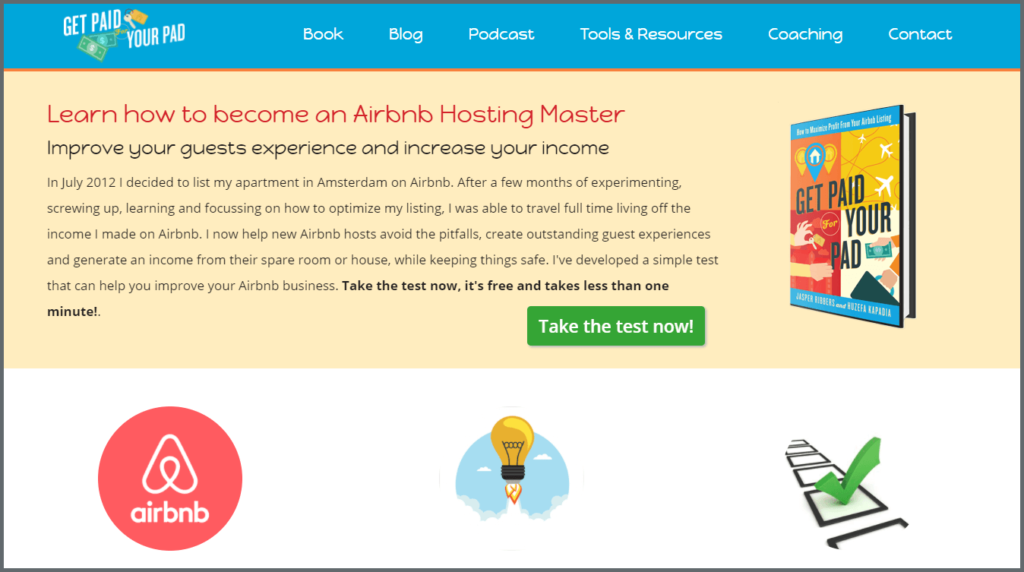
Get Paid for Your Pad (GPYP) helps property owners become Airbnb hosts. The founder relied on paid search and Facebook ads to send traffic to a website form, and saw low referral traffic and a very weak conversion rate. He swapped the form for an interactive calculator and quiz. He gated the results behind a short lead form, and his previous contact form had never reached a double-digit conversion rate. The new experience converted at over 37%.
Why it matters for this comparison: This is the “form vs experience” choice in miniature. The visitor gets a personalized result first, then shares an email to see it. A plain contact form asks for the details before giving anything back. (Read the GPYP case study)
Example 2: A cost calculator that generated 87,000+ leads (VenturePact)
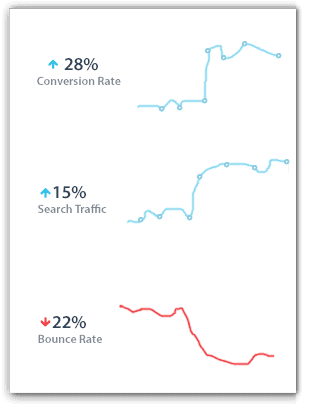
VenturePact is a software development marketplace. After exhausting classic inbound strategies, it built a calculator where a prospect answers eight questions about their app and gets an instant cost estimate. Within two weeks of launch, the calculator lifted traffic by 15% and conversion rate by 28%, and the lead form converted at 41%. The headline result was 87,381 qualified leads.
Why it matters for this comparison: A cost estimator needs formula logic, with several inputs combining into one output. Authencio’s review notes that intricate calculator math is where Outgrow beats POWR’s form builder. If your sales pitch involves “how much will this cost?”, a calculator can answer that question for you. (Read the VenturePact case study)
Example 3: Quiz leads that flow straight into email (Macroscape)
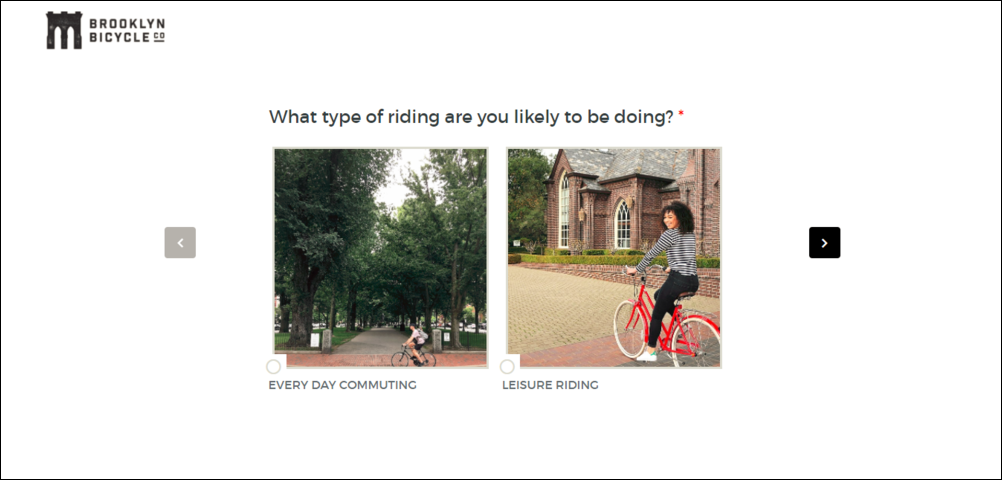
Macroscape is a marketing consulting firm. It built an Outgrow experience for a client, and it recorded 36,996 visits and 14,248 leads, a 39% conversion rate, over about six months. Outgrow’s built-in Mailchimp integration lets the team map lead data onto the matching Mailchimp fields and automate the lead flow.
Why it matters for this comparison: Capturing a lead is only half the job. The other half is getting it into your email tool with the right fields. Integrations and analytics are where reviewers say Outgrow is stronger, so check that your CRM or email platform is supported on the plan you’d buy. (Read the Macroscape case study)
Benchmark claim. Outgrow claims that average conversion rates of their quizzes are 30%-40% in contrast to landing pages, which maintain 8-10% and websites, which receive a mere 2-3% rate.
Which should you choose?
Choose Outgrow if
- Your goal is qualified leads, not just submissions
- You sell something priced by inputs (a quote or ROI calculator)
- You need quiz or assessment results routed to your CRM
- You’ll pass about 1,000+ leads a month and want predictable per-lead cost
Choose POWR Forms if
- You run a small Wix, Shopify, or WordPress site
- You need a contact, order, or registration form
- Your budget is under about $20 a month
- You want branding removed cheaply
Use both if
You want a simple contact form site-wide and one high-intent tool, such as a calculator, on your highest-traffic page.
Five ways to get more from any form
These tips apply whichever tool you choose.
- Lead with a simple first question. Easy starts raise the share of visitors who begin.
- Break long forms into steps. Multi-step flows feel shorter, and people tend to finish what they’ve started.
- Give value before asking for details. Show a result, score, or estimate, then ask for the email.
- Use conditional logic so people only see relevant fields.
- Measure completion, not just views. Track starts, completions and lead quality. Our engagement benchmarks show what to compare against.
Conclusion
If your goal is leads rather than submissions, Outgrow gives you formats that engage and qualify visitors, such as quizzes, calculators, and assessments. The cost is a higher top-end price. Run the numbers for your own volume, then test both tools with the same form.
POWR Forms is still a sensible, low-cost way to add a form to a website. It’s cheaper at entry level, and it can remove branding on a small budget. If you need a contact form and little else, it does the job.
Ready to test it? Signup now and build a form, quiz, or calculator for your highest-traffic page.
Frequently Asked Questions – Outgrow vs POWR Forms
It depends on the goal. Outgrow is better for lead generation with quizzes, calculators, and logic. POWR Forms is better for simple contact forms on Wix, Shopify or WordPress.
Plans start at $14 a month billed annually, then $25, $95, and $600 for Business. Monthly billing costs more. Check here for more details.
Yes, POWR has a free plan, but it caps you at 25 submissions a month and six fields per form. Paid plans start around $11.99 monthly.
Yes. Outgrow offers native integrations plus Zapier. Advanced CRM integrations typically sit on Essentials or above, so confirm your CRM on the pricing page.
Reviewers say POWR’s form builder can’t handle intricate calculator math. Outgrow is built for calculators, quizzes, assessments, and chatbots with formula logic and personalized result pages.
Outgrow requires the Business plan to remove branding and use a custom domain. POWR removes its logo on paid plans starting at Starter.
Yes. Export submissions from your POWR dashboard, rebuild the form from an Outgrow template, and import the contacts into your CRM or email tool.

Ankit Upadhyay is a Digital Marketing and SEO Specialist at Outgrow. With a passion for driving growth through strategic content and technical SEO expertise, Ankit Upadhyay helps brands enhance their online visibility and connect with the right audience. When not optimizing websites or crafting marketing strategies, Ankit Upadhyay loves visiting new places and exploring nature.