How to Make a BuzzFeed Quiz: Everything You Need to Know!
Table of Contents
Have you seen a blog post getting 22 million hits? Or is an ebook getting as many downloads? No? Neither have we! But we do have seen something else touch that number, and cross it – a BuzzFeed quiz!
Yes, it is in fact true. A BuzzFeed quiz has been viewed more than 22 mn times and shared 2.9 M times! Rave, but what’s the point, you may ask? Because we are going to tell you how to make a BuzzFeed quiz within a few minutes and with minimal steps!
Given the undeniable popularity of BuzzFeed-style quizzes, we believe they should be a key component of your inbound marketing strategy. Since everyone loves taking them, marketers should use them to increase their social media presence and get more traffic and leads. So today, we’ll answer all your questions about how to make a Buzzfeed quiz. Let’s begin.
Firstly, What Is a BuzzFeed Style Quiz?
BuzzFeed quizzes are basically personality quizzes that primarily include a bunch of questions about choices and preferences. The user receives outcomes based on their inputs.
Did you know that 96% of users who start BuzzFeed quizzes finish them? Well, it’s true. BuzzFeed quizzes are engaging and they provide personalized outcomes. Who would want to stop midway?
Why Do BuzzFeed Quizzes Work?
Well, we will tell you how you can create your own BuzzFeed quiz, but before that, let’s tell you why they are amazing!
1. They Are Fun
How good is it when work mixes up with fun? We think it’s perfect. And, that is why BuzzFeed quizzes work. These quizzes are all about moment marketing. And since they are so topic-buzzy, they drive engagement.
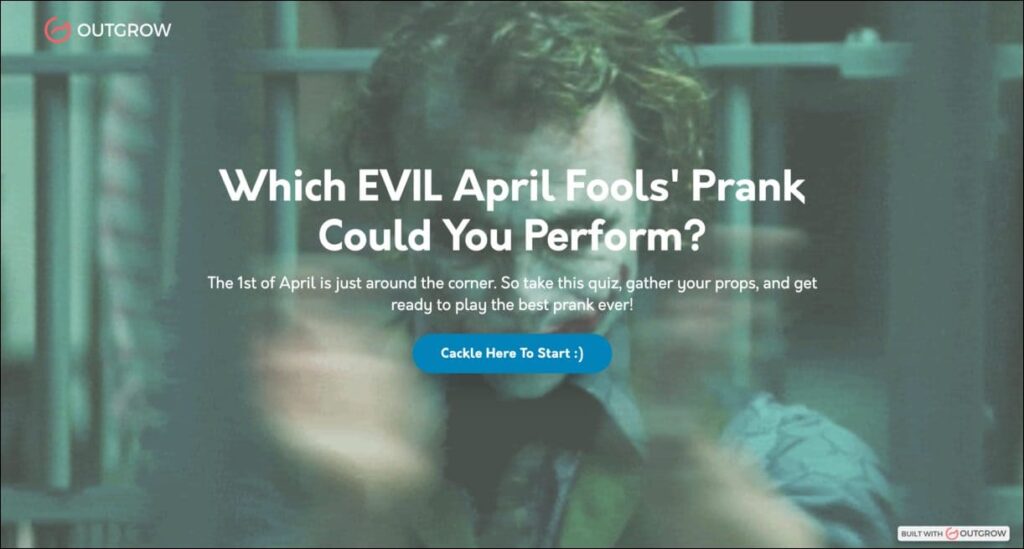
For example, on April Fool’s Day, wouldn’t you find this quiz fun? It’s almost forcing you to click on it.
2. They Are Personal
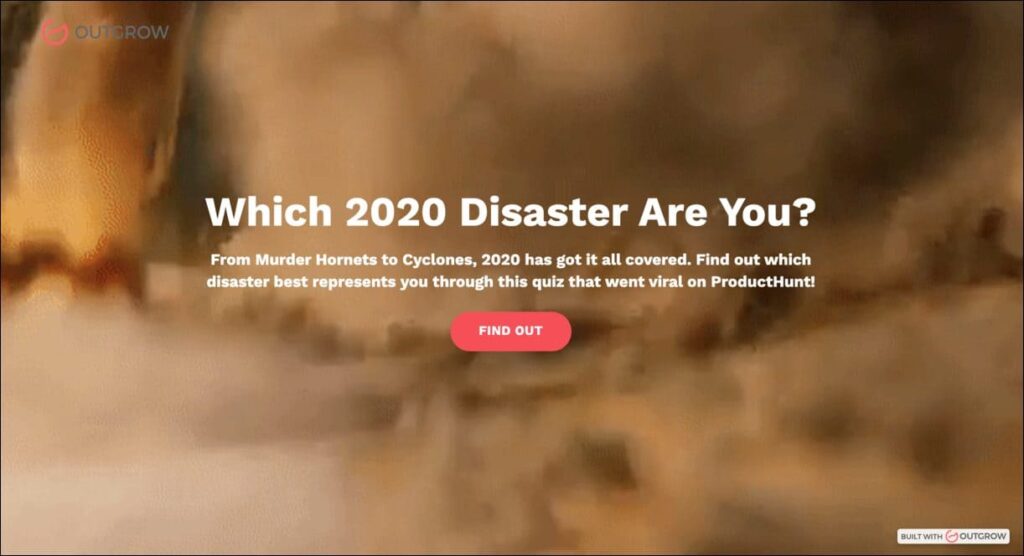
Okay, would you like to read a generic blog about different 2020 disasters, OR would you prefer a quiz that tells you “Which 2020 disaster are you?” We’ll choose the latter definitely. The reason is basic. We’d want something that tells us about us and not the entire world. BuzzFeed quizzes are personal as they give personalized results based on your answers.
3. They Are Shareable
Most of the time when we find something fun on the internet, we feel like sharing it with our friends. It’s basic human nature, we want others to enjoy and like what we like. And honestly, that’s just 10/10 sweet.
We don’t want to steal the chance of sharing joy with people, do we? And that’s why we use BuzzFeed quizzes. They can be shared in a matter of a few clicks. This makes them even more successful.

Types of BuzzFeed Quizzes
If you thought there was just one kind of BuzzFeed quiz, you were kidding yourself. The essence might be similar but there are a variety of options for you to choose from. There are certain types of questions that determine the quiz type. These questions and categories are important to help you understand how to make a BuzzFeed quiz more customized.
The most common type of BuzzFeed quizzes are:
1. Multiple Choice Quizzes
A multiple-choice quiz is primarily a quiz that, well, gives you multiple choices. It’s that simple.

2. Open-Ended Quizzes
Here you can include anything. Absolutely anything. As long as the topic is fun, you can create a quiz about anything. Have a look at the one we created!

3. Yes or No Quizzes
Let’s keep it simple. Make sure the process is super quick for your audience. And, that’s why Yes or No quizzes work.

4. Polls
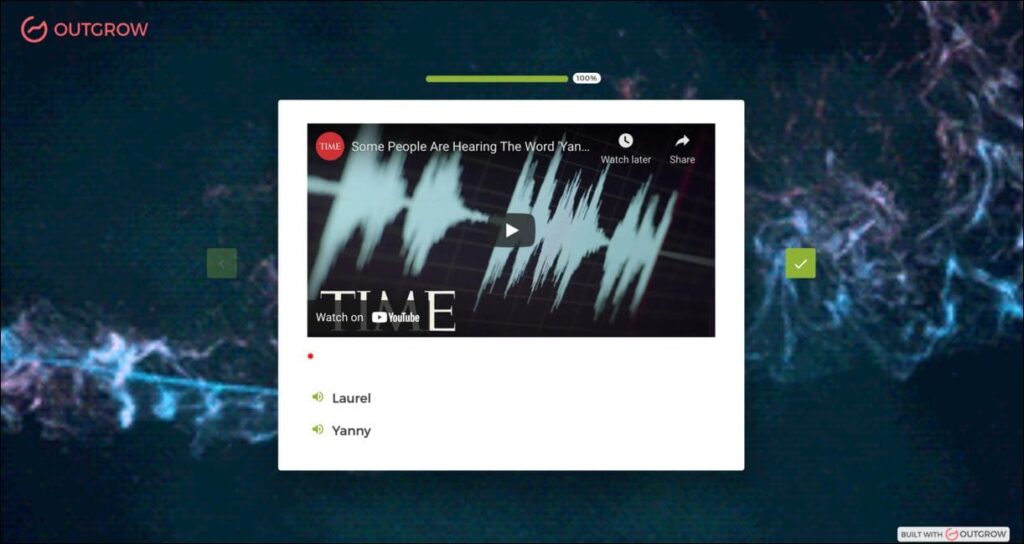
Everyone sees (hears) things differently. And polls help you know how many people think like you. Polls are super fun. Check this one out for example. What do you hear: Laurel or Yanny?
5. Fill in the Blanks
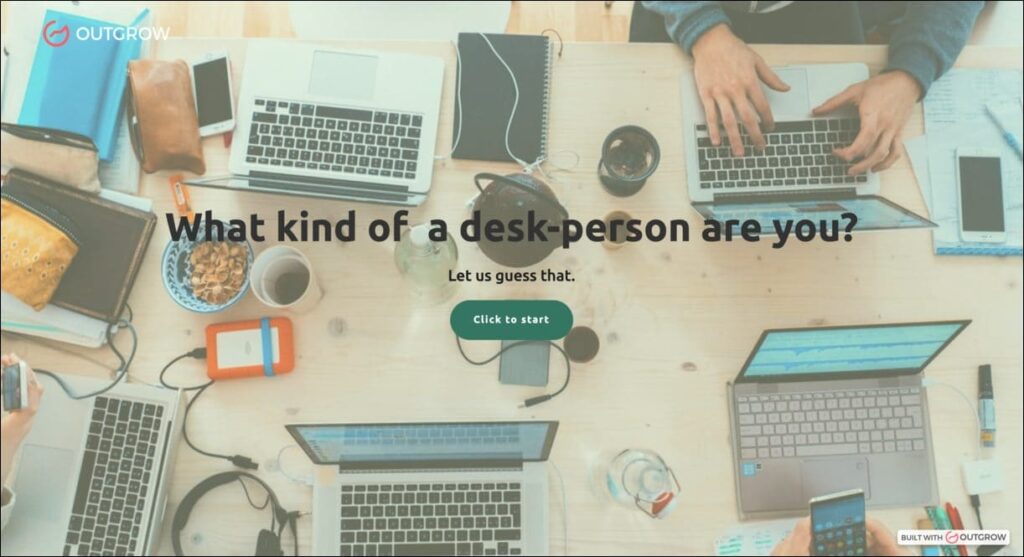
These types of quizzes are the most comfortable ones for users. Because the process is so quick. Look at this one we created for example. It tells you what kind of a desk person you are.
Top Features of No-Code Buzzfeed Quiz Maker
Boosts Lead Generation
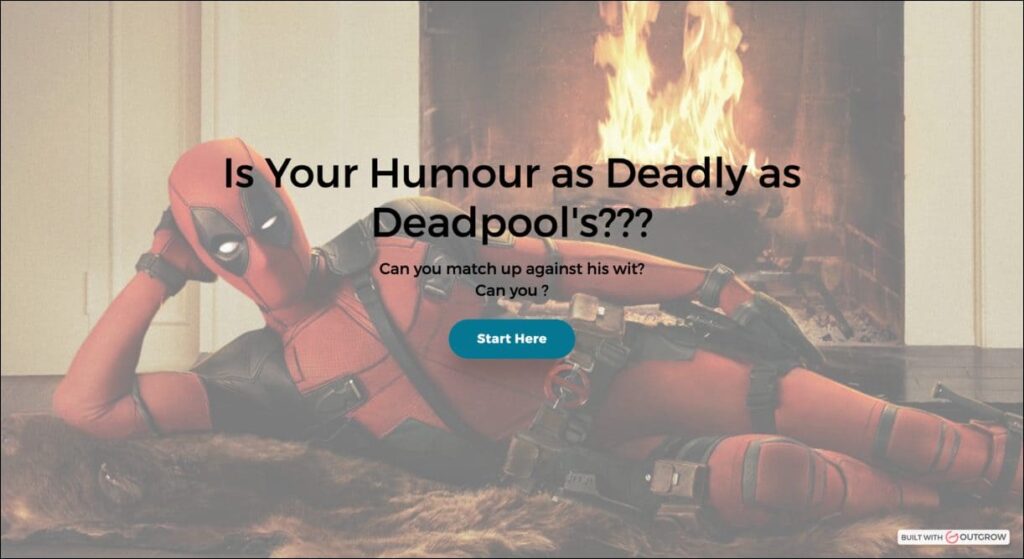
Yes, we know what you are thinking – “How will a personality quiz bring leads?” We’ll tell you! Imagine creating a super fun quiz, um something like, “Is your humor as deadly as Deadpool?” Tell you what! You can get leads from this too.
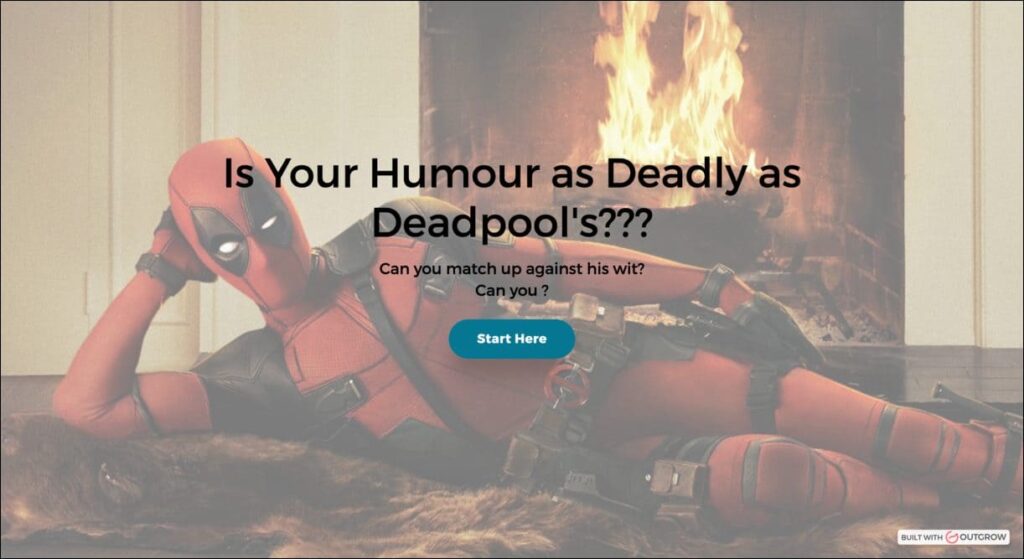

The logic’s simple. When you offer your audience something as cool as this, they’d be so excited to see the results page that they’ll happily share their contact information. You can then use this data to reach out to them. Interactive content like quizzes generates leads because they add value to your audience.
Easy to Create
Who wants to put in extra effort when you can get the work done without it. No-code tools do the major work for you. Now all you have to do is just drag and drop (literally). Outgrow’s What You See Is What You Get (WYSIWYG) builder makes the entire quiz-making process easy for you. Our priority is to give our users an A1 experience. And, our builder speaks for itself.
Avant-Garde Analytics
Working without focusing on its output is not the ideal way to go. Creating fun BuzzFeed quizzes to engage users should be your first step and not the last. You need to see if your strategies are working properly or not.
And, that’s what Outgrow’s Analytics tab is for. It helps you review the detailed analytics for each quiz. You have access to the granular detail of each visit on each quiz. Isn’t that great? See for yourself. Signup for free now!

How to Create a BuzzFeed Personality Quiz?
Firstly, you will need to have a quiz maker to make a BuzzFeed quiz for yourself. So, signup to Outgrow for free here and get started. We won’t ask for your credit card details, promise!
1. Before We Move on, Let’s Select the Type of Quiz
When you log into the Outgrow platform, you’re asked to choose between eight types of experiences – numerical calculators, outcome quizzes, assessments, surveys, giveaways, eCommerce recommendations, chatbots, and polls.
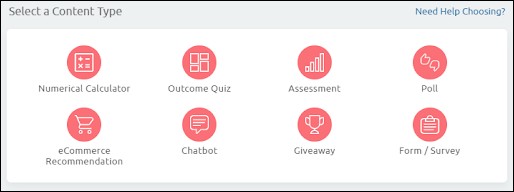
A BuzzFeed-style quiz is an outcome quiz since it gives you an outcome (an insightful one at that!) based on the answers you give. Thus, go for that option.
Next, you get to select a template of your choice. Depending on the type of questions you want to ask, and the options you’d like to give (numerical/text input, dropdown, single select, multi-select), you can pick a template.
2. Building the Actual Experience
There are two ways of going about creating an outcome quiz. You can start by writing the questions first or creating the outcomes.
(a) Let’s start with the questions for now
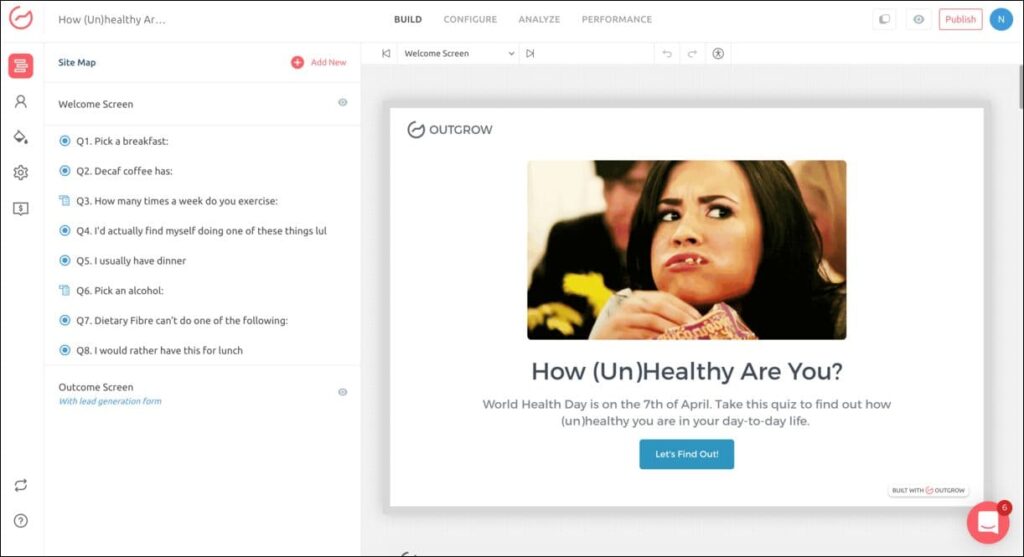
List down all your questions and options related to this quiz. Here we have added 8 related questions with each question having multiple options.
You can add the questions from the left panel and edit the text and options in the right panel.
(b) Now create the set of all possible outcomes
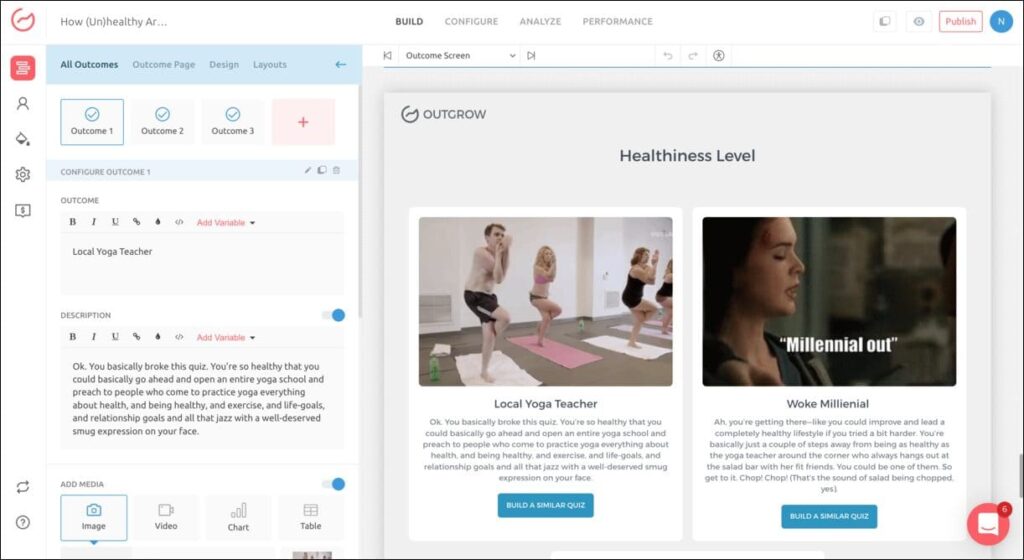
To add an outcome, click on OUTCOMES at the end of the left panel. Edit all the outcomes from the right-hand side panel by adding their heading and description.
To make the quiz more engaging, we suggest you use as many visual elements as possible. In this case, you can add a corresponding image or gif to go with each outcome.
Besides, make sure the copy of your outcome is positive, encouraging, and uplifting. You can’t expect people to share your quiz if you show them in a bad light in the outcome!
Related Read: 8 Tips to Make the Most out of Your Quiz Results Page
(c) Now, it’s mapping time!
Once you have added all the possible outcomes, you can map each option within each question to an outcome.
When the user selects an option, then the outcomes mapped to that option get a score of 1. Whichever outcome gets the most number of 1s, is then displayed as the result at the end.
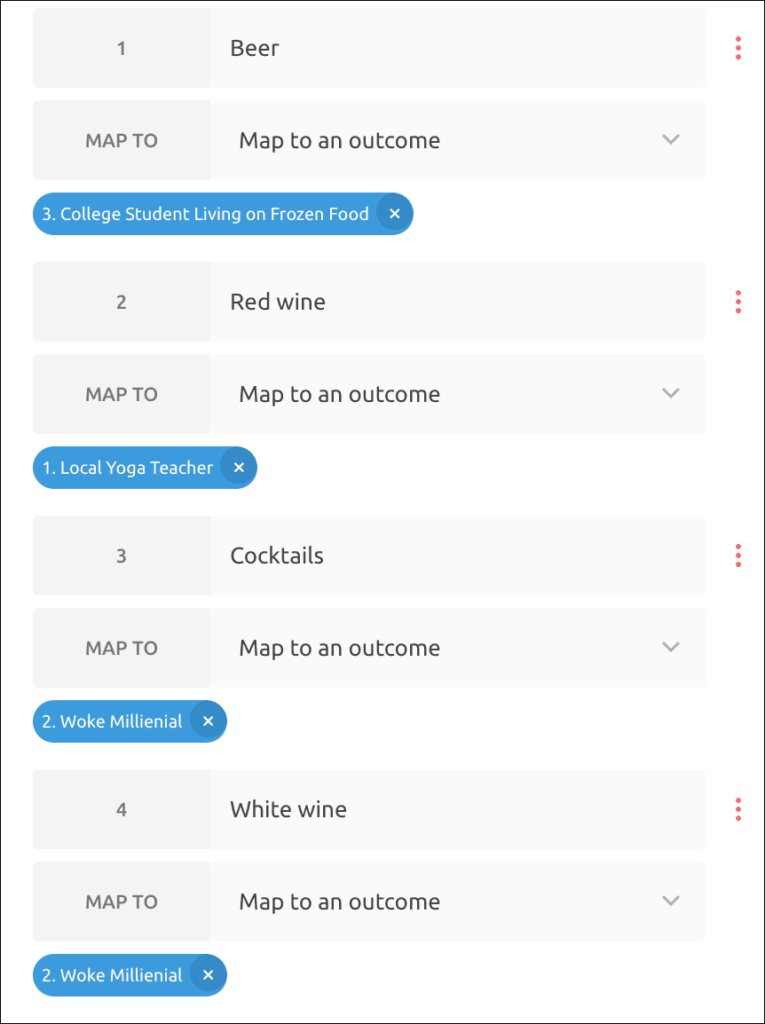
And voila! your outcome quiz is ready!
However, is that all you want to do? Create a fun engagement avenue for your prospects. No, you want leads! Let’s see how you can do that.
3. Capturing Those Leads
Once you’re done with adding questions, and mapping outcomes, you’ll find the option of adding a lead generation form just beside the right-hand panel, after all the questions. This is your Pandora’s Box. Click on this and the lead form properties will pop up on the right panel.
Here you can create and add a lead form to your quiz. You can choose to place your lead gen form at three junctures – on the welcome screen, after the questions, and after the results.
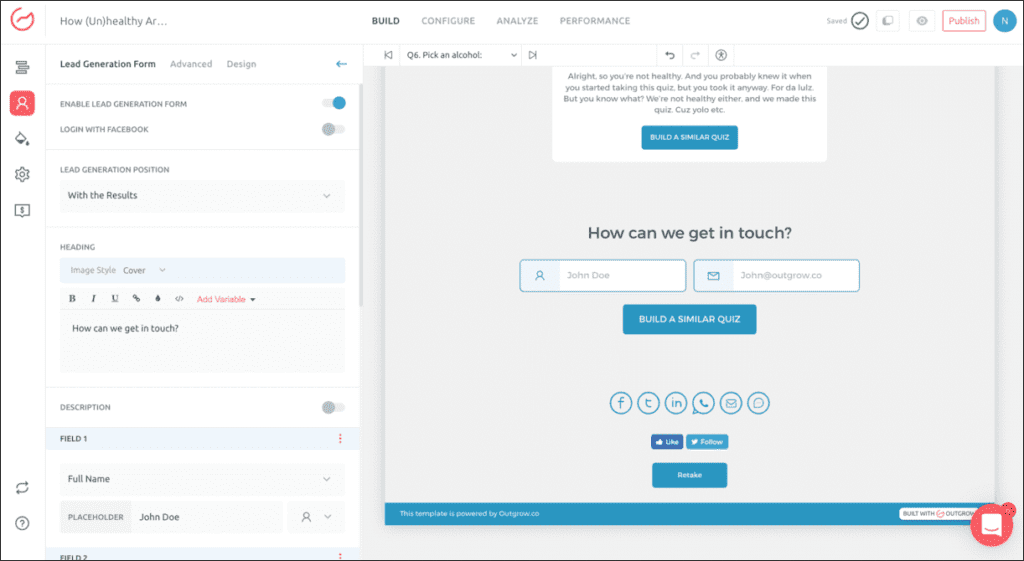
Tip: While what you select may vary on a case-to-case basis, we recommend placing it after the questions. That is when you get the maximum conversions, in our experience.
Note: Did you know? Outgrow has an awesome feature called progressive profiling that helps you better optimize your lead forms. Read more about it here.
Now that you’re ready to capture the lead data, the next step is to get your quiz out there.
4. Think Search Engines!
Under the Configure tab in the Outgrow builder, you get the option to optimize your quiz for search. You can customize the SEO title, and meta description, and see the Google preview.
You’re all set to go live now! This is what the Facebook preview will look like –

Things to Keep in Mind When Creating a BuzzFeed Style Quiz
Now that we have already told you the steps to create a BuzzFeed quiz, here are a few things you ought to keep in mind before you start:
1. Buzzfeed Style How to Quizzes: Titles & Themes
BuzzFeed quiz titles aren’t boring. On the contrary, they’re exciting and connect with you almost instantaneously. It’s as if your best friend is sitting right across from you and asking a set of questions. Who wouldn’t then want to take one quiz after another, right?
So, how is it that they manage to do so? The answer’s pretty simple: they make the quiz ABOUT YOU in many different ways. And, it’s not just the very obvious use of personal pronouns like “you” or “yourself”, in the title and in subtext. They work out the themes quite carefully so that you can’t say no to taking it! Let’s analyze a few quiz titles and their impact on us.
Let’s see some examples:
The following quiz touches upon YOU as someone in a parallel universe. That is quite a temptation! Of course, the results are inconsequential (does a parallel universe even exist?!), but it’s fun to know an alternate reality about YOURSELF!

And of course, who wouldn’t like a quiz on F.R.I.E.N.D.S? This quiz tests your knowledge of the first episode of the show. Anything that challenges you is obviously fun!

The next quiz, in particular, tests YOUR knowledge of the Simpsons. The “infuriating hard quiz” triggers YOU into finding out whether it is hard as it claims to be, especially if you are a real fan and not another binge-watcher!

Then there are “Which (blank) are you?” quizzes that perform well. Human beings, by nature, are curious about themselves. We also spend most of our time thinking about our thoughts, our personalities, etc. Perhaps that’s why the “Which (blank) are you?” title works so well…

A research study analyzed 454 BuzzFeed quiz titles, divided into two categories; ones that had “which”, “are”, “you” words, and the others that didn’t. The average views of the former category quizzes were staggeringly higher than the latter. Here’s the proof:

Then there are celebrity quizzes. Burton in her HuffPost interview said: “Another thing that works really well is tapping into fandom. People who self-identify as dog people or as “Friends” fans get really excited about “What Kind Of Dog Are You?” and “Which ‘Friends’ Character Are You?”. I think everybody plays that game, in their heads or with their friends already. So they want to see what an objective source is going to tell them.”
2. Visual Cues and Images
On the importance of visuals, Burton in another interview revealed that “since nostalgia is woven into BuzzFeed’s fabric, tying in strong visuals is a must.” As is evident, it can be seen in one of their first successful quizzes of 2013, “Which FRIENDS character are you”. They used the actual color palette and typeface used on the show.
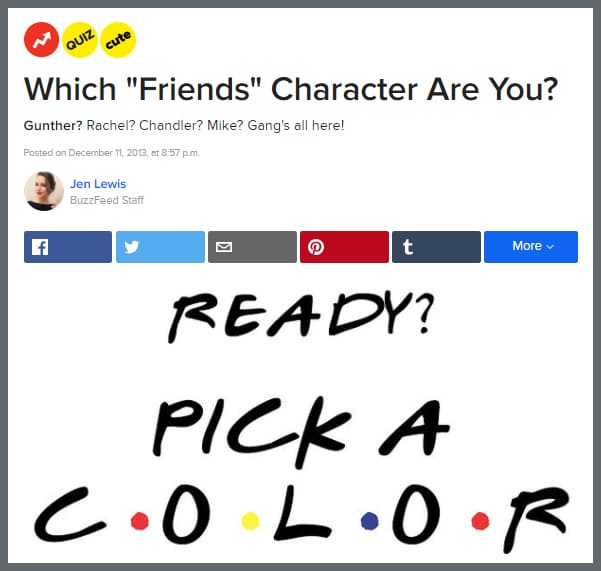
Images like these help to spice things up and give each quiz its own personality. Even color-coding question-and-answer sections can go a long way. We perceive information in images.
Imagine the amount of visual content we are exposed to every day in the form of tv ads, body language, etc. It comes as no surprise then that images perform better than text because the human brain processes images 60,000 times faster than text! So, don’t forget how important the role images play in an interactive medium such as a quiz.

Now, if these images are replaced with just text. Would it be as interactive as it is right now? As a final word on the usage of images: choose them carefully. They should communicate their thoughts clearly and the words and images used must complement each other.

3. Questions
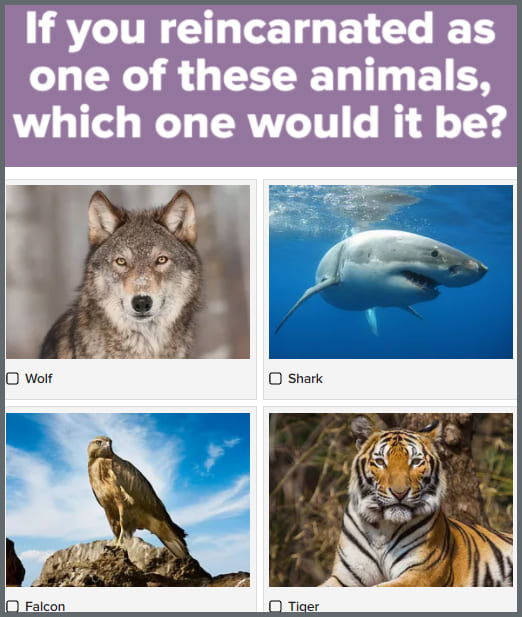
People love it if you talk directly to them and most BuzzFeed quizzes are based on that premise. Similar to the quiz titles, they make generous use of ‘you’ in the questions and that tends to make it seem like a one-to-one conversation. It becomes a personal experience whether people are taking the personality-type quiz or a trivia or assessment.
Now, just to verify if ‘you’ is really a game-changer, let’s take the same study that we referenced earlier. A BuzzFeed quiz categorized based on how many personal pronouns i.e. ‘i’, ‘you’, and ‘me’ is present in the questions of each quiz. The results revealed that a quiz with about 30-34 personal pronouns in its content generated the maximum number of views.

Make sure you are using an ample amount of personal pronouns in order to lend a conversational tone to your quiz.
Want to Create Buzzfeed Style Quizzes? We’ve got you covered with our Creatives Guide to Viral Quizzes. Download it here.
4. Write Positive Results
Have you ever come across a BuzzFeed quiz result that is mean? No, right? Our observation confirms the same. The results that they write are positive, personal, and visual.
A study confirms that quiz results with positive words like ‘awesome’, ‘excellent’, and ‘great’ get tweeted more than those that don’t have any kind of positive reinforcement. When quiz takers see uplifting results they want the world to know and also compare their results with their peers.
It gives every kind of person a chance to show who they are and what sets them apart. Moreover, it sets the ground for a conversation!

Now, even when people know that the results don’t actually have a scientific basis, they still go on and share the results. Also, if you see in the screenshot below, a quiz taker who doesn’t even watch Game of Thrones goes on to take it and shares her results. That’s how big the quiz craze is!

That’s how you get people to talk!
Burton in her HuffPost interview said, “It’s fun, it’s a game. I don’t think that when people answer “Where Should Your Next Vacation Be?”, they are super invested in thinking that that’s going to tell them something really deep about themselves.”
Talking about how many times a quiz is shared, BuzzSumo confirms that on average it gets shared about 1,900 times. Oh and by the way, if you’re not living under the rocks, BuzzFeed quizzes are so much fun that celebrities take them too. Here’s a photograph of Rupert Murdoch getting Rupert Murdoch as an answer to the quiz, ‘Which Billionaire Tycoon Are You?‘. Talk about quizzes going meta!

5. Watch the Length of the Quiz
Ideally, your quiz shouldn’t have more than 10 questions, which is what BuzzFeed follows too. Lesser the number of questions the higher the completion rate of the quiz.
One of the simplest reasons for this is that people don’t have much time and attention to spare. There’s so much going on in the internet world that if you bore them with a lot of content or make them put more effort, they are likely to exit the page.
And, as it is, by now all of us do know that our attention span is less than that of a goldfish, i.e., barely 8 seconds! Can’t take a risk, right?
6. Easy to share
BuzzFeed knows the power of social media where people share everything. With that in mind, they had to then make it easy for people to share quiz results! If you’ve taken any of their quizzes you’ll notice that the share options are provided right below the answer people get and it is unmissable.
Talking about data, 84% of shares of quizzes happen on Facebook. You too should give your users options to share your content across social networks like Facebook, Twitter, LinkedIn, Google.

Conclusion
So, now you know the magic formula for how to make a Buzzfeed quiz. It’s really that simple! A quiz can become an interactive way to engage with your target audience without eating up their time!

So, get going and create quizzes that will bring you results in your business! Start your free trial now!
![8 Proven Tips for Facebook Videos to Get More Views, Shares, and Engagement [Guest Blog]](https://outgrow.co/blog/wp-content/uploads/2023/05/Blogs-min-1536x768-1-1-1.png)